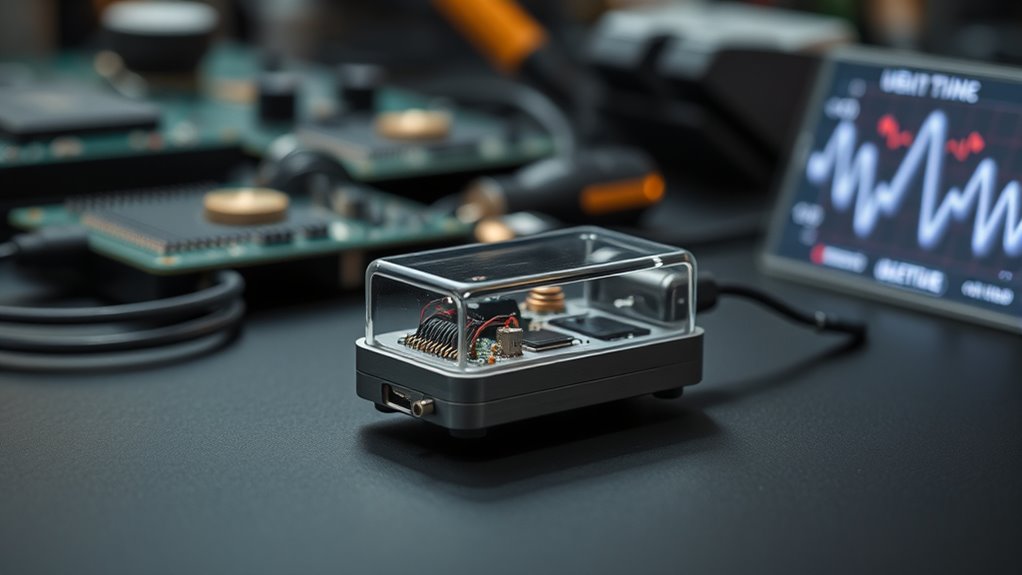

Vibration sensors vary widely: some measure equipment behavior for maintenance, while others send alerts when a door, window, or object is disturbed. My best overall pick is the Industrial Vibration Meter VM-428 Analyzer for buyers who need analysis tools and PC software; the YoLink Smart Vibration & Shock Sensor stands out for connected alerts, and the EVB Wi-Fi 6-Axis IMU suits engineering work. The main tradeoff is between useful measurement detail and easy, app-based monitoring, with DIY modules offering flexibility but requiring more setup. Compatibility, power, mounting, and the difference between a simple vibration trigger and an analyzer all matter. Read on for how the 14 options compare and which type of sensor fits your project.

Get movie nights delivered free with Prime
- Fast, free delivery on millions of items
- Prime Video, Amazon Music and more included
- Member-only deals all year
Key Takeaways
- The VM-428 is the analysis-focused pick: its external sensor and PC software distinguish it from alert-oriented smart-home devices.
- Connected monitoring and measurement are different jobs: YoLink, ThirdReality, and Aqara focus on event alerts, while the EVB 6-axis models target engineering and R&D.
- Hub and ecosystem compatibility can decide the purchase: the ThirdReality and Aqara options use Zigbee, while the Wi-Fi and YoLink models call for checking their own connectivity requirements.
- DIY sensor modules trade convenience for control: the piezoelectric and SW-420 sets can suit Arduino projects, but they are not ready-made monitoring systems.
- Pack size and model choice change the value proposition: ThirdReality’s three-pack suits multiple alert points, while the VM-424 is a simpler meter choice than the PC-software-equipped VM-428.
| Industrial Vibration Meter VM-424 with Remote Probe |  | Best for Routine Industrial Inspections | Acceleration range: 0.1–199.9 m/s² | Velocity range: 0.1–199.9 mm/s | Displacement range: 0.001–1.999 mm | VIEW ON AMAZON | See Our Full Breakdown |
| WiFi Vibration Sensor with App Alerts and Adjustable Sensitivity, Compatible with Alexa and Google Home |  | Best for Simple Wi-Fi Home Alerts | Working voltage: DC 3 V | Battery: 2 AAA batteries, included | Measurement accuracy: ±5% | VIEW ON AMAZON | See Our Full Breakdown |
| ThirdReality Smart Vibration Sensor with 110dB Alarm, Zigbee Hub Required, Adjustable Sensitivity, Compatible with SmartThings, Home Assistant, Echo Devices | 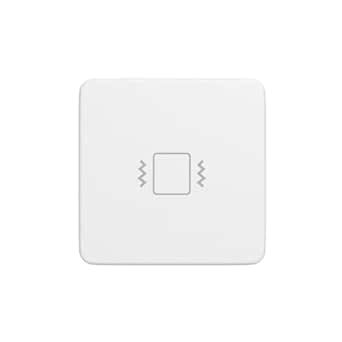 | Best Zigbee Sensor with Local Siren | Wireless protocol: Zigbee 3.0 | Compatibility: SmartThings, Home Assistant (ZHA/Z2M), Echo devices, Hubitat, Third Reality Gen2 hub | Sensitivity: 4 adjustable levels via physical switches | VIEW ON AMAZON | See Our Full Breakdown |
| EVB Wi-Fi Vibration & Motion Sensor with 6-Axis IMU for Engineering and R&D |  | Best for Connected Engineering Data | Sensor: 6-axis IMU: 3-axis accelerometer and gyroscope | Accelerometer range: ±2 g to ±16 g | Gyroscope range: ±125 dps to ±4000 dps | VIEW ON AMAZON | See Our Full Breakdown |
| 10pcs Piezoelectric Sensor Analog Ceramic Vibration Sensor Module for Arduino DIY Kit |  | Best for Arduino Prototyping | Quantity: 10 pieces | Sensor type: Piezoelectric ceramic | Working voltage: 3.3 V or 5 V | VIEW ON AMAZON | See Our Full Breakdown |
| YoLink Smart Vibration & Shock Sensor, YS7201 |  | Best for Long-Range Monitoring | Sensor technology: Vibration sensor | Connectivity: Wireless; LoRa technology | Maximum range: 400 meters | VIEW ON AMAZON | See Our Full Breakdown |
| EVB-01 Pro Wi-Fi Vibration & Motion Sensor with 6-Axis IMU | 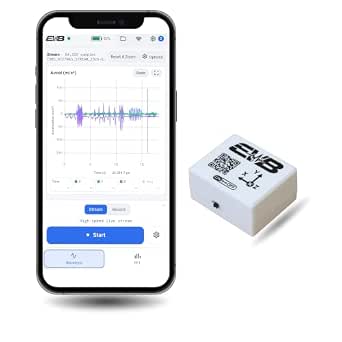 | Best for Engineering Analysis | Sensor: 6-axis IMU with accelerometer and gyroscope | Accelerometer range: ±2g to ±16g | Gyroscope range: ±125 dps to ±4000 dps | VIEW ON AMAZON | See Our Full Breakdown |
| 5Pcs SW-420 Vibration Sensor Module for Arduino |  | Best for Starter Arduino Projects | Quantity: 5 modules | Sensor type: SW-420 normally closed | Output format: Digital switching, 0 and 1 | VIEW ON AMAZON | See Our Full Breakdown |
| 5pcs SW-420 Motion Sensor Module Vibration Sensor Vibration Switch Alarm Sensors for Arduino |  | Best for Basic Multi-Point Builds | Quantity: 5 modules | Sensor type: SW-420 vibration sensor | Output type: Digital | VIEW ON AMAZON | See Our Full Breakdown |
| ThirdReality Zigbee Vibration Sensor 3 Pack with 110dB Alarm, Compatible with SmartThings, Home Assistant, Echo Devices | 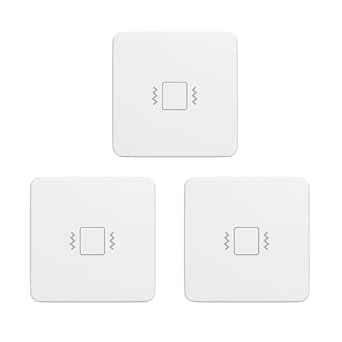 | Best for Local Home Alerts | Quantity: 3 sensors | Connectivity: Zigbee 3.0 | Compatible platforms: SmartThings, Home Assistant (ZHA/Z2M), Echo devices, and Hubitat | VIEW ON AMAZON | See Our Full Breakdown |
| Aqara Multi-State Sensor P100, Door and Window & Vibration Sensor, White |  | Best for Flexible Smart-Home Setups | Connectivity: Zigbee and Thread; Matter compatibility | Dimensions: 1.77 x 1.22 x 0.51 inches | Weight: 20 g | VIEW ON AMAZON | See Our Full Breakdown |
| Industrial Vibration Meter VM-428 Analyzer with External Sensor & PC Software |  | Best for Industrial Diagnostics | Acceleration range: 0.1–300 m/s² | Velocity range: 1–850 mm/s | Displacement range: 1–3300 µm | VIEW ON AMAZON | See Our Full Breakdown |
| Aqara Zigbee Vibration Sensor, Wireless Mini Glass Break Detector |  | Best Compact Home Alert Sensor | Connectivity: Zigbee 2.4 GHz | Hub requirement: Aqara Hub required | Detection: Vibration, tilt, and drops | VIEW ON AMAZON | See Our Full Breakdown |
| WTVB01-BT50 Smart Vibration Module – 3-Axis Wireless Vibration Sensor for Arduino | 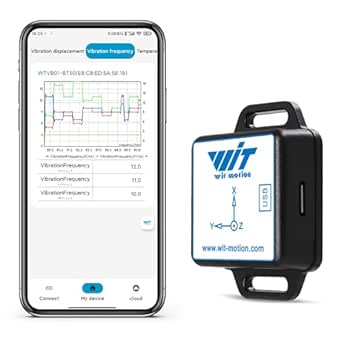 | Best for Portable Machine Checks | Wireless technology: Bluetooth 5.0 | Vibration displacement: 0–30000 µm | Speed: 0–50 mm/s | VIEW ON AMAZON | See Our Full Breakdown |
| vibration sensor | Dimensions | Weight |
|---|---|---|
| Industrial Vibration Meter VM- | 8.82 × 5.55 × 2.52 inches | — |
| WiFi Vibration Sensor with App | — | — |
| ThirdReality Smart Vibration S | 2.21 × 0.5 × 2.21 inches | 2.11 ounces |
| EVB Wi-Fi Vibration & Motion S | — | — |
| 10pcs Piezoelectric Sensor Ana | — | — |
| YoLink Smart Vibration & Shock | — | 0.06 kg |
| EVB-01 Pro Wi-Fi Vibration & M | — | — |
| 5Pcs SW-420 Vibration Sensor M | — | — |
| 5pcs SW-420 Motion Sensor Modu | — | — |
| ThirdReality Zigbee Vibration | 2.21 × 0.5 × 2.21 inches | 1.76 ounces |
| Aqara Multi-State Sensor P100 | 1.77 x 1.22 x 0.51 inches | 20 g |
| Industrial Vibration Meter VM- | 10.87 x 7.36 x 3.98 inches | 1.21 pounds |
| Aqara Zigbee Vibration Sensor | 1.42 x 1.42 x 0.35 inches | 0.48 ounces |
| WTVB01-BT50 Smart Vibration Mo | 1.42 x 0.59 x 2.02 inches | 2.46 ounces |
More Details on Our Top Picks
Industrial Vibration Meter VM-424 with Remote Probe
The VM-424 is the most direct fit here for maintenance staff who need readings from working machinery rather than alerts about a rattling door. It measures acceleration, velocity, and displacement, giving inspectors several ways to track machine condition with one handheld instrument. The remote probe and interchangeable tips also make it easier to reach awkward measurement points than the compact EVB Wi-Fi sensor, which is built around streaming and logging data.
The tradeoff is that this is a spot-check tool, not a continuous monitoring system: it lacks full-spectrum FFT analysis and is described for periodic inspections. Its frequency range and dual modes support routine diagnostics, but buyers doing deeper fault analysis may want the VM-428 analyzer in this roundup instead. I’d choose the VM-424 for practical, repeatable checks, not advanced waveform analysis.
Pros:- Measures acceleration, velocity, and displacement with one instrument
- Remote probe helps reach confined or awkward measurement points
- Interchangeable probe tips suit different inspection locations
- Dual frequency modes support routine diagnostic checks
Cons:- Does not provide full-spectrum FFT vibration analysis
- Periodic inspection use does not replace continuous monitoring
Best for: Maintenance technicians who need handheld spot measurements of acceleration, velocity, and displacement on machinery, including at hard-to-reach points.
Not ideal for: Plant teams seeking continuous online monitoring or full-spectrum FFT diagnostics; this meter is intended for periodic inspections.
- Acceleration range:0.1–199.9 m/s²
- Velocity range:0.1–199.9 mm/s
- Displacement range:0.001–1.999 mm
- Frequency range:10 Hz–3 kHz
- Sensor type:Shear-type accelerometer
- Display:Backlit LCD with data hold and max hold
- Power:1 lithium-ion battery
- Dimensions:8.82 × 5.55 × 2.52 inches
Our verdict“Choose the VM-424 for flexible handheld machinery checks, but look to a dedicated analyzer or monitoring system for deeper or continuous diagnostics.”
WiFi Vibration Sensor with App Alerts and Adjustable Sensitivity, Compatible with Alexa and Google Home
This sensor is aimed at home security, not machinery diagnostics: it detects vibration on doors or windows and sends app notifications over Wi-Fi. Adjustable sensitivity gives homeowners some control over how readily it reacts, while tape or screw mounting keeps installation straightforward. Compared with the ThirdReality Smart Vibration Sensor, this model connects through Wi-Fi and Tuya/Smart Life rather than requiring a Zigbee hub, which may suit homes already organized around those services.
That convenience comes with boundaries. It needs a 2.4 GHz network, is specified for indoor use within a 30-meter sensing distance, and runs on two AAA batteries whose replacement interval depends on use. It also does not provide the measurement ranges or analysis features of the VM-424 or EVB sensor. I’d pick it for basic remote alerts on household openings, not for engineering measurements or a hub-free solution independent of Wi-Fi.
Pros:- Sends remote notifications through the Tuya/Smart Life app
- Adjustable sensitivity helps tailor detection to a location
- Installs with tape or screws without specialized tools
- Works with Alexa and Google Home
Cons:- Requires a 2.4 GHz Wi-Fi network
- Battery replacement frequency varies with usage
- Indoor use and a 30-meter sensing distance limit placement
Best for: Smart-home owners who want app alerts when an indoor door, window, or other mounted object vibrates and already use Tuya/Smart Life or compatible voice assistants.
Not ideal for: Buyers without 2.4 GHz Wi-Fi, those needing outdoor coverage, or anyone seeking quantified vibration measurements for machinery.
- Working voltage:DC 3 V
- Battery:2 AAA batteries, included
- Measurement accuracy:±5%
- Sensing distance:30 meters
- Working temperature:−10°C to 50°C
- Working humidity:≤95%
- Installation:Tape or screws
- Compatibility:Alexa, Google Home, Tuya/Smart Life app
Our verdict“Choose this for straightforward Wi-Fi vibration alerts around the home, but skip it for industrial measurement or installations beyond its indoor range.”
ThirdReality Smart Vibration Sensor with 110dB Alarm, Zigbee Hub Required, Adjustable Sensitivity, Compatible with SmartThings, Home Assistant, Echo Devices
The ThirdReality stands apart from the Wi-Fi vibration sensor in this group by pairing Zigbee smart-home integration with a built-in 110 dB siren. That combination makes it a stronger fit for a door, window, drawer, or other object where an audible alarm matters alongside connected-home automation. Four physical sensitivity settings offer a simple way to tune detection, and the stated battery life of about a year means less frequent battery attention than a device whose battery life depends on use.
The main catch is the hub requirement: it will not operate as a standalone Wi-Fi alert sensor like the Tuya/Smart Life model. Its job is also limited to vibration detection, so it cannot provide the acceleration, velocity, or displacement readings offered by the VM-424. The sensitivity controls are physical switches rather than app-based settings. I’d favor this pick when a compatible Zigbee hub and a loud local alarm are priorities.
Pros:- Built-in 110 dB siren can sound an alert locally
- Compatible with several Zigbee platforms and hubs
- Four sensitivity levels allow basic detection tuning
- Approximately one-year stated battery life reduces routine upkeep
Cons:- Requires a compatible Zigbee hub
- Detects vibration only and does not provide engineering measurements
- Sensitivity is adjusted with physical switches
Best for: Smart-home users with a compatible Zigbee hub who want adjustable vibration alerts and a loud local siren for doors, windows, drawers, or stored items.
Not ideal for: People without a Zigbee hub, or buyers who need Wi-Fi-only setup, machinery measurements, or app-adjusted sensitivity.
- Wireless protocol:Zigbee 3.0
- Compatibility:SmartThings, Home Assistant (ZHA/Z2M), Echo devices, Hubitat, Third Reality Gen2 hub
- Sensitivity:4 adjustable levels via physical switches
- Alarm:110 dB siren with mute switch
- Power:2 AAA batteries, included
- Stated battery life:Approximately 1 year
- Dimensions:2.21 × 0.5 × 2.21 inches
- Weight:2.11 ounces
Our verdict“Choose the ThirdReality when you already have a compatible Zigbee hub and want a local siren; choose the Wi-Fi model for a simpler Wi-Fi-based setup.”
EVB Wi-Fi Vibration & Motion Sensor with 6-Axis IMU for Engineering and R&D
For engineers and R&D teams who need more than a contact-style vibration alarm, this EVB unit offers a 6-axis IMU combining a three-axis accelerometer and gyroscope, plus real-time Wi-Fi streaming or local logging. Its response time and selectable measurement ranges make it better suited to capturing motion data than the ThirdReality or Tuya/Smart Life sensors, which focus on household alerts rather than measurement workflows. Timestamps and an API/software portal also give teams a path to connect readings with their own analysis.
The portable size comes with a significant power tradeoff: its 500 mAh battery is rated for up to eight hours, and the description says external power is needed for continuous operation. Advanced analytics also require an additional subscription. Unlike the handheld VM-424, it supports connected data collection but does not list the same acceleration, velocity, and displacement ranges. I’d choose it for flexible R&D logging, not unattended long-term monitoring without power planning.
Pros:- Six-axis IMU combines accelerometer and gyroscope data
- Supports real-time Wi-Fi streaming and local logging
- API/software portal and timestamps suit connected analysis workflows
- Compact, lightweight unit with adhesive mounting
Cons:- Battery is rated for up to eight hours, limiting untethered sessions
- Continuous operation requires external power
- Advanced analytics require an additional subscription
Best for: Engineering and R&D teams that need timestamped motion data, Wi-Fi streaming or local logging, and an API-oriented workflow for vibration experiments.
Not ideal for: Maintenance teams needing long-duration untethered monitoring, a simple home-security alert, or a handheld meter with specified velocity and displacement ranges.
- Sensor:6-axis IMU: 3-axis accelerometer and gyroscope
- Accelerometer range:±2 g to ±16 g
- Gyroscope range:±125 dps to ±4000 dps
- Measurement accuracy:60 µg/√Hz (accelerometer); 5 mdps/√Hz (gyroscope)
- Response time:150 microseconds
- Wireless and logging:Wi-Fi and AP mode; local logging
- Battery:500 mAh Li-Po; up to 8 hours
- Dimensions and weight:1.56 × 1.3 × 0.77 inches; 31 g
Our verdict“Choose the EVB for short, connected engineering data-collection sessions; choose the VM-424 for handheld routine inspections or a purpose-built long-running system for continuous monitoring.”
10pcs Piezoelectric Sensor Analog Ceramic Vibration Sensor Module for Arduino DIY Kit
This ten-piece set is the most hands-on option here: each piezoelectric sensor outputs an analog signal that a microcontroller project can use to detect vibration or strain changes. That makes it a natural choice for Arduino experiments, trigger pads, or electronic drum projects, where the builder can shape the signal handling to fit the application. Compared with the ready-to-use Wi-Fi and Zigbee sensors, these modules leave connectivity, alerts, and interpretation to the buyer—but offer more freedom to build a custom circuit.
The low-current design and small ceramic elements suit lightweight DIY work, not robust industrial measurement. The analog output may need additional signal conditioning or code, and wiring quality affects readings. Unlike the VM-424, this kit does not deliver calibrated acceleration, velocity, or displacement values out of the box. I’d buy it for prototyping and learning, while anyone wanting a finished alert device or maintenance instrument should choose a complete sensor system instead.
Pros:- Ten sensors support multiple prototypes or replacement parts
- Analog output can be incorporated into custom microcontroller circuits
- Operates with 3.3 V or 5 V projects
- Compact 30 × 23 mm form factor fits small builds
Cons:- Analog signal may require extra processing or conditioning
- Accurate readings depend on appropriate wiring and circuit design
- Not a standalone measurement or notification system
Best for: Arduino and microcontroller hobbyists building custom vibration triggers, electronic drum inputs, or small sensing prototypes who are comfortable handling analog signals.
Not ideal for: Buyers wanting a ready-to-install security sensor, calibrated machinery readings, or a finished system with wireless alerts and built-in signal analysis.
- Quantity:10 pieces
- Sensor type:Piezoelectric ceramic
- Working voltage:3.3 V or 5 V
- Working current:<1 mA
- Output:Analog signal
- Size:30 × 23 mm
- Operating temperature:−10°C to +70°C
- Material:Ceramic
Our verdict“Choose this set for low-cost-in-complexity DIY flexibility when you can process analog signals, but choose a complete sensor or meter for ready-made readings and alerts.”
YoLink Smart Vibration & Shock Sensor, YS7201
The YoLink YS7201 is the stronger fit when a sensor needs to report from a shed, storage area, or outbuilding beyond the reach of typical short-range smart-home connections. Its LoRa wireless range of up to 400 meters can help cover separated spaces, while app or email alerts and device pairing make it more useful as part of a wider monitoring setup. Compared with the ThirdReality Zigbee Vibration Sensor 3 Pack, YoLink prioritizes distance and remote notification over an onboard siren and a three-sensor bundle. It runs on batteries and attaches with adhesive, but a compatible hub is required, so it is not a standalone detector. Buyers should also note that the listing mentions Wi-Fi network limits, despite the sensor’s LoRa link; check the hub and network requirements before choosing it.
Pros:- LoRa connectivity supports a stated maximum range of 400 meters.
- Battery power and adhesive mounting allow placement without wired installation.
- Device pairing supports coordinated security alerts.
- Alexa compatibility adds voice-control options.
Cons:- Requires a hub, adding setup steps and another device.
- No built-in siren or alarm to alert people nearby.
- The listed Wi-Fi limitation may complicate network setup; verify hub requirements.
Best for: Homeowners monitoring equipment, windows, or stored items in detached or far-flung areas who already plan to use a YoLink hub.
Not ideal for: Buyers who want a self-contained alarm, need to avoid a hub, or want several sensors in one package.
- Sensor technology:Vibration sensor
- Connectivity:Wireless; LoRa technology
- Maximum range:400 meters
- Power source:Battery powered
- Battery cell type:Alkaline
- Alert type:Motion
- Compatible device:Smartphone
- Weight:0.06 kg
Our verdict“Choose the YoLink YS7201 for long-range vibration alerts across a hub-based setup, not for an all-in-one local alarm.”
EVB-01 Pro Wi-Fi Vibration & Motion Sensor with 6-Axis IMU
For buyers who need to inspect vibration data rather than simply receive an alert, the EVB-01 Pro is the most measurement-focused option in this group. Its 6-axis accelerometer and gyroscope, adjustable measurement ranges, and browser-based waveform and FFT tools support analysis for engineering, EV testing, or research. Real-time Wi-Fi streaming helps with live observation, while offline logging offers a fallback when a network is unavailable. That makes it very different from the YoLink YS7201, which is aimed at remote security notifications, not detailed measurement. The tradeoff is a more involved setup and an approximately 8-hour battery runtime; users running longer sessions will need USB-C power or a charging plan. It is a poor fit if all you want is a simple door or equipment alert.
Pros:- Six-axis accelerometer and gyroscope capture both vibration and rotational motion.
- Browser interface includes waveform and FFT analysis.
- Real-time Wi-Fi streaming is paired with offline data logging.
- Rechargeable battery or USB-C power supports portable and stationary use.
Cons:- Approximately 8-hour battery runtime limits longer untethered sessions.
- Real-time streaming depends on a Wi-Fi or network connection.
- Setup and analysis tools may be excessive for basic alerting.
Best for: Engineers, EV developers, and research users who need vibration waveforms, motion data, and offline logging in a portable sensor.
Not ideal for: Homeowners seeking a simple tamper alert, or teams that need unattended monitoring beyond the stated battery runtime without USB-C power.
- Sensor:6-axis IMU with accelerometer and gyroscope
- Accelerometer range:±2g to ±16g
- Gyroscope range:±125 dps to ±4000 dps
- Measurement accuracy:60 µg/√Hz for accelerometer; 5 mdps/√Hz for gyroscope
- Response time:150 microseconds
- Power:500 mAh rechargeable Li-Po battery or USB-C
- Battery runtime:Approximately 8 hours
- Maximum supply voltage:5 volts
Our verdict“Pick the EVB-01 Pro when measurable vibration data matters more than simple smart-home alerts.”
5Pcs SW-420 Vibration Sensor Module for Arduino
This five-module SW-420 set is a practical entry point for simple microcontroller projects that need to detect a vibration event and respond with a digital signal. Its 3.3V–5V operating range suits common Arduino-style setups, and the LM393 comparator provides a straightforward 0/1 output rather than a detailed measurement stream. The bolt holes also make the small boards easier to secure than loose sensor components. Compared with the other five-piece SW-420 set from B0FC5PW8CK, this listing gives more useful electrical detail, including voltage range and comparator type. Neither kit offers the six-axis analysis of the EVB-01 Pro, and these modules are not ready-made wireless alarms: expect to connect them to a controller and write or configure the response. Sensitivity details are limited, so they suit basic detection better than calibrated monitoring.
Pros:- Five modules support multiple prototypes or monitoring points.
- Works across a 3.3V–5V supply range.
- LM393 comparator provides a simple digital switching output.
- Bolt holes help secure the compact boards.
Cons:- Requires electronics knowledge and a microcontroller or other interface.
- Limited sensitivity and performance details make precise tuning difficult.
- Digital switching output does not provide rich vibration measurements.
Best for: Arduino learners and makers who want several low-voltage digital vibration modules for simple trigger-based builds.
Not ideal for: Buyers needing wireless alerts, calibrated vibration measurements, or a ready-to-install home security sensor.
- Quantity:5 modules
- Sensor type:SW-420 normally closed
- Output format:Digital switching, 0 and 1
- Working voltage:3.3V–5V
- Comparator:LM393
- Module size:3.2 × 1.4 cm
- Mounting:Bolt holes
Our verdict“Choose this kit for budget-conscious Arduino experiments where a simple vibration trigger is enough.”
5pcs SW-420 Motion Sensor Module Vibration Sensor Vibration Switch Alarm Sensors for Arduino
This set of five SW-420 digital modules suits DIY builds that need a simple vibration switch at several locations, such as triggering a microcontroller response when a device or enclosure moves. The compact boards and digital output keep integration relatively direct for makers who already have a power supply and controller. Unlike the other five-piece SW-420 kit, B0BKZ7L1SS, this listing specifies flange mounting but provides fewer circuit details; it does not name a comparator or give a module size. That makes it harder to judge mounting fit and behavior before purchase. Compared with a smart-home sensor such as the ThirdReality Zigbee Vibration Sensor 3 Pack, it offers no hub integration, siren, or ready-to-use alerts. Treat it as a component for experimentation, not a finished security product.
Pros:- Five modules allow several detection points or spare units for prototyping.
- Digital output is suited to straightforward microcontroller responses.
- Compact PCB format fits small DIY assemblies.
- Flange mounting provides a defined attachment approach.
Cons:- Requires a 3.3V–5V supply and separate controller or alarm circuitry.
- No detailed sensitivity adjustment information is provided.
- Detects vibration only and does not offer wireless monitoring.
Best for: Makers with basic electronics skills who need several simple vibration-trigger inputs for Arduino or other microcontroller projects.
Not ideal for: Buyers who want detailed sensitivity specifications, a complete alarm, or app-based monitoring without writing their own control logic.
- Quantity:5 modules
- Sensor type:SW-420 vibration sensor
- Output type:Digital
- Maximum supply voltage:5 volts
- Supply range:3.3V–5V
- Mounting type:Flange mount
- Material:Electronic-grade silicon, copper, and plastics
Our verdict“Buy this set for simple, hands-on multi-point electronics projects, not for a finished monitoring system.”
ThirdReality Zigbee Vibration Sensor 3 Pack with 110dB Alarm, Compatible with SmartThings, Home Assistant, Echo Devices
The ThirdReality Zigbee 3 Pack puts home security ahead of measurement: adjustable sensitivity helps tailor detection for doors, drawers, or windows, and a 110dB built-in siren can alert people nearby without relying only on a phone notification. Three sensors also make it easier to cover multiple entry points than with the single YoLink sensor. It supports several Zigbee ecosystems, including SmartThings and Home Assistant, giving it broader hub options than a sensor tied to one monitoring setup. The tradeoff is that a Zigbee hub is still required, and the six AAA batteries are not rechargeable. A physical mute switch may also be toggled unintentionally. Unlike the engineering-focused EVB-01 Pro, this is for event alerts, not waveform analysis or vibration diagnostics.
Pros:- Three sensors provide coverage for multiple doors, windows, or drawers.
- Built-in 110dB siren can provide a nearby audible alert.
- Four sensitivity levels allow adjustment for different placements.
- Works with several listed Zigbee platforms, including SmartThings and Home Assistant.
Cons:- Requires a compatible Zigbee hub for operation.
- Uses six AAA batteries rather than rechargeable power.
- The physical mute switch may be toggled accidentally.
Best for: Smart-home owners with a compatible Zigbee hub who want several entry-point sensors with an audible local alarm.
Not ideal for: Buyers without a Zigbee hub, those who need rechargeable power, or anyone seeking engineering-grade vibration data.
- Quantity:3 sensors
- Connectivity:Zigbee 3.0
- Compatible platforms:SmartThings, Home Assistant (ZHA/Z2M), Echo devices, and Hubitat
- Alarm volume:110dB
- Sensitivity:4 adjustable levels
- Power:6 AAA batteries, included
- Dimensions:2.21 × 0.5 × 2.21 inches
- Weight:1.76 ounces
Our verdict“Choose this pack for hub-based home security when a local siren and multi-point coverage matter more than measurement detail.”
Aqara Multi-State Sensor P100, Door and Window & Vibration Sensor, White
The Aqara P100 earns this spot by combining vibration detection with door-and-window status, so one sensor can support more than one kind of home automation. Its Thread and Zigbee connectivity with Matter compatibility gives it broader protocol options than the Aqara Zigbee Vibration Sensor, though the right hub and setup are still needed to access all features. Adjustable sensitivity and event logging help tailor alerts to the object or entry point being monitored, while the adhesive mount and manual calibration keep installation relatively approachable. Its small, light body is suited to indoor mounting, and the listed lithium-metal battery supports ongoing use. The tradeoff is that this is not a standalone industrial instrument: it depends on a compatible smart-home setup, has limited third-party support for some functions, and is not weatherproof for outdoor use.
Pros:- Combines vibration sensing with door-and-window status in one device
- Supports Zigbee and Thread, with Matter compatibility
- Adjustable sensitivity and event logging allow more tailored monitoring
- Adhesive mounting and manual calibration simplify installation
Cons:- Full functionality depends on compatible hubs and protocols, adding setup work
- Indoor-only design is unsuitable for weather exposure
- Some functions have limited third-party platform support
Best for: Smart-home owners who want one indoor sensor for vibration alerts and door-or-window status, especially those already using a compatible Aqara, Thread, or Matter setup.
Not ideal for: Buyers seeking outdoor monitoring, a standalone sensor without a hub, or highly compatible third-party automation across every platform.
- Connectivity:Zigbee and Thread; Matter compatibility
- Dimensions:1.77 x 1.22 x 0.51 inches
- Weight:20 g
- Color:White
- Battery type:Lithium metal
- Installation:Self-adhesive mounting with manual calibration
- Sensitivity:Adjustable
- Use:Indoor
Our verdict“Choose the P100 if you want adjustable indoor vibration monitoring alongside door-or-window sensing and have a compatible smart-home hub.”
Industrial Vibration Meter VM-428 Analyzer with External Sensor & PC Software
The VM-428 is the lineup’s diagnostic instrument, not a smart-home alert sensor. It measures acceleration, velocity, displacement, and temperature, then presents readings on a color LCD with a real-time graph and ISO severity ratings. That breadth helps maintenance teams evaluate motors, pumps, turbines, and other rotating equipment with more context than the wireless WTVB01-BT50 module, which is built around portable Bluetooth monitoring. A magnetic external sensor supports repeatable contact measurements, and USB export plus PC software can help preserve readings for later review. The compromise is workflow: this handheld meter is for periodic checks rather than unattended, continuous monitoring. It also needs the external sensor for optimal measurements and is not described as a laboratory-grade spectrum analyzer. I’d pick it for structured equipment inspections, not household security or always-on machine alerts.
Pros:- Measures acceleration, velocity, displacement, and temperature
- Color LCD displays real-time graphs and ISO vibration severity ratings
- Magnetic external sensor supports stable, repeatable measurements
- USB data export and PC software support logging and review
Cons:- Designed for periodic handheld checks rather than continuous monitoring
- External sensor is needed for optimal measurements
- Not presented as a laboratory-grade spectrum analyzer
Best for: Maintenance technicians and plant operators who need handheld vibration and temperature readings, ISO severity guidance, and exported data for rotating machinery inspections.
Not ideal for: Home-security buyers or teams that need continuous unattended monitoring, a laboratory-grade spectrum analyzer, or a compact wireless sensor left on equipment.
- Acceleration range:0.1–300 m/s²
- Velocity range:1–850 mm/s
- Displacement range:1–3300 µm
- Frequency range:30 Hz–14 kHz
- Temperature measurement:Yes
- Display:Color LCD with real-time graph
- Connectivity:USB for data export
- Weight:1.21 pounds
- Dimensions:10.87 x 7.36 x 3.98 inches
Our verdict“Choose the VM-428 for periodic, multi-parameter machinery diagnostics rather than wireless alerts or continuous monitoring.”
Aqara Zigbee Vibration Sensor, Wireless Mini Glass Break Detector
For straightforward indoor alerts on a window, cabinet, or valuable, the Aqara Zigbee Vibration Sensor is the smaller, more focused choice than the multi-state P100. It detects vibration, tilt, and drops, making it useful for more than a single glass-break scenario, and its compact body can fit where a broader sensor would be awkward. The listed battery life of up to two years also suits installations that should need little routine attention. It connects through an Aqara Hub and can work with several smart-home ecosystems, but that hub requirement narrows its appeal compared with the P100’s additional Thread and Matter options. This is an indoor alert device, not a machine-diagnostics tool like the VM-428: it does not provide measurement ranges or industrial condition data. Choose it for simple object and entry-point monitoring, and skip it if you want hub-free use or outdoor placement.
Pros:- Detects vibration, tilt, and drops for varied household monitoring
- Compact 1.42-inch-square form fits small objects and mounting spots
- Battery life is listed as up to two years
- Supports Apple Home, Alexa, IFTTT, and Home Assistant through compatible setup
Cons:- Requires an Aqara Hub to operate
- Indoor-only design limits placement
- Third-party Zigbee platform compatibility may be limited
Best for: Aqara Hub owners who want a small indoor sensor for detecting tampering, tilting, drops, or possible glass breakage on windows and valuables.
Not ideal for: Buyers who do not want a hub, need outdoor protection, or require quantitative vibration readings for machinery.
- Connectivity:Zigbee 2.4 GHz
- Hub requirement:Aqara Hub required
- Detection:Vibration, tilt, and drops
- Battery life:Up to 2 years
- Battery type:Lithium metal
- Dimensions:1.42 x 1.42 x 0.35 inches
- Weight:0.48 ounces
- Mounting:Wall mount
- Use:Indoor
Our verdict“Choose this Aqara sensor for compact, hub-based indoor alerts on windows or valuables, not for standalone or industrial monitoring.”
WTVB01-BT50 Smart Vibration Module – 3-Axis Wireless Vibration Sensor for Arduino
The WTVB01-BT50 suits engineers and technicians who need wireless, multi-axis readings at a machine rather than a household alarm. It captures three-axis vibration data and temperature, with listed ranges for displacement, speed, and amplitude; Bluetooth 5.0 connects it to a phone or computer for analysis. That makes it more portable and convenient for spot checks than the VM-428 handheld analyzer, while the VM-428 offers a color display, ISO severity ratings, and USB export for a more self-contained inspection workflow. This module’s compact dimensions and wireless link can help when access to a machine is awkward, but its approximately eight-hour battery life limits long sessions and rules out extended unattended monitoring. Full use also depends on software on a phone or PC, so it is a poor fit for buyers seeking a simple home vibration alarm.
Pros:- Captures real-time three-axis vibration and temperature data
- Bluetooth 5.0 supports wireless use with smartphones or computers
- Compact, lightweight body is suited to portable checks and tight access
- Lists displacement, speed, and amplitude measurement ranges
Cons:- Approximately eight-hour battery life limits extended monitoring
- Phone or PC software is needed for full functionality
- Industrial monitoring focus makes it unsuitable as a casual home alarm
Best for: Engineers, Arduino developers, and maintenance staff who need portable three-axis vibration and temperature data from hard-to-reach equipment.
Not ideal for: Buyers who need overnight or continuous monitoring, a self-contained handheld diagnostic display, or a simple smart-home alert sensor.
- Wireless technology:Bluetooth 5.0
- Vibration displacement:0–30000 µm
- Speed:0–50 mm/s
- Amplitude:0–180°
- Operating temperature:-20°C to 60°C
- Battery life:Approximately 8 hours
- Battery:1 CR123A included
- Weight:2.46 ounces
- Dimensions:1.42 x 0.59 x 2.02 inches
Our verdict“Choose the WTVB01-BT50 for portable Bluetooth-based machine checks, but select the VM-428 for a more self-contained inspection workflow.”

How We Picked
I compared the 14 vibration sensors by the job each is designed to do: equipment measurement, engineering experiments, smart-home alerts, or DIY prototyping. For analysis tools, I weighed the supplied measurement hardware and software; for connected sensors, I focused on alert features, sensitivity adjustment, communication type, and ecosystem fit. For Arduino modules, I considered how clearly they support a build-it-yourself approach and whether the listing describes a sensor module rather than a complete monitoring system.
The ranking favors products whose stated features make their role clear and reduce the work needed to reach that goal. The VM-428 leads for its analysis-oriented setup, while alert devices rank for practical connected monitoring and sensor kits rank lower because they need more integration. I also treated pack count, hub requirements, and compatibility as real tradeoffs—not automatic advantages. Product descriptions do not establish unlisted accuracy, measurement range, battery life, or environmental ratings, so I do not use those claims to rank these options.
Factors to Consider When Choosing Vibration Sensors
Start with the event you need to detect, then match the sensor and its output to that task. A vibration trigger, an accelerometer-based monitoring device, and an industrial meter can all be called vibration sensors, but they do not provide the same kind of information.
Choose Between an Alert and a Measurement
A smart-home sensor is usually meant to tell you that vibration or impact occurred, not explain the machine’s condition. An industrial meter or analyzer is a better fit when you need readings to support maintenance decisions. A common mistake is buying an alarm sensor and expecting it to diagnose imbalance or bearing wear. Before choosing, write down whether you need a notification, a repeatable measurement, or data for analysis. If you cannot name the output you need, start with the simplest task rather than paying for features you may not use. The VM-428 and VM-424 sit closer to measurement, while the connected household models focus on alerts.
Check the Whole Connectivity Path
A wireless label does not tell you whether a sensor will work with your existing home or lab setup. Check whether it connects over Wi-Fi, Zigbee, or a dedicated system, and whether a compatible hub or gateway is required. Then verify that the platform you plan to use can receive the events you care about; a device listing compatibility with one ecosystem does not guarantee every function works across all platforms. Avoid choosing by voice-assistant compatibility alone if you rely on automation rules or local control. Hub requirements can add setup and equipment costs even when the sensor itself looks simple. For a stand-alone project, a wired or development-board module may be a better fit than a connected-home device.
Match Sensor Detail to the Question
More axes or more data are useful only when your application can interpret them. A 6-axis IMU can support richer engineering experiments than a basic vibration switch, but it also calls for a plan to collect and interpret the signal. A household alert may only need to distinguish movement from no movement. Buyers sometimes assume a multi-axis sensor automatically delivers ready-to-use condition monitoring; sensor specifications alone do not establish that. Check what software, interface, and output format are provided before building a data pipeline around a module. If the project is exploratory, choose hardware that fits your controller and coding skills rather than the most elaborate sensor description.
Plan Mounting and the Physical Environment
Vibration readings and triggers depend on how firmly and consistently a sensor is attached. A loose mount can cause missed events or inconsistent results, while a location exposed to impact may create alerts unrelated to the activity you want to monitor. Think about the surface, orientation, access for maintenance, and whether the sensor must stay attached to a moving object. For industrial use, confirm that the product documentation supports the conditions at your installation site; the product names alone do not establish a dust, water, or temperature rating. A remote probe can help place a measurement point separately from the meter, but it does not remove the need for a suitable mounting method. Test the chosen location before relying on alerts or readings for operational decisions.
Budget for Setup, Not Just the Sensor
The real effort can sit outside the sensor: a hub, compatible controller, software, wiring, mounting hardware, or time spent building an alert workflow. DIY kits can provide several modules for experiments, but they require a board and code to become useful tools. Conversely, a ready-made smart sensor can simplify alerts but may tie you to a specific app or ecosystem. For a single machine, a meter with its own probe and analysis software may reduce integration work; for several doors or windows, a multi-pack can simplify coverage. Compare the complete setup you need, including replacement and maintenance plans, rather than treating pack quantity as the whole value calculation. If dependable monitoring affects safety or production, validate the system with the equipment and workflow before relying on it.
Treat Sensitivity and Alerts as a Tuning Task
Adjustable sensitivity helps a sensor respond to the level of movement relevant to your setting, but it cannot eliminate every false alarm. A threshold set too low may react to routine handling or nearby activity; one set too high can miss the disturbance you meant to catch. Start by listing normal background vibration and the event you want to detect, then plan a few tests at the actual mounting location. For equipment monitoring, an alert threshold is not a substitute for baseline measurements or technical interpretation. In a home, check how notifications reach you and whether other household routines will trigger them. Choose an adjustable model when conditions may change, but do not assume adjustment alone makes a sensor suitable for every surface or use case.
Frequently Asked Questions
Can a smart-home vibration sensor tell me whether a machine needs repair?
Usually, a smart-home vibration sensor is designed to report movement or impact, not diagnose a machine fault. An alert can tell you that an event occurred, but it may not provide the detailed readings or analysis needed to identify a cause. For maintenance decisions, look for a meter or analyzer with measurement tools suited to your equipment and a way to review the readings. The VM-428 is the analysis-oriented option in this roundup, while products such as YoLink and ThirdReality focus on connected alerts. Check the documentation for the actual measurement outputs before treating any sensor as a diagnostic instrument.
Do I need a Zigbee hub for every Zigbee vibration sensor?
Not always, but a Zigbee sensor needs a compatible connection path to the system that will receive its data. Some products require a named hub or gateway, while others may work with a compatible controller already in your setup. Check the specific model’s requirements and confirm that your hub supports its functions, not just basic pairing. The ThirdReality listings state that a Zigbee hub is required, while Aqara compatibility should be checked against the hub and platform you plan to use. If you do not already own compatible equipment, include the extra setup in your decision.
Should I choose a vibration switch or a 6-axis IMU for an Arduino project?
Choose a vibration switch when the project only needs a simple indication that movement occurred and you want a straightforward starting point. A 6-axis IMU is more suitable when the project needs richer motion data and your code can interpret it. The extra sensing capability can add work rather than value if your controller only needs a basic trigger. Check the module’s interface, voltage requirements, documentation, and library support before ordering; the product name alone does not confirm compatibility with a particular board. For a first build, a basic module may be easier to integrate, while an IMU makes more sense for experiments that need more detailed motion information.
Is a multi-pack a better choice for monitoring several doors or machines?
A multi-pack can be convenient when several locations need the same kind of event alert, especially if the sensors work within one compatible system. It may reduce the friction of setting up multiple alert points, but it does not guarantee that one hub covers every location or that every sensor suits a machine-monitoring task. For doors and windows, compare alarm behavior, sensitivity adjustment, and platform support. For several machines, first confirm that the sensors provide the measurement detail your maintenance process needs. Choose pack size after checking coverage, connectivity, and the type of event each point must detect.
What should I verify before using a vibration sensor for equipment monitoring?
Confirm the sensor’s intended use, measurement output, mounting method, and operating conditions against the machine and the decision you plan to make. A vibration alarm may detect disturbance without giving the data needed to evaluate equipment health. Check whether the meter includes a suitable probe or analysis software, and whether the documentation describes the measurements you need. Establish a consistent mounting point and collect repeatable readings; changing position can make comparisons unreliable. For production or safety decisions, validate the sensor and interpretation process with qualified technical guidance rather than relying on a consumer alert alone.
Conclusion
For a clear match by buyer type, I would choose the VM-428 as best overall for analysis-focused equipment monitoring, and the VM-424 as best value for a simpler industrial meter setup when PC software is not the priority. The EVB-01 Pro 6-Axis IMU is my best premium-style pick for engineering work that benefits from motion data, while the SW-420 or piezoelectric modules are the most approachable starting points for Arduino beginners willing to build the rest of the system. For connected alerts, choose YoLink if its system fits your setup, or ThirdReality if you want Zigbee alerts and can provide a compatible hub; its three-pack is suited to multiple locations. The Aqara options make more sense for buyers already committed to a compatible Aqara-centered setup. Match the product to the output you need—alert, measurement, or development data—and the lineup becomes much easier to sort.
Halloween Picks
halloween
As an affiliate, we earn on qualifying purchases.