
TL;DR
To find value in gaming laptops for Cyber Monday, compare the exact model’s GPU, CPU, cooling, display, memory, and storage with its usual price and similarly equipped alternatives. Choose hardware for the games and resolution you actually use, then check independent performance reviews, upgrade options, warranty, and returns before ordering.
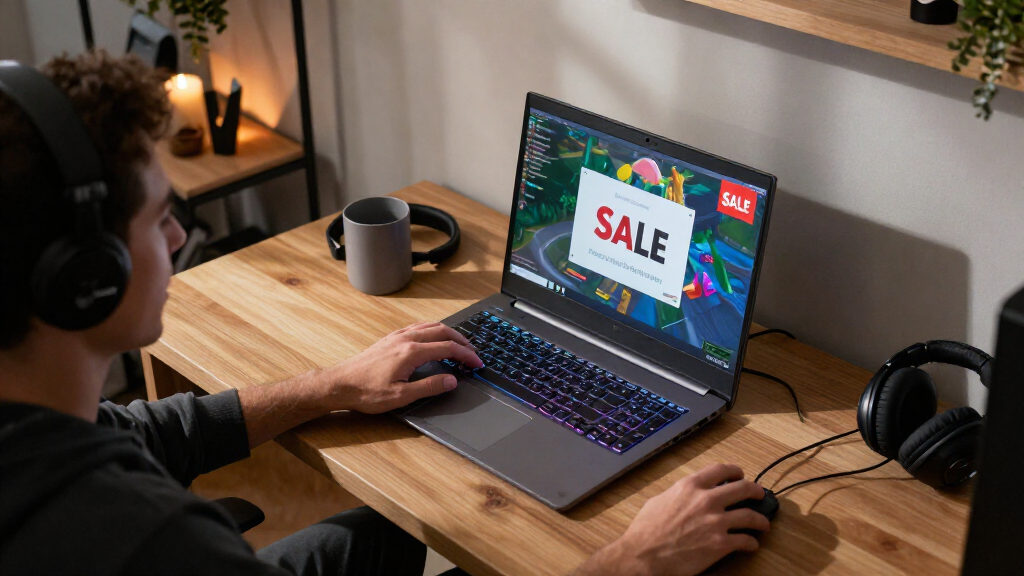
A bright red Cyber Monday tag can make an ordinary laptop look like a once-a-year steal. The number that matters is what the machine can actually do when your game loads, the fans start humming, and the room gets warm.

Get movie nights delivered free with Prime
- Fast, free delivery on millions of items
- Prime Video, Amazon Music and more included
- Member-only deals all year
This guide helps you compare gaming laptops for Cyber Monday by the parts that shape your experience: graphics performance, screen, cooling, memory, and storage. You’ll also learn how to check whether a deal is real and whether the laptop suits your desk, commute, and favorite games.
Prices and stock can change quickly, and retailers sometimes list similar laptops with different components. Use the advice here as a shopping checklist, then confirm the exact model and current price before you buy.
Compare the exact model and full configuration with its recent price; a sale label does not prove it’s a bargain.
Match GPU and screen specifications to the resolution and games you play, then check reviews for real performance.
Treat 16 GB of RAM as a sensible starting point; consider 32 GB for heavier gaming, multitasking, or creative work.
Check cooling, noise, battery tests, weight, and charger size alongside performance.
Before checkout, verify upgrade options, model number, seller, return window, warranty, and the included accessories.
Compare the whole laptop before trusting the discount
A Cyber Monday gaming laptop deal is worthwhile when its full configuration delivers the performance and features you need at a price that compares well with similar machines. Check the GPU, CPU, cooling, memory, storage, and display together, because a low price or familiar model name can hide a weaker screen or smaller SSD.
The GPU usually has the biggest effect on game frame rates. A player running competitive games at 1080p may be happy with a different graphics setup than someone who wants demanding games at 1440p. The processor also matters, but choosing a powerful GPU in a thin chassis with limited cooling can still leave performance on the table.
That’s why two laptops carrying the same GPU name can play differently: manufacturers set different power limits, and cooling systems vary. Think of the GPU as an engine and the cooling system as the radiator. A strong engine still needs to shed heat to keep running well. A review that tests sustained gaming can show what a product listing cannot.
For instance, suppose two similar listings have the same GPU. One includes 16 GB of memory and a fast screen; the other has less memory and a dimmer display. The first may be the better buy even if its discount looks smaller. Compare the exact configuration and normal price, not just the model name or the advertised savings. [1]
As an affiliate, we earn on qualifying purchases.Popular right now

Hisense 43-Inch E6 Cinema Series Hi-QLED 4K UHD Smart Fire TV (43E6QF)

TCL 85-Inch QM64L QD-Mini LED 4K Smart Fire TV

Bose QuietComfort Wireless Noise-Cancelling Headphones, Cypress Green
Match the GPU and screen to the games you actually play
Gaming laptops for Cyber Monday make the most sense when their GPU and display suit your games and target resolution. Fast esports games at 1080p place different demands on a laptop than visually rich single-player games at 1440p, so start with your own play habits before comparing specifications.
For a practical example, imagine you spend most evenings playing a competitive shooter. A high-refresh-rate display may help make motion look smoother, but only if the laptop can produce enough frames to use it. If you prefer slower adventure games, a sharp, colorful screen with strong contrast might make a bigger difference than a headline-grabbing refresh-rate number.
Compare the display’s resolution, brightness, color, response time, and refresh rate. An OLED screen can bring deep blacks and vivid colors to a dark game world, while reflections or warranty terms may matter in a bright room. Upscaling and frame-generation features can improve perceived smoothness in supported games, but their results vary and may involve trade-offs in image quality or latency. A newer generation label alone does not settle the value question.
Use this simple comparison as a starting point, then check how the specific laptop performs in the games you care about:
| What you play | What to prioritize |
|---|---|
| Fast esports at 1080p | Strong frame rates and a responsive high-refresh-rate screen |
| Demanding games at 1440p | More GPU power and effective cooling |
| Single-player games | Image quality, contrast, and a screen resolution you enjoy |
The right choice depends on the games and display you plan to use, not just the GPU label. [1]
Check memory, storage, and upgrade options before checkout
For most new gaming laptops, 16 GB of RAM is a sensible baseline, while 32 GB can help with demanding games, heavier multitasking, and creative work. An SSD helps games load faster; a second storage slot or replaceable drive can give you room to grow later.
Think about what a normal evening looks like at your desk. If you keep a game open alongside a voice chat, a browser full of guides, and a music app, extra memory can give that setup more breathing room. If you play one game at a time, a 16 GB model may leave more of your budget for a better GPU or screen.
Storage listings deserve a close read, too. A discounted version might include a smaller SSD, which fills quickly when you install several large games. As a simple example, a laptop with a strong GPU and an undersized drive might require an upgrade sooner than a slightly pricier configuration that already fits your library.
Upgrade options depend on the model: some laptops let you replace or add RAM and SSDs, while others have soldered memory or limited storage slots. Check the manufacturer’s specifications or a reliable teardown before purchasing. Look at connections as well, such as USB-A, USB-C, HDMI, Ethernet, and a headphone jack. If you want USB-C charging or display output, confirm that the port supports it; the connector shape alone doesn’t tell you. [1]
Use a five-step check to spot a real Cyber Monday bargain
You can judge a Cyber Monday laptop deal by verifying the configuration, comparing its recent price, checking independent reviews, matching it to your needs, and confirming the seller’s terms. Follow these five steps before you pay; they help turn a flashy promotion into a decision grounded in the machine you’ll receive.
- Record the exact model number. Similar product names can hide different GPUs, screens, memory, and storage.
- Write down the full configuration. Note the GPU, CPU, display specifications, RAM, and SSD so you can compare like with like.
- Check the price against its usual range. Compare the exact configuration with its recent pricing and with similarly equipped laptops; a sale label alone cannot tell you whether the deal is good.
- Read reviews of that configuration. Look for gaming performance, fan noise, temperatures, battery results, and whether the laptop maintains performance during longer sessions.
- Read the purchase terms. Confirm the seller, return window, warranty, shipping terms, and whether the listed discount applies to the version you selected.
For example, a retailer might advertise a large saving on a laptop with a familiar family name, while another version with the same name has a different screen and less storage. Checking the model number catches that difference before it lands on your doorstep. Cyber Monday stock and pricing shift quickly, so verify current details at publication or purchase time. This checklist helps you compare the actual offer, not the banner. [1]
Balance performance with noise, battery, and portability
A gaming laptop’s performance is only part of the experience; cooling, fan noise, weight, charger size, and battery life matter once you use it away from a store listing. Powerful components generate heat, and thin designs can trade cooling room for a lighter, easier-to-carry shape.
Imagine working in a quiet library before playing a game in your room that evening. A slim machine may fit neatly in your bag, while its fans could become loud when a demanding game pushes the hardware. Reviews that test longer sessions can tell you whether the laptop stays comfortable and holds performance or gets hot and throttles.
Battery expectations need the same practical check. A gaming laptop can run games unplugged, but demanding play often drains the battery quickly and may reduce performance. If you want to carry the laptop between classes or meetings, look for battery tests during everyday tasks, then check the weight of the charger as well as the laptop.
These trade-offs depend on how you’ll use the machine. Someone who mostly plays at a desk may accept a heavy charger in exchange for stronger sustained performance. A frequent traveler may prefer a lighter option and accept lower performance under long gaming loads. Reviews are especially useful here because product descriptions rarely convey how loud, warm, or portable a laptop feels in daily use. [1]
Decide whether a laptop, desktop, or open-box deal fits you
A gaming laptop suits you when portability and an all-in-one setup are worth paying for, while a desktop generally offers more performance or upgrade flexibility for the same budget. Refurbished and open-box laptops can cut the price, but their return terms, warranty, condition, and included accessories deserve extra attention.
Picture a student who plays at home on weekends and takes a computer to a friend’s place during breaks. A laptop can travel with its screen and keyboard, saving the hassle of packing a tower, monitor, and cables. A player who never moves their setup may find that a desktop gives them more performance or easier upgrades for the same spend.
An open-box Cyber Monday listing can be a good fit if the seller has clearly tested the laptop and provides a workable return window. Before buying, check the condition grading, warranty, and whether the charger and other expected accessories are included. A low price doesn’t help much if a missing adapter or unclear return process creates a headache.
Think about lifespan in practical terms, too. Build quality, care, cooling, and changing game requirements all affect how long a laptop remains useful. A machine with enough performance headroom, reliable cooling, and upgradeable storage may serve you longer. Use flexibility, condition, and price together to judge the offer. [1]
Frequently Asked Questions
What is a good price for a gaming laptop on Cyber Monday?
There is no single price that makes a gaming laptop a good deal. Compare the exact configuration with its usual price and with similarly equipped alternatives, including its GPU, display, memory, and storage.
How much RAM do I need for a gaming laptop?
16 GB of RAM is a reasonable starting point for a new gaming laptop. Consider 32 GB if you play demanding games while multitasking or use the laptop for content creation, and check whether the model allows memory upgrades.
Is a 144 Hz or 240 Hz laptop screen worth it?
A high refresh rate can help fast-paced games look smoother when the laptop can produce enough frames to use it. For slower single-player games, you may care more about resolution, brightness, contrast, and color.
Can a gaming laptop run games well without being plugged in?
It can run on battery, but demanding games often drain the battery quickly and may run with reduced performance. Check independent battery and gaming tests for the specific model you’re considering.
Can I upgrade the RAM or SSD later?
It depends on the laptop. Some models have replaceable memory and one or more SSD slots; others use soldered memory or limit storage upgrades, so check the manufacturer’s specifications or a reliable teardown before buying.
Are refurbished or open-box gaming laptops worth buying?
They can offer savings if the seller has tested the unit and gives you clear terms. Check the return window, warranty, condition grade, and included charger before placing an order.
Conclusion
When you shop for gaming laptops on Cyber Monday, compare the exact machine you’ll receive with its usual price and the games you want to play. Check the GPU and screen, then look at cooling, memory, storage, reviews, and purchase terms before treating the discount as a win.
Buy the laptop that fits your real setup, not just the boldest number on the page. That’s how you turn a flashing sale banner into years of smoother nights at your desk.