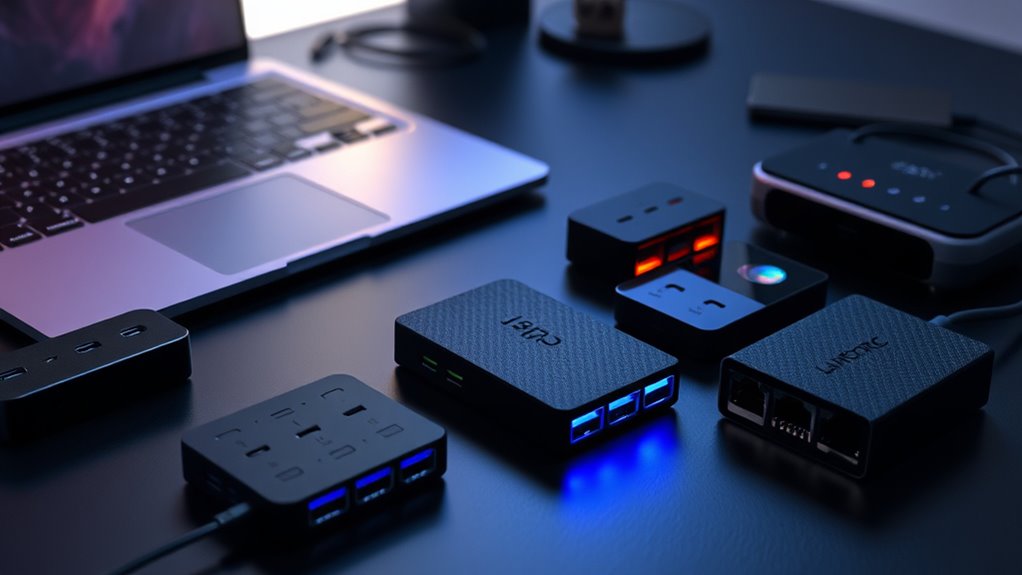

When shopping for usb hubs, the main challenge lies in balancing performance, versatility, and price. The best options can expand a single port into multiple connections, but they vary widely in features like power delivery, data transfer speeds, and build quality. The Anker 8-in-1 USB-C Hub stands out for its all-in-one design with dual 4K HDMI outputs and power delivery, making it ideal for laptop users needing multiple displays. Meanwhile, the SABRENT 10-Port 60W Powered USB 3.0 Hub offers extensive port options for those with high device counts. The key tradeoffs include size versus expandability, power support versus portability, and price versus feature set. Keep reading for a detailed breakdown of these options to find the best fit for your needs.

Get movie nights delivered free with Prime
- Fast, free delivery on millions of items
- Prime Video, Amazon Music and more included
- Member-only deals all year
Key Takeaways
- High-quality USB-C hubs with multiple video outputs and power delivery are best for professional multitasking setups.
- Powered hubs generally outperform bus-powered options in both speed and device compatibility, especially for high-bandwidth peripherals.
- Size and port count often trade off against portability; compact hubs are perfect for travel, while larger models suit desktop setups.
- Build quality and cable length significantly impact usability, especially for setups where space is constrained or mobility is key.
- Pricing varies widely; investing in a more capable hub can save money and hassle in the long run if you need reliable, high-speed connections.
| Anker 8-in-1 USB-C Hub with Dual 4K HDMI and Power Delivery for Laptops |  | Best Overall for Versatile Connectivity and Power | Ports: 2 HDMI, 2 USB-A, Ethernet, SD/microSD card reader, USB-C PD-IN | Max Resolution: 4K@60Hz (single), 4K@30Hz (dual) | Power Delivery: Up to 85W | VIEW ON AMAZON | See Our Full Breakdown |
| SABRENT 10-Port 60W Powered USB 3.0 Hub with Power Switches & LEDs |  | Best for Expanding Multiple Devices with Control | Number of Ports: 10 | Power Output: 60W | Data Transfer Speed: 5Gbps | VIEW ON AMAZON | See Our Full Breakdown |
| PANPEO 7-Port USB 3.0 Hub with On/Off Switches and 4ft Cable for Laptop and PC |  | Best for Portable Multi-Device Access | Number of Ports: 7 | Cable Length: 4ft | Data Transfer Speed: 5Gbps | VIEW ON AMAZON | See Our Full Breakdown |
| Anker 4-in-1 USB Hub, 4 USB-A Ports, 5Gbps Data Transfer |  | Best Compact Expansion for Everyday Use | Number of Ports: 4 | Data Transfer Speed: 5Gbps | Design: Ultra Slim | VIEW ON AMAZON | See Our Full Breakdown |
| Anker Nano Laptop Docking Station, 13-in-1 Dock with Detachable 6-in-1 USB-C Hub |  | Best for Versatile Desktop and Travel Setup | Number of ports: 13-in-1 | Display outputs: 2 HDMI, 1 DisplayPort | Max resolution: 4K@60Hz (single), dual 2K@60Hz, triple 1080P | VIEW ON AMAZON | See Our Full Breakdown |
| 4FT 7-Port USB 3.0 Hub with Aluminum Casing and Extended Cable |  | Best for Durable Desktop Expansion | Number of Ports: 7 | Port Types: 4 USB-A, 3 USB-C | Cable Length: 4 feet | VIEW ON AMAZON | See Our Full Breakdown |
| TP-Link Powered USB Hub 3.0 with 7 Data Ports and 2 Smart Charging Ports |  | Best for Multi-Device Charging & Data Expansion | Number of USB Data Ports: 7 | Smart Charging Ports: 2 | Charging Output: 5V/2.4A | VIEW ON AMAZON | See Our Full Breakdown |
| UGREEN USB 3.0 Hub, 4 Ports USB A Splitter, Ultra-Slim, 0.5 ft |  | Best for Portable Multi-Device Connectivity | Number of Ports: 4 | Transfer Speed: up to 5Gbps | Cable Length: 0.5 ft | VIEW ON AMAZON | See Our Full Breakdown |
| Anker USB C Hub 5-in-1 USB-C to HDMI Splitter with 4K Display |  | Best for High-Quality Video Output | HDMI Output: 4K@30Hz | USB-C Data Port: 5 Gbps | USB-A Ports: 2 ports, 5 Gbps each | VIEW ON AMAZON | See Our Full Breakdown |
| UGREEN USB C Hub 5-in-1 Multiport USB Adapter with 4K HDMI and 100W Power Delivery |  | Best for High-Power, Versatile Expansion | Number of Ports: 5 | HDMI Output: 4K at 30Hz | USB C Power Delivery: 100W | VIEW ON AMAZON | See Our Full Breakdown |
| Acer USB C Hub, 7-in-1 Multi-Port Adapter for Laptop and Mac Devices |  | Best Overall USB C Hub for Versatile Connectivity | Number of Ports: 7 | HDMI Output: 4K@30Hz | USB 3.1 Ports: 2 | VIEW ON AMAZON | See Our Full Breakdown |
| Acer 4-Port USB 3.0 Hub with 2ft Cable |  | Best Compact USB 3.0 Hub for Basic Expansion | Number of Ports: 4 | Data Transfer Speed: 5Gbps | Cable Length: 2ft | VIEW ON AMAZON | See Our Full Breakdown |
| intpw Powered USB Hub 10Gbps, 9-Port USB 3.2/USB C Hub, 65W Power Adapter |  | Best High-Speed Power-Ready USB Hub for Power Users | Ports: 1 USB-C 3.2 10Gbps, 2 USB-A 3.2 10Gbps, 4 USB-A 3.0 5Gbps, 2 USB-C PD 45W | Power Adapter: 65W | Data Transfer Speed: Up to 10Gbps | VIEW ON AMAZON | See Our Full Breakdown |
| Anker USB C Hub, 7-in-1 Multi-Port USB Adapter, 4K@60Hz USBC to HDMI Splitter |  | Best for High-Resolution Video and Versatile Ports | Ports: HDMI, 2x USB-A 3.0, USB-C data, USB-C PD, SD card, TF card | Video Output: 4K@60Hz HDMI | Data Transfer Speed: 5Gbps | VIEW ON AMAZON | See Our Full Breakdown |
| usb hub | Compatibility | Number of Ports | Data Transfer Speed |
|---|---|---|---|
| Anker 8-in-1 USB-C Hub with Du | USB-C, USB4, Thunderbolt, Windows 10/11, ChromeOS | — | — |
| SABRENT 10-Port 60W Powered US | Windows, Mac OS, Linux | 10 | 5Gbps |
| PANPEO 7-Port USB 3.0 Hub with | USB 1.0/2.0/3.0 | 7 | 5Gbps |
| Anker 4-in-1 USB Hub | USB-A devices | 4 | 5Gbps |
| Anker Nano Laptop Docking Stat | Windows laptops, Dell XPS, Lenovo ThinkPad, HP Spectre | 13-in-1 | — |
| 4FT 7-Port USB 3.0 Hub with Al | Windows, Mac OS, Linux | 7 | 5Gbps |
| TP-Link Powered USB Hub 3.0 wi | — | — | — |
| UGREEN USB 3.0 Hub | — | 4 | — |
| Anker USB C Hub 5-in-1 USB-C t | MacBook, Windows 10/11, ChromeOS, Thunderbolt, USB4 | — | — |
| UGREEN USB C Hub 5-in-1 Multip | Windows, MacOS, Linux, USB-C devices | 5 | — |
| Acer USB C Hub | — | 7 | — |
| Acer 4-Port USB 3.0 Hub with 2 | Acer, XPS, PS4, Xbox, macOS, Windows, ChromeOS, Linux | 4 | 5Gbps |
| intpw Powered USB Hub 10Gbps | Most USB-C laptops and PCs including MacBook, XPS, Surface | — | Up to 10Gbps |
| Anker USB C Hub | — | — | 5Gbps |
More Details on Our Top Picks
Anker 8-in-1 USB-C Hub with Dual 4K HDMI and Power Delivery for Laptops
This Anker USB-C hub stands out for its ability to support dual 4K displays at high refresh rates, making it ideal for multitasking setups. Compared with the SABRENT 10-Port 60W Powered USB 3.0 Hub, it offers fewer ports but integrates high-quality video outputs with charging capability up to 85W. The dual HDMI outputs are perfect for professionals needing multiple screens, but on macOS, both displays will mirror each other, which limits extended desktop use. The requirement for a 100W charger and specific cable for full power delivery adds a layer of complexity, yet it remains a compact and powerful solution for high-performance laptops. Overall, this hub is better suited for users who prioritize video quality and charging in a sleek form factor.
Pros:- Supports dual 4K displays at high refresh rates (60Hz and 30Hz)
- Multiple connectivity options including Ethernet and SD card reader
- Supports fast charging up to 85W for compatible laptops
- Compact design suitable for travel
Cons:- Display mirroring on macOS limits extended desktop functionality
- Requires a 100W power supply and a specific USB-C cable for full power delivery
- Not compatible with Linux systems
Best for: Laptops users who need dual 4K displays, high-speed charging, and multiple connectivity options in a portable package
Not ideal for: Linux users or those seeking a hub primarily for simple peripheral expansion without high-quality video output
- Ports:2 HDMI, 2 USB-A, Ethernet, SD/microSD card reader, USB-C PD-IN
- Max Resolution:4K@60Hz (single), 4K@30Hz (dual)
- Power Delivery:Up to 85W
- Compatibility:USB-C, USB4, Thunderbolt, Windows 10/11, ChromeOS
- Size:Compact, portable
- Cable Included:Yes
Our verdict“This hub is ideal for power users needing high-quality video output and charging in a compact form.”
SABRENT 10-Port 60W Powered USB 3.0 Hub with Power Switches & LEDs
This SABRENT hub is a robust choice for users needing to connect many devices simultaneously. Its 10 USB 3.0 ports, each with individual power switches and LEDs, make it particularly suitable for managing peripherals with ease. Compared to the Anker 4-in-1 USB Hub, it offers far more ports but sacrifices portability and desk space due to its bulkier design. The 60W power supply ensures enough juice for most peripherals, but heavier devices like external drives may still require additional power sources. Its plug-and-play setup makes it accessible for users who want quick, straightforward expansion without driver fuss. This model is best for desktop environments where device management and multiple high-speed connections are priorities.
Pros:- Provides 10 high-speed USB 3.0 ports for extensive device connection
- Individual switches and LEDs for easy port management
- Includes a 60W power adapter for stable operation
- Plug-and-play with broad compatibility
Cons:- Requires external power supply, limiting portability
- Bulky design takes up significant desk space
- Does not support charging devices
Best for: Desktop users with many peripherals needing organized control and reliable high-speed data transfer
Not ideal for: Travelers or users with limited space, due to its larger size and need for external power
- Number of Ports:10
- Power Output:60W
- Data Transfer Speed:5Gbps
- Compatibility:Windows, Mac OS, Linux
- Power Adapter:12V/5A
- Cable:Included
Our verdict“This hub excels in environments where multiple device connections and management are essential, but it’s less suited for mobile use.”
PANPEO 7-Port USB 3.0 Hub with On/Off Switches and 4ft Cable for Laptop and PC
The PANPEO 7-port hub offers a flexible solution for connecting multiple peripherals on the go. Its long 4ft cable enhances reach, making it ideal for setup flexibility at home or in the office. Compared with the Anker 8-in-1 USB-C Hub, it offers fewer ports but is more portable and easier to carry, especially with its lightweight design. It does not support device charging, which can be a drawback for users relying on power for their peripherals. The need for an external power supply for full functionality adds a layer of setup complexity, but it remains a solid choice for those who prioritize travel-friendly multi-connection capability without high power demands. Best suited for users needing simple, reliable data transfer on the move.
Pros:- Supports multiple USB devices simultaneously
- High-speed data transfer up to 5Gbps
- Long 4ft cable for flexible positioning
- Portable and lightweight design
Cons:- Does not support device charging
- Requires an external power supply for full functionality
- Power adapter not included
Best for: Travelers or remote workers needing multiple USB connections without charging support
Not ideal for: Power users requiring charging options or large peripheral arrays
- Number of Ports:7
- Cable Length:4ft
- Data Transfer Speed:5Gbps
- Compatibility:USB 1.0/2.0/3.0
- Power:Requires external 5V power
- Power Adapter:Not included
Our verdict“A reliable, portable hub for users who need multiple data connections on the go but don’t need to charge devices simultaneously.”
Anker 4-in-1 USB Hub, 4 USB-A Ports, 5Gbps Data Transfer
This Anker 4-port USB-A hub offers a simple, durable solution for expanding a single USB port. Its slim, heat-resistant design makes it suitable for everyday use, especially when quick data transfer is needed. Compared to larger multi-port hubs like the SABRENT model, it provides fewer ports but excels in portability and durability. It’s ideal for connecting key peripherals like flash drives and mice, but cannot support device charging or power-hungry peripherals. The straightforward plug-and-play setup is perfect for users seeking a reliable, no-fuss expansion for regular tasks. Best suited for those who value portability and basic data transfer over extensive connectivity options.
Pros:- Expands one USB port into four for quick connectivity
- Supports data transfer speeds up to 5Gbps
- Durable, heat-resistant design
- Ultra-slim and portable
Cons:- Cannot charge devices
- Limited to USB-A ports only
- Not suitable for high-power peripherals
Best for: Users needing a compact, reliable hub for quick data syncs and everyday peripherals
Not ideal for: Power users or those needing charging or many device connections simultaneously
- Number of Ports:4
- Data Transfer Speed:5Gbps
- Design:Ultra Slim
- Durability:Heat resistant
- Compatibility:USB-A devices
- Power:No charging support
Our verdict“A practical, portable choice for simple data transfer and peripheral expansion on the go.”
Anker Nano Laptop Docking Station, 13-in-1 Dock with Detachable 6-in-1 USB-C Hub
This Anker docking station offers a comprehensive solution for users seeking extensive connectivity in a flexible form. Its detachable 6-in-1 USB-C hub allows for easy transport and quick setup, making it suitable for both office and travel. Compared to the Panpeo 7-Port Hub, it provides more display options, including dual HDMI and DisplayPort, supporting high-resolution multi-monitor configurations up to 4K and 2K. The 100W Power Delivery ensures fast charging for laptops, while its multiple ports—including Ethernet and SD slots—make it a true desktop replacement. However, the setup can be complex, requiring connection to a laptop to activate all features, and MacOS supports only mirrored displays. This pick makes the most sense for power users who need a mix of portability, extensive ports, and high-resolution display support.
Pros:- Detachable design facilitates portability and quick setup
- Supports triple monitor configurations with high resolutions
- Includes extensive ports: Ethernet, SD, multiple USBs
- Delivers up to 100W power for fast charging
Cons:- Requires connection to activate all ports and lights
- MacOS only mirrors displays, limiting extended desktop use
- Setup complexity may be overwhelming for some users
Best for: Power users with Windows laptops seeking a versatile, high-resolution multi-monitor setup and full charging capability
Not ideal for: Mac users needing extended displays or those preferring simple, plug-and-play hubs
- Number of ports:13-in-1
- Display outputs:2 HDMI, 1 DisplayPort
- Max resolution:4K@60Hz (single), dual 2K@60Hz, triple 1080P
- Power Delivery:100W
- Included accessories:USB-C cable, 140W power adapter
- Compatibility:Windows laptops, Dell XPS, Lenovo ThinkPad, HP Spectre
Our verdict“Best suited for power users needing extensive connectivity with high-resolution support and mobility features.”
4FT 7-Port USB 3.0 Hub with Aluminum Casing and Extended Cable
This hub stands out for its sturdy aluminum casing, which offers excellent heat dissipation and durability compared to plastic-bodied options like the UGREEN 4-Port USB 3.0 Hub. The 4-foot extension cable provides flexibility to position devices optimally, making it ideal for desktop setups where space management matters. While it supports high-speed transfer at 5Gbps and a dedicated 15W Type-C port for high-power devices, its main limitation is that it only handles data transfer, not charging, and needs an external power source for high-power peripherals. This makes it less suited for users needing a charging hub or those with power-hungry devices.
Pros:- Sturdy aluminum construction for durability and heat dissipation
- Extended 4-foot cable offers flexible workspace arrangement
- Supports data transfer speeds up to 5Gbps
- Includes a high-power Type-C port for external device power
Cons:- Supports only data transfer, no charging functionality
- Requires external power supply for high-power device use
Best for: Desktop users who need a durable, high-speed data hub with flexible placement and high-power device support.
Not ideal for: Mobile users or those seeking a charging station, since it only supports data transfer without charging capabilities.
- Number of Ports:7
- Port Types:4 USB-A, 3 USB-C
- Cable Length:4 feet
- Data Transfer Speed:5Gbps
- Power Output:15W (5V/3A) Type-C port
- Compatibility:Windows, Mac OS, Linux
- Material:Aluminum
Our verdict“A solid choice for desktop users needing reliable, high-speed data connectivity with flexible setup options.”
TP-Link Powered USB Hub 3.0 with 7 Data Ports and 2 Smart Charging Ports
This hub excels at expanding a single USB port into multiple data and charging options, making it a good alternative to the Anker 8-in-1 USB-C Hub when you need dedicated charging ports. Its two smart charging ports support quick device recharging, and multiple safety protections add peace of mind for daily use. However, it’s limited to USB 3.0 transfer speeds and requires an external power supply, which could be a drawback compared to bus-powered hubs. It’s best suited for users who need reliable data connections along with fast charging for peripherals, but not for those seeking high-speed data transfer beyond 5Gbps or additional Ethernet/audio features.
Pros:- Expands one USB port into seven data ports for peripherals
- Includes two fast-charging ports for quick device recharge
- Supports hot-swapping with multiple OS compatibility
- Features comprehensive safety protections
Cons:- Limited to USB 3.0 speeds, no newer USB standards
- Requires external power for full functionality
- Lacks additional features like Ethernet or audio ports
Best for: Users needing multiple data connections and fast device charging with reliable safety features.
Not ideal for: Power users requiring USB 3.1 or 3.2 speeds, or built-in Ethernet and audio ports, as these are absent.
- Number of USB Data Ports:7
- Smart Charging Ports:2
- Charging Output:5V/2.4A
- Power Adapter:12V/4A
- Transfer Speed:up to 5Gbps
- Protection Features:Overheat, overload, overvoltage, short circuit
Our verdict“Ideal for users who need a reliable, multi-device data hub with quick charging, but not for high-speed data or multimedia needs.”
UGREEN USB 3.0 Hub, 4 Ports USB A Splitter, Ultra-Slim, 0.5 ft
This ultra-slim hub is perfect for users who need quick, portable expansion of a single USB A port, such as travelers or remote workers. Its compact design and lightweight build make it easy to carry, contrasting with larger, bulkier hubs like the Intpw Powered USB Hub. It supports fast data transfer up to 5Gbps and offers plug-and-play compatibility across many devices. The main tradeoff is its reliance on the host device for power, which may limit high-power peripherals or necessitate extra power adapters. It’s best suited for connecting peripherals like mice, keyboards, or flash drives on the go.
Pros:- Compact, lightweight design ideal for travel
- Supports fast data transfer up to 5Gbps
- Plug-and-play compatibility with various systems
- Expands one USB A port into four for versatile use
Cons:- Limited to USB A ports without USB-C support
- May require additional power for high-power peripherals
Best for: Travelers and mobile users needing lightweight, portable connectivity solutions for everyday peripherals.
Not ideal for: Power users with high-power peripherals or those requiring multiple charging ports, as this hub does not deliver power to devices.
- Number of Ports:4
- Transfer Speed:up to 5Gbps
- Cable Length:0.5 ft
- Weight:33g
- Thickness:0.4 inches
Our verdict“A great portable option for everyday peripherals, but not suited for high-power or charging needs.”
Anker USB C Hub 5-in-1 USB-C to HDMI Splitter with 4K Display
This hub is tailored for users who prioritize high-resolution video, supporting 4K@30Hz via HDMI, unlike the UGREEN 4-Port USB 3.0 Hub which lacks video output. Its pass-through charging up to 85W allows for keeping your laptop powered during extended use, though the USB-C port doesn’t support video, which can be confusing for users expecting all ports to handle video signals. The device is compatible with most modern laptops, but it’s not suitable for Linux users as it lacks support for that OS. It’s best for professionals or creators needing crisp video and reliable power in a compact form.
Pros:- Supports 4K HDMI display output for high-quality video
- Pass-through charging up to 85W ensures power while working
- Multiple ports for versatile connectivity
Cons:- USB-C port does not support video output, limiting versatility
- Requires separate charger for full pass-through power
- Incompatible with Linux systems
Best for: Content creators and professionals needing 4K video output with reliable charging capability.
Not ideal for: Linux users or those expecting USB-C to handle both data and video simultaneously, as compatibility is limited.
- HDMI Output:4K@30Hz
- USB-C Data Port:5 Gbps
- USB-A Ports:2 ports, 5 Gbps each
- USB C 100W PD-IN:Charging only
- Pass-Through Charging:Up to 85W
- Compatibility:MacBook, Windows 10/11, ChromeOS, Thunderbolt, USB4
Our verdict“A solid choice for users needing crisp 4K video and reliable charging, but not for Linux-based setups or USB-C video support.”
UGREEN USB C Hub 5-in-1 Multiport USB Adapter with 4K HDMI and 100W Power Delivery
This hub offers a balanced mix of high power delivery and multiple connectivity options, making it a versatile choice compared to the Anker USB C Hub 5-in-1. Its support for 4K video output at 30Hz, combined with 100W charging, makes it particularly suitable for users who need to keep their laptops powered and connected. The multiple USB A ports expand data transfer options, but the charging port isn’t ideal for data transfer, requiring users to be mindful of its primary purpose. Compatibility across Windows, MacOS, and Linux broadens its appeal, though some users might encounter device-specific issues.
Pros:- Supports 4K video output at 30Hz for high-quality display
- Provides up to 100W power delivery for laptops
- Multiple USB A ports for data transfer
- Plug and play compatibility on many OS
Cons:- Charging port not suitable for data transfer
- Some compatibility issues depending on device
- Requires host device support for video output
Best for: Users who need a high-power, multiport hub that supports 4K video and broad OS compatibility.
Not ideal for: Users expecting higher refresh rates for 4K or expecting the charging port to handle data transfer, as these are limited.
- Number of Ports:5
- HDMI Output:4K at 30Hz
- USB C Power Delivery:100W
- USB A Data Ports:3 (1 x 5 Gbps, 2 x 480 Mbps)
- Charging Support:Up to 95W
- Compatibility:Windows, MacOS, Linux, USB-C devices
Our verdict“A capable, high-power hub suited for broad device support and high-quality video, with some limitations on data and video port versatility.”
Acer USB C Hub, 7-in-1 Multi-Port Adapter for Laptop and Mac Devices
This Acer 7-in-1 USB C hub stands out for offering a comprehensive set of ports, including HDMI, SD card slots, and a powerful 100W PD charging port, making it ideal for users who need an all-in-one solution for both work and entertainment. Compared to the Anker USB C Hub with 4K@60Hz HDMI, this model’s HDMI output is limited to 30Hz, which could be a drawback for high-refresh-rate displays. Its aluminum housing ensures durability and heat dissipation, but the HDMI’s refresh rate may not satisfy gamers or video editors requiring 60Hz or higher. Support for 4K at 30Hz means smooth video for streaming but less so for fast-paced gaming or professional editing. The reliance on compatible devices with DP Alt Mode and PD protocol can limit functionality for some users. Overall, this pick makes the most sense for those seeking a wide array of ports in a sturdy, portable design, provided they don’t need high-frequency HDMI output.
Pros:- Expands a single USB-C port to multiple useful interfaces including HDMI and SD slots
- Supports 4K video output at 30Hz and 100W fast charging
- Durable aluminum construction with heat dissipation
Cons:- HDMI limited to 30Hz, not suitable for high-refresh-rate displays
- Only supports data transfer, no audio or video passthrough
Best for: Travelers and professionals who need a reliable multi-port hub with SD card support and 100W charging capability.
Not ideal for: Gamers or video editors requiring 60Hz or higher HDMI refresh rates, or users with devices lacking DP Alt Mode support.
- Number of Ports:7
- HDMI Output:4K@30Hz
- USB 3.1 Ports:2
- USB-C Port:1
- PD Charging:100W
- MicroSD Slot:1
- SD Slot:1
- Material:Aluminum
Our verdict“This hub is best suited for users needing a broad range of ports with reliable power delivery on the go, but not for heavy gaming or professional video editing requiring high-refresh-rate HDMI.”
Acer 4-Port USB 3.0 Hub with 2ft Cable
This Acer 4-port USB 3.0 hub offers straightforward connectivity with fast data transfer up to 5Gbps, perfect for adding basic peripherals like mice, keyboards, or flash drives. Its compact design and 2ft cable make it highly portable, ideal for travelers or those with limited desk space. Unlike the more feature-rich Anker 8-in-1 hub, it lacks video output capabilities, making it unsuitable for users needing HDMI or display support. The USB-C port cannot be used for data transfer or charging, which might limit flexibility for some setups. Powered via a 5V USB-C port, it does not support external power for hard drives, so stability could be an issue with larger storage devices. This hub makes the most sense for users who prioritize simple expansion and portability over advanced features.
Pros:- Plug-and-play with no drivers needed
- Compact size and lightweight for portability
- Supports fast data transfer up to 5Gbps
Cons:- USB-C port cannot be used for data or charging
- Requires external power for stable hard drive connections
Best for: Students or remote workers needing quick, reliable USB-A expansion in a small form factor.
Not ideal for: Power users requiring multiple USB-C ports or video output, or those connecting high-power external drives without external power.
- Number of Ports:4
- Data Transfer Speed:5Gbps
- Cable Length:2ft
- Compatibility:Acer, XPS, PS4, Xbox, macOS, Windows, ChromeOS, Linux
- Power Supply:Powered via 5V USB-C
Our verdict“This hub is perfect for basic USB-A expansion on the go, but not suitable for high-power or video needs.”
intpw Powered USB Hub 10Gbps, 9-Port USB 3.2/USB C Hub, 65W Power Adapter
This intpw 9-port hub excels in delivering rapid data speeds up to 10Gbps, supporting both USB-C and USB-A connections for versatile device compatibility. The inclusion of two PD ports with 45W charging capacity makes it a strong choice for powering devices or quick charging smartphones and tablets. Its ergonomic aluminum design and 65W power adapter ensure stability and durability for demanding setups. Compared to the Anker 7-in-1 with HDMI, this model focuses on data and power, not video, making it less suitable for high-res display needs. The charging ports do not support data transfer, which can be limiting for users wanting both power and data on the same port. This pick is ideal for users who need fast data transfer combined with reliable power delivery.
Pros:- Fast data transfer speeds up to 10Gbps
- Includes two 45W PD charging ports for quick device charging
- Sturdy aluminum construction with ergonomic design
Cons:- Charging ports do not support data transfer
- No video output support
Best for: Creative professionals or power users who need rapid data transfer and dedicated charging ports in a stable, high-capacity hub.
Not ideal for: Users who require video output or need to connect multiple high-power external drives simultaneously.
- Ports:1 USB-C 3.2 10Gbps, 2 USB-A 3.2 10Gbps, 4 USB-A 3.0 5Gbps, 2 USB-C PD 45W
- Power Adapter:65W
- Data Transfer Speed:Up to 10Gbps
- Compatibility:Most USB-C laptops and PCs including MacBook, XPS, Surface
- Material:Aluminum
Our verdict“This hub works best for users prioritizing fast data and reliable charging, but not for those needing video output capabilities.”
Anker USB C Hub, 7-in-1 Multi-Port USB Adapter, 4K@60Hz USBC to HDMI Splitter
The Anker 7-in-1 USB C Hub is designed for users who need high-quality video output alongside multiple connectivity options. Its HDMI port supports 4K at 60Hz, making it ideal for professional presentations, video editing, or immersive media experiences. The inclusion of two USB-A 3.0 ports, a USB-C data port, and a USB-C PD input for up to 85W charging offers a balanced mix of ports for productivity. Compared to the Acer hubs, it excels in display performance but lacks SD card slots, which may be important for photographers or content creators. The USB-C port is dedicated to data, not video, which can limit flexibility. This hub suits users who prioritize high-refresh-rate video in a sleek, compact design, with the tradeoff of fewer port options and no SD card support.
Pros:- Supports 4K@60Hz HDMI output for high-quality video
- Multiple ports for versatile connectivity
- Supports fast data transfer at 5Gbps and up to 85W charging
Cons:- Limited to 7 ports, fewer than some competitors
- Only HDMI supports video; no extra video outputs
Best for: Content creators or professionals needing 4K@60Hz video output combined with reliable data and charging capabilities.
Not ideal for: Users who need extensive port options like SD cards or multiple USB-A ports beyond two, or those requiring multiple video outputs.
- Ports:HDMI, 2x USB-A 3.0, USB-C data, USB-C PD, SD card, TF card
- Video Output:4K@60Hz HDMI
- Data Transfer Speed:5Gbps
- Charging Power:Up to 85W
- Material:Aluminum
Our verdict“This hub is best for users needing high-resolution video output with decent port variety in a sleek form factor, but not for those requiring extensive port options or multiple video outputs.”

How We Picked
These usb hubs were selected based on a combination of performance, build quality, versatility, and user value. We prioritized models that offer a clear balance of speed, power support, and port variety, ensuring they cater to different user needs—from casual users to professionals. Durability and cable length were also considered, as well as overall user reviews and brand reputation. The ranking reflects how well each hub performs across these criteria, with a focus on real-world usability rather than just spec sheets.Factors to Consider When Choosing Usb Hubs
Choosing the right usb hub involves evaluating several key factors that impact daily use and long-term reliability. Beyond basic port count, consider how each hub’s features align with your device compatibility, power needs, and portability requirements. Avoid focusing solely on the number of ports, as other factors like data transfer speed and build quality can dramatically influence your experience. A well-chosen hub not only expands connectivity but also integrates seamlessly into your workspace without causing clutter or performance issues.Port Types and Compatibility
Ensure the hub supports the types of devices you plan to connect, whether USB-A, USB-C, HDMI, or SD card readers. Compatibility issues can arise if a hub doesn’t support your device’s standards or power requirements. For example, some hubs only work with specific operating systems or require additional drivers. Picking a hub that matches your device ports and supports future upgrades can prevent frustration and additional costs down the line.
Power Delivery and Charging
If you need to charge laptops or power multiple peripherals, prioritize hubs with Power Delivery (PD) support. Not all hubs provide enough wattage, so verify the PD wattage matches your device’s needs. A hub with insufficient power support can limit charging speeds or fail to power connected devices properly. For portable setups, a hub that supports pass-through charging simplifies cable management and keeps your workspace tidy.
Data Transfer Speeds
Look for hubs that support high data transfer rates, especially if you work with large files or high-resolution media. USB 3.0 or USB 3.1/3.2 standards are standard for fast data, but some hubs may be limited by their internal chipset or port configuration. Slower transfer speeds can bottleneck your workflow, leading to delays or disrupted productivity. Choose a hub that can handle your peak data needs without bottlenecking your setup.
Build Quality and Cable Length
Durability matters, particularly for portable hubs that are moved frequently. Aluminum or high-quality plastic cases tend to last longer and resist wear and tear. Additionally, cable length influences flexibility; longer cables provide more placement options but can add clutter or reduce stability. Assess your workspace and mobility needs to select a hub with appropriate build and cable length for your environment.
Price and Future-Proofing
While budget options can be tempting, investing a little more often yields better performance, reliability, and compatibility. Consider how future-proof the hub is—support for the latest standards, higher power output, and more versatile port options can extend its usefulness. Avoid the trap of buying the cheapest model if it lacks essential features or build quality; a slightly higher investment can improve your experience and longevity.
Frequently Asked Questions
Can I connect multiple high-power devices to a single USB hub?
Connecting multiple high-power devices, like external hard drives or charging laptops, requires a powered hub with sufficient wattage. Bus-powered hubs often lack the necessary power and can cause devices to malfunction or disconnect. Selecting a hub with dedicated power delivery and multiple charging ports ensures devices receive stable power without compromising data transfer. Always verify the wattage and port specifications before connecting power-hungry peripherals.
Will a USB hub slow down my data transfer speeds?
It depends on the hub’s specifications and the devices connected. A high-quality USB 3.0 or newer hub with a good internal chipset can support fast transfer rates, but lower-quality hubs or those sharing bandwidth among multiple devices may slow speeds. If you regularly transfer large files or stream high-definition media, opt for a hub with dedicated bandwidth per port or support for USB 3.2 standards to maintain optimal performance.
Are cheaper hubs reliable enough for daily use?
Cheaper hubs often sacrifice build quality and transfer speed, which can lead to reliability issues over time. They might work fine initially but may fail prematurely or cause device conflicts. For consistent performance, especially if you rely on peripherals for work or creative tasks, investing in a reputable brand with good reviews tends to be more cost-effective in the long run. Look for hubs with solid warranties and clear specifications to ensure reliability.
Is it better to get a hub with HDMI or multiple USB ports?
This depends on your primary needs. If you require additional display outputs, a hub with HDMI and video support is essential. For general expansion of peripherals like keyboards, mice, or external drives, multiple USB ports are more useful. Some hubs combine both features, but they tend to be larger and more expensive. Assess your device lineup to choose a hub that offers the right balance of video and data connectivity.
How important is cable length in choosing a USB hub?
Cable length impacts how you can position your devices and the overall tidiness of your setup. Longer cables provide flexibility for placement away from your main device, but they can also introduce clutter or reduce stability if not managed properly. Shorter cables keep things neat but limit placement options. Consider your workspace layout carefully—if mobility and flexibility are priorities, select a hub with an appropriate cable length to match your environment.
Conclusion
If you need a versatile, all-in-one solution for professional or high-demand setups, the Anker 8-in-1 USB-C Hub offers excellent value with its multiple video outputs and power delivery. For users with extensive peripheral needs, the SABRENT 10-Port 60W Powered USB 3.0 Hub provides unmatched expandability at a reasonable price. Those seeking premium build quality and maximum performance should consider dedicated, high-spec models like the intpw Powered USB Hub 10Gbps. Beginners or casual users will find budget-friendly, compact options like the UGREEN USB 3.0 Hub sufficient, but they should be aware of potential limitations. Your choice ultimately depends on whether you prioritize portability, power, or expandability—match your needs accordingly for the best experience.
Halloween Picks

Fun Costumes Creepy Twin Boys Halloween Animatronic

DomKom 6 ft Halloween Inflatable Ghosts Roasting Marshmallows

Jenaai 5.3-Foot Motion-Activated Halloween Animatronic Skeleton
As an affiliate, we earn on qualifying purchases.