
TL;DR

Get movie nights delivered free with Prime
- Fast, free delivery on millions of items
- Prime Video, Amazon Music and more included
- Member-only deals all year
Building your own AI workstation used to be cheaper; now, prebuilt systems often match or beat DIY on price, support, and reliability. Your choice depends on your workload, expertise, and how quickly you need to deploy.
You’re about to spend a lot on an AI workstation. But which path gets you there faster, safer, and more reliably? Building your own rig used to be the clear winner for cost, but recent market shifts tell a different story. The question now is: do you want to tinker and customize, or buy ready-to-go? This guide cuts through the noise, showing you what really matters—cost, time, support, and workload fit—in 2026’s new AI era.
If you’re aiming to deploy AI models quickly, or need the reassurance of a tested, supported system, your choice becomes more than just dollars. It’s about what you want to get done—and how fast. Ready? Let’s compare the build and buy options, with real-world examples and solid data, so you can make the right call today.
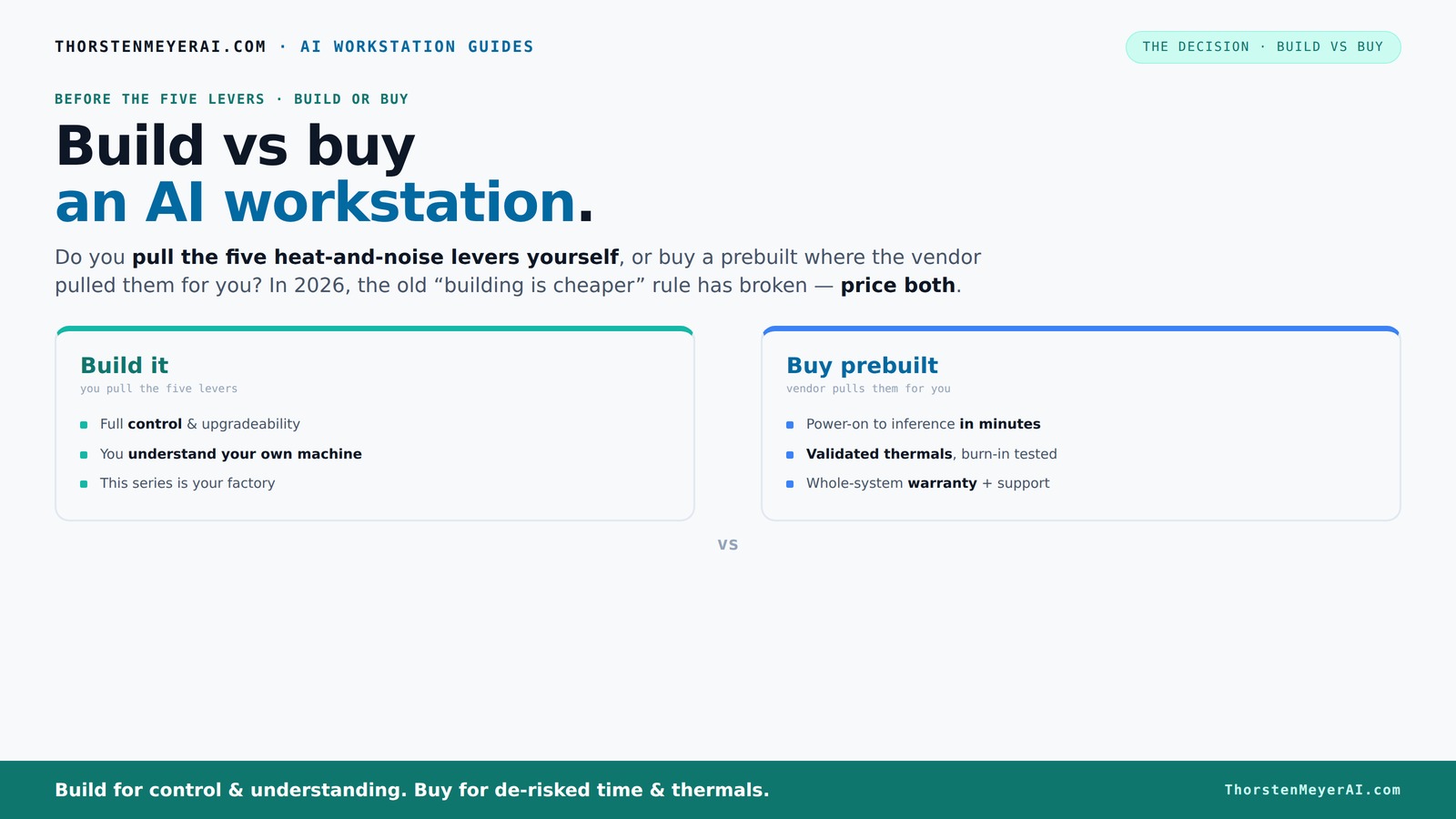
Build vs buy
an AI workstation.
The real question behind this whole series: do you pull the five heat-and-noise levers yourself, or buy a prebuilt where the vendor pulled them for you? And in 2026, the old “building is cheaper” rule has broken. Match your situation in Part 3.
Key Takeaways
- Component shortages in 2026 have made prebuilt AI workstations often more cost-effective than DIY, especially when factoring in support and thermal validation.
- Prebuilt vendors handle thermal tuning, burn-in testing, and warranty support, reducing your risk of compatibility issues and overheating.
- DIY offers the highest customization and control, ideal for hobbyists and those willing to invest time into tuning and troubleshooting.
- Cost is no longer just about parts—consider time, support, reliability, and workload fit when choosing. You might find it helpful to build vs buy a prebuilt AI workstation for a comprehensive comparison.
- Your workload—deep learning, inference, video editing—should guide whether build or buy makes more sense today.
As an affiliate, we earn on qualifying purchases.
Why 2026 Changed the Build vs Buy Game
Building your own AI workstation used to be cheaper—by a wide margin. You can build vs buy a prebuilt AI workstation to understand the current market options. But in 2026, component shortages and price spikes have flipped that script. High-demand GPUs, DDR5 RAM, and SSDs have all surged, pushing DIY costs up. Meanwhile, prebuilt vendors bought in bulk before the shortages hit, allowing them to offer systems at prices that are often hard to beat.
For example, a DIY build with a high-end GPU, 128GB of RAM, and a fast NVMe SSD now costs around $1,500—more than a professionally assembled prebuilt with similar specs, which can run around $1,400. This shift has significant implications: it narrows the traditional cost advantage of DIY, making prebuilt options more attractive not just for convenience but also for value. The tradeoff becomes clear—DIY offers customization and a learning experience, but at a higher risk of delays and errors, especially when parts are hard to find. Conversely, prebuilt systems include support, testing, and warranties, which can translate into faster deployment and peace of mind, especially critical in professional or time-sensitive environments.
As an affiliate, we earn on qualifying purchases.
The 5 Levers of Heat and Noise — Who’s Pulling Them?
Heat and noise are the twin enemies of high-power AI workstations. For more on managing these factors, see quiet GPU options. Whether you build or buy, controlling these factors is critical because excessive heat can cause thermal throttling, reducing performance, while noise can create an uncomfortable working environment. The way each approach handles thermal management has deep implications for performance stability and user experience. When you buy prebuilt, the vendor acts as your thermal engineer, carefully designing airflow paths, undervolting GPUs, and often integrating advanced cooling solutions like water cooling for quieter operation. These systems are tested to operate within safe thermal limits, ensuring consistent performance over time.
In contrast, DIY builds put you in the driver’s seat. You must select components with compatible thermal characteristics, design airflow paths, and fine-tune fan profiles. For example, choosing a quiet GPU and pairing it with a case that dampens sound can drastically reduce noise, but requires understanding how to optimize airflow ([see here](https://thorstenmeyerai.com/quiet-case-fans-airflow-setup/)). This process involves tradeoffs: more aggressive cooling may lead to increased noise, while quieter setups might run hotter or slightly underperform. The key is understanding your workload’s thermal demands and your comfort with tuning these parameters. Prebuilt vendors, acting as thermal engineers, have already optimized these tradeoffs, saving you time and reducing risk of overheating or excessive noise. DIYers, however, gain the flexibility to customize cooling solutions to match their specific needs, but at the cost of additional effort and expertise.
As an affiliate, we earn on qualifying purchases.
Cost Comparison: Build vs Buy — The Numbers in 2026
| Decision factor | Build it yourself | Buy prebuilt |
|---|---|---|
| Upfront price | Often lower on parts, around $1,200–$1,500 for comparable high-end specs [3][6] | Typically $1,400–$1,800, including assembly, support, and warranty [6] |
| Time to start | Longer; research, sourcing, assembly, troubleshooting — 1–2 weeks | Faster; ready to deploy in days, often with OS and software preinstalled |
| Customization | Highest; select every component, tune settings, upgrade easily | Moderate; options depend on vendor offerings, limited tuning |
| Support & warranty | Fragmented; support split across component brands, more hassle | Centralized; single point of contact, extensive warranty (up to 5 years) |
| Risk of mistakes | Higher; compatibility, thermal, BIOS issues | Lower; pre-validated parts, tested thermal solutions |
While the raw cost of parts for DIY builds might seem lower initially, this doesn't account for the hidden costs—time spent sourcing components, troubleshooting compatibility issues, and tuning the system for optimal performance. Learn more about the tradeoffs at celebrity news and tech insights. These factors can add days or even weeks to your project timeline and may introduce errors that impact stability or performance. Conversely, prebuilt systems, though potentially more expensive upfront, offer a streamlined experience with support and warranty coverage, reducing downtime and troubleshooting efforts. The real tradeoff lies in control versus convenience: DIY provides maximum customization and learning opportunities, but demands a higher initial investment in time and expertise. Prebuilt solutions, by contrast, prioritize reliability and speed, making them an attractive choice for those who need a ready-to-use system with peace of mind.
As an affiliate, we earn on qualifying purchases.
When DIY Still Wins — The Hobbyist’s Playground
If you’re a hobbyist or student with time and curiosity, building your own system offers unmatched control and learning opportunities. You can select a quiet GPU that fits your workload, undervolt it ([see here](https://thorstenmeyerai.com/undervolt-gpu-local-inference/)), and fine-tune cooling and airflow ([see here](https://thorstenmeyerai.com/quiet-cpu-coolers-ai-workstation/)). This process not only results in a machine tailored precisely for your needs but also deepens your understanding of hardware performance and thermal dynamics. For example, a student working on AI research might spend a weekend assembling a rig that costs. If you're exploring your options, check out celebrity news and tech trends for related insights. around $1,200 in parts but yields a machine optimized for deep learning tasks, with the added benefit of learning how each component interacts under load. The satisfaction of building something with your own hands can be motivating and educational, fostering skills that are valuable in professional AI development.
However, this approach requires patience, a willingness to troubleshoot, and the time to tune the system for optimal performance. If your priority is rapid deployment or minimal hassle, a prebuilt system may be more suitable. But for those interested in mastery and customization, DIY remains a compelling option that combines cost-effectiveness with a valuable learning experience.
Practical Tips for Choosing Your Path
- Price check both options: Don’t assume DIY is cheaper—calculate total costs, including your time, potential troubleshooting, and learning curve. Sometimes the convenience of a prebuilt offsets the slightly higher initial price.
- Assess your skills and patience: Are you comfortable troubleshooting hardware, tuning BIOS settings, and managing compatibility? If not, a prebuilt with support might save you headaches.
- Think about workload: For multi-GPU setups, heavy cooling requirements, or specialized configurations, vendors often have optimized thermal management, which can save time and improve reliability.
- Support matters: If uptime and reliability are critical, a warranty-backed prebuilt system reduces your risk of downtime due to hardware failures or thermal issues.
- Upgrade plans: Consider whether you plan to upgrade components over time. DIY offers more flexibility here, but ensure your case and motherboard support future expansion.
Frequently Asked Questions
Is it cheaper to build or buy a prebuilt AI workstation?
In 2026, component shortages and bulk buying have narrowed the price gap. While DIY can be cheaper on parts, prebuilt systems often include support, testing, and warranties that add value—sometimes making them more cost-effective overall.When does buying prebuilt make more sense than DIY?
When you need a system quickly, want guaranteed thermal performance, or prefer a warranty-backed setup, prebuilt is usually the smarter choice. It’s ideal for time-sensitive projects or if you lack the patience or skills for assembly and tuning.How much performance do I lose by buying prebuilt?
Modern prebuilt systems are often optimized for performance and thermal efficiency, sometimes even better than DIY if tuned properly. Vendors validate the cooling and power delivery, reducing bottlenecks and thermal throttling.What parts matter most for AI workloads: GPU, CPU, RAM, storage?
GPU VRAM is critical for large models—aim for at least 24GB for deep learning. CPU matters for data preprocessing, but GPU power usually dominates. RAM should match your dataset size, and fast SSDs speed up data loads.Can I upgrade a prebuilt workstation later?
Yes, but it depends on the design. Some vendors leave room for upgrades like adding RAM or replacing GPUs. Check the case and motherboard specs before buying if future expansion matters most to you.Conclusion
In the end, your choice depends on what matters most—cost, speed, control, or support. In 2026, prebuilt AI workstations often deliver better value for most users, especially when factoring in time and reliability. But if you love the process and want full control, DIY still holds its charm.
Imagine a machine tuned perfectly for your workload, humming quietly in the corner. Whether you build or buy, that’s the real goal. Now, ask yourself: what do you want your AI rig to do for you—and how fast do you want it done?
Halloween Picks
halloween
As an affiliate, we earn on qualifying purchases.