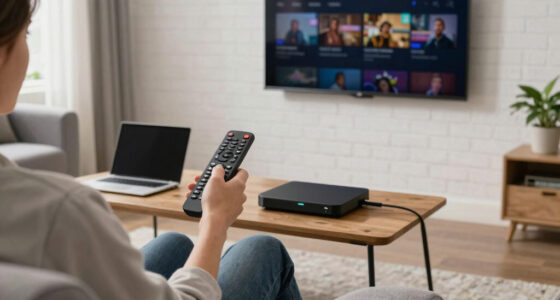

Thread-enabled smart home devices can make everyday automations more responsive, but the right choice depends on what you want to control and which platform you use. I’d name the Aqara UWB Smart Lock U400 the best overall pick for buyers seeking a meaningful upgrade to front-door access; the Onvis Matter Over Thread plug with energy monitoring stands out for tracking power use, while the Airversa QliQ AC1 offers simple physical control of HomeKit scenes. The main tradeoffs are device purpose, platform compatibility, hub or border-router requirements, and whether you need one device or a multipack. This lineup also includes several near-duplicate plug and lock variants, so the best choice may come down to bundle size and finish rather than a different core function. Read on for the full breakdown and a guide to choosing a Thread setup that fits your home.

Get movie nights delivered free with Prime
- Fast, free delivery on millions of items
- Prime Video, Amazon Music and more included
- Member-only deals all year
Key Takeaways
- The U400 is the roundup’s most consequential upgrade: it adds smart entry features rather than another outlet, though the Silver and Black versions appear to differ by finish, not function.
- The Onvis energy-monitoring plug is the clearest feature-led plug choice: it is the one to prioritize if tracking an appliance’s consumption matters more than buying the largest bundle.
- Multipacks favor room-by-room rollout: Onvis offers two- and four-pack options, while Wemo’s four-pack is framed around Apple HomeKit; compare platform fit and outlet layout before choosing by quantity.
- The Airversa QliQ AC1 fills a different role from plugs: it adds physical button control for HomeKit scenes, making it a better match for household members who prefer a tap over voice or an app.
- Thread compatibility does not remove setup checks: buyers still need to confirm their ecosystem, supported controller or border router, and the exact device’s Matter or HomeKit requirements before purchasing.
- Several listings are variants rather than distinct device classes: the two U400 finishes, two QliQ bundle sizes, and multiple Onvis plug bundles make function, platform, and quantity more useful comparison points than product count.
- This lineup is strongest for plugs, access, and simple controls: shoppers looking for Thread lighting, sensors, or a broader automation system will need to expand beyond these nine options.
| Aqara UWB Smart Lock U400, Apple Home Key, Fingerprint Deadbolt, Silver |  | Best Overall Smart Lock | Model: DL-D16E | Connectivity: Matter over Thread | Battery life: Up to 6 months per charge | VIEW ON AMAZON | See Our Full Breakdown |
| Onvis Matter Over Thread Smart Plug, 2 Pack |  | Best Value Multi-Outlet Starter | Item count: 2 | Connectivity: Matter over Thread | Plug type: Type A | VIEW ON AMAZON | See Our Full Breakdown |
| Onvis Matter Over Thread Smart Plug, Smart Mini Outlet, Works with Apple Home, Alexa & Google Home, 15A/1800W |  | Best Single Plug for Privacy-Minded Setups | Connectivity: Matter over Thread | Voltage: 110 V | Plug type: Type B | VIEW ON AMAZON | See Our Full Breakdown |
| Airversa QliQ AC1 HomeKit Button Controller, White 1 Pack |  | Best for Apple Home Scene Control | Model: AC1 | Connectivity: Thread | Automation actions: Up to 9 | VIEW ON AMAZON | See Our Full Breakdown |
| Aqara UWB Smart Lock U400, Apple Home Key, Fingerprint Deadbolt, Black |  | Best for Multi-Platform Smart Homes | Model: DL-D06E | Connectivity: Matter over Thread, Apple HomeKit, Alexa, Google Assistant and Home Assistant | Battery life: Up to 6 months per charge | VIEW ON AMAZON | See Our Full Breakdown |
| Onvis Matter Over Thread Smart Plug with Energy Monitoring, App & Voice Control |  | Best for Energy Tracking | Connectivity: Matter over Thread | Energy monitoring: Real-time usage and historical data | Voltage: 110 V | VIEW ON AMAZON | See Our Full Breakdown |
| Airversa QliQ AC1 HomeKit Button Controller, 2 Pack |  | Best for Physical HomeKit Controls | Connectivity: Thread | Smart home compatibility: Apple HomeKit | Controller count: 2 | VIEW ON AMAZON | See Our Full Breakdown |
| Onvis Matter Over Thread Smart Plug – 4 Pack |  | Best for Multi-Room Expansion | Connectivity: Matter over Thread | Compatible platforms: Apple Home, Alexa, Google Home, and Samsung SmartThings | Unit count: 4 | VIEW ON AMAZON | See Our Full Breakdown |
| Wemo Smart Plug with Thread Outlet for Apple HomeKit, 4 Pack |  | Best for Apple Home NFC Setup | Connectivity: Thread and Bluetooth | Smart home compatibility: Apple HomeKit | Unit count: 4 | VIEW ON AMAZON | See Our Full Breakdown |
| threadenabled smart home device | Connectivity | Plug type | Material |
|---|---|---|---|
| Aqara UWB Smart Lock U400 | Matter over Thread | — | — |
| Onvis Matter Over Thread Smart | Matter over Thread | Type A | Plastic |
| Onvis Matter Over Thread Smart | Matter over Thread | Type B | Plastic |
| Airversa QliQ AC1 HomeKit Butt | Thread | — | — |
| Aqara UWB Smart Lock U400 | Matter over Thread, Apple HomeKit, Alexa, Google Assistant and Home Assistant | — | Rekeyable metal |
| Onvis Matter Over Thread Smart | Matter over Thread | Type B (US) | — |
| Airversa QliQ AC1 HomeKit Butt | Thread | — | — |
| Onvis Matter Over Thread Smart | Matter over Thread | Type B | Plastic |
| Wemo Smart Plug with Thread Ou | Thread and Bluetooth | Type B | Plastic and polycarbonate |
More Details on Our Top Picks
Aqara UWB Smart Lock U400, Apple Home Key, Fingerprint Deadbolt, Silver
The Aqara UWB Smart Lock U400 in Silver is the most capable entry point in this group for buyers who want Thread to support a high-impact daily task: door access. Its Matter over Thread support connects it with multiple smart home ecosystems, while fingerprint, app, voice, NFC and physical-key options give household members alternatives to phone-based entry. The standout is UWB hands-free unlocking, though that feature depends on compatible Apple devices and hubs. Compared with either Onvis Matter Over Thread Smart Plug, this lock adds far more involved installation and battery upkeep in exchange for securing an entry point rather than controlling an outlet. Its rechargeable battery is listed for up to six months, and the rekeyable, outdoor-durable design adds flexibility. Skip it if your Apple setup cannot support UWB or you want a maintenance-free lock.
Pros:- Matter over Thread support connects the lock to multiple smart home ecosystems
- Fingerprint, app, voice, NFC and physical-key access provide alternatives for different household members
- UWB offers hands-free unlocking when used with compatible Apple devices and hubs
- Rekeyable, BHMA-certified design with IP65 weather resistance
Cons:- UWB hands-free unlocking depends on compatible Apple devices and hubs
- NFC cards are sold separately
- Rechargeable battery needs periodic charging, with usage affecting runtime
Best for: Households looking for a Thread-connected deadbolt with several entry methods and compatible Apple devices for hands-free UWB unlocking
Not ideal for: Renters or buyers who want a simple plug-in accessory, lack a compatible Apple UWB setup, or would rather avoid charging a lock battery
- Model:DL-D16E
- Connectivity:Matter over Thread
- Battery life:Up to 6 months per charge
- Certification:BHMA-certified
- Rekeyable:Yes
- Included components:Outer and inner panels, deadbolt, strike plate kit, mounting hardware, mechanical key and documentation
- Recommended use:Smart home access
Our verdict“Choose this silver U400 if you want a versatile Thread-enabled deadbolt and can support its Apple-dependent UWB feature and recurring charging.”
Onvis Matter Over Thread Smart Plug, 2 Pack
This two-pack Onvis Matter Over Thread Smart Plug is a practical way to add Thread control to more than one appliance at a time. Matter compatibility spans Apple Home, Alexa, Google Home and SmartThings, while local control can keep basic operation available without an internet connection. Its compact body is designed to let two plugs share an outlet, a useful difference from buying the single-unit Onvis Smart Mini Outlet when outfitting several lamps or small appliances. Scheduling and grouping help turn those devices into repeatable routines rather than separate app chores. The compromise is that full smart-home integration requires a compatible hub, and the supplied details do not list energy monitoring—a feature available on another Onvis plug in this roundup. Choose this pack for simple multi-room switching, not power-use tracking.
Pros:- Two plugs provide a convenient starting point for controlling multiple devices
- Matter and Thread support works across several major smart-home ecosystems
- Local control supports operation without an internet connection
- Compact dimensions are designed to leave room for another plug at the outlet
Cons:- Full smart-home functionality requires a compatible hub
- Energy monitoring is not listed among the supplied features
- Plastic construction may be less appealing to buyers seeking a more robust finish
Best for: Buyers adding Thread-based scheduling and remote control to two lamps or small appliances across a Matter-compatible home
Not ideal for: People who need energy-use monitoring, lack a compatible smart-home hub, or want a plug for devices beyond its stated 15 A rating
- Item count:2
- Connectivity:Matter over Thread
- Plug type:Type A
- Amperage:15 A
- Dimensions:1.94 x 2.55 x 1.94 inches
- Material:Plastic
- Certification:ETL
Our verdict“Pick this two-pack for straightforward Thread control of multiple appliances, but choose an energy-monitoring model if tracking consumption matters.”
Onvis Matter Over Thread Smart Plug, Smart Mini Outlet, Works with Apple Home, Alexa & Google Home, 15A/1800W
The Onvis Smart Mini Outlet suits a buyer who wants one Thread-controlled outlet without adding a cloud-dependent device. Its Matter and Thread connectivity supports Apple Home, Alexa, Google Home and SmartThings, and the product description specifies local control and no cloud or data tracking. That makes it a stronger fit for privacy-conscious routines than a smart plug that depends on remote servers for everyday commands. Its compact form is intended to leave the second outlet usable, much like the Onvis two-pack, but this listing supplies only one plug. Scheduling, timers and grouping cover common automation needs; energy monitoring is not listed, unlike a separate Onvis model in the roundup. The tradeoff is simple: focused control and privacy, but buyers scaling across several rooms will need to purchase additional units.
Pros:- Matter-certified compatibility covers several major smart-home platforms
- Thread supports responsive local control
- No cloud or data tracking is specified
- Compact design is intended to preserve access to the other outlet
Cons:- Includes one plug, so outfitting multiple rooms requires additional units
- Energy monitoring is not listed
- Smart-home features depend on a compatible Thread and Matter setup
Best for: Privacy-minded Apple Home, Alexa, Google Home or SmartThings users who need a single compact Thread outlet for a lamp or small appliance
Not ideal for: Buyers automating several outlets at once, seeking energy monitoring, or needing more than the listed 15 A/1800 W capacity
- Connectivity:Matter over Thread
- Voltage:110 V
- Plug type:Type B
- Number of poles:1
- Weight:2.82 ounces
- Material:Plastic
Our verdict“Choose this single Onvis plug for private, local Thread control at one outlet; buy the two-pack if you are setting up multiple devices.”
Airversa QliQ AC1 HomeKit Button Controller, White 1 Pack
The Airversa QliQ AC1 adds a physical control point to an Apple Home setup, using Thread to trigger automations without reaching for a phone. Three buttons and single, double or long presses provide up to nine automation actions, so one small controller can handle scenes such as lighting or other HomeKit routines. Unlike the Onvis Matter Over Thread Smart Plugs, it does not switch power at an outlet; its value depends on the automations you have already built. The included wall plate and magnetic mounting options make placement flexible, but the device requires a Thread-enabled Apple Home hub within 30 feet and works only with Apple Home. Its rechargeable battery lasts about two months per charge, a shorter maintenance interval than the U400 lock’s stated battery life. Skip it if your home uses Alexa or Google Home instead.
Pros:- Three buttons with single, double and long presses can trigger up to nine automations
- Thread connection provides responsive control within an Apple Home setup
- Wall plate and magnetic mounting allow flexible placement
- Rechargeable battery avoids disposable replacements
Cons:- Compatible only with Apple HomeKit
- Requires a Thread-enabled Apple Home hub within 30 feet
- Battery life is about two months per charge
Best for: Apple Home households that want a wall-mounted or portable physical controller for up to nine existing automations
Not ideal for: Alexa, Google Home or SmartThings users, or anyone placing the controller beyond the stated 30-foot range of a Thread-enabled Apple Home hub
- Model:AC1
- Connectivity:Thread
- Automation actions:Up to 9
- Battery:Rechargeable lithium-ion, included
- Battery life:Up to 2 months per charge
- Dimensions:2.99 x 1.26 x 0.57 inches
- Mounting:Surface mount; wall plate and magnetic mounting included
Our verdict“Buy the QliQ AC1 if you want tactile control of Apple Home scenes; skip it if you need cross-platform compatibility or a longer charging interval.”
Aqara UWB Smart Lock U400, Apple Home Key, Fingerprint Deadbolt, Black
The black Aqara UWB Smart Lock U400 is the better fit for households that want a connected deadbolt across more than one smart-home platform. Its listed support for Matter over Thread, Apple HomeKit, Alexa, Google Assistant and Home Assistant makes it more explicitly cross-platform than the silver U400’s supplied connectivity details. Fingerprint, passcode, app, voice, NFC and physical-key access also give household members several ways to enter, while UWB adds hands-free unlocking for compatible Apple devices and hubs. Like the silver model, it is rechargeable and rated for up to six months per charge; unlike either Onvis smart plug, it is a security product that needs lock installation and ongoing battery attention. The NFC card is sold separately, and heavy use may shorten runtime. Choose it for ecosystem range, not minimal setup.
Pros:- Matter over Thread support is listed alongside Apple HomeKit, Alexa, Google Assistant and Home Assistant
- Fingerprint, passcode, app, voice, NFC and physical-key access offer multiple entry options
- IP65 water resistance supports outdoor installation
- Rekeyable metal design and BHMA certification
Cons:- Hands-free UWB unlocking requires compatible Apple devices and hubs
- NFC card support requires a separately sold card
- Recharge interval can shorten with heavy use
Best for: Households using Matter alongside Alexa, Google Assistant, Home Assistant or Apple Home that want a weather-resistant smart deadbolt with varied entry methods
Not ideal for: Buyers who want a plug-and-play Thread accessory, cannot support Apple-dependent UWB unlocking, or prefer not to recharge a door lock
- Model:DL-D06E
- Connectivity:Matter over Thread, Apple HomeKit, Alexa, Google Assistant and Home Assistant
- Battery life:Up to 6 months per charge
- Water resistance:IP65
- Certification:BHMA
- Power:Rechargeable lithium battery with USB-C charging
- Material:Rekeyable metal
- Color:Black
Our verdict“Choose the black U400 if your household needs broad platform support and multiple entry methods in a Thread-enabled deadbolt.”
Onvis Matter Over Thread Smart Plug with Energy Monitoring, App & Voice Control
I’d choose this Onvis plug when knowing what an appliance consumes matters as much as switching it on and off. Its real-time monitoring and historical usage data can help identify power-hungry devices, while Matter over Thread supports responsive local control through a compatible setup. The 15 A, 1800 W capacity suits a wider range of household loads than a button controller such as the Airversa QliQ AC1, which triggers automations but does not switch an appliance through an outlet. Compared with the four-pack Onvis plug, this model’s clearest distinction is its energy tracking, not the number of outlets included. The tradeoffs are a need for a Thread Border Router for full Thread functionality and a US-only Type B plug, so it is a poor fit for other regions.
Pros:- Shows real-time power use and historical consumption data
- Matter over Thread supports responsive local control with a compatible setup
- 15 A and 1800 W capacity covers many household appliances
- Supports remote control, schedules, and automations
Cons:- Full Thread functionality requires a compatible Thread Border Router
- Type B US plug limits use in other regions
- Energy tracking may be unnecessary for buyers who only need basic on/off control
Best for: US smart-home owners who want to track the energy use of an appliance while adding Matter and Thread control to it.
Not ideal for: Buyers outside the US, or households without a compatible Thread Border Router that want full Thread features.
- Connectivity:Matter over Thread
- Energy monitoring:Real-time usage and historical data
- Voltage:110 V
- Amperage:15 A
- Power capacity:1800 W
- Plug type:Type B (US)
- Connector:Plug-in
- Model:T20-S4AM
Our verdict“Choose this Onvis plug if energy data is a priority; pick the four-pack Onvis instead if expanding outlet control matters more than monitoring.”
Airversa QliQ AC1 HomeKit Button Controller, 2 Pack
For an Apple Home household, these Thread button controllers add a tactile way to trigger scenes without reaching for a phone or speaking to Siri. Each controller offers three buttons with single-, double-, and long-press actions, providing up to nine automation triggers per unit. That makes this two-pack more suited to room-by-room scene control than either Onvis smart plug, which switches connected appliances and, in one version, tracks energy use. Rechargeable batteries and included mounting pieces make placement flexible, though the stated battery life is up to two months and can vary with use. The main limitation is ecosystem reach: unlike the Matter-enabled Onvis plugs, the QliQ is Apple HomeKit-only and needs a Thread-enabled Apple Home hub within 30 feet. I’d skip it for a mixed-platform home.
Pros:- Three buttons with single-, double-, and long-press actions support up to nine automations
- Two rechargeable controllers are included
- Surface-mount options and tactile buttons make controls easy to place and operate
- Battery life is rated for up to two months per charge
Cons:- Limited to the Apple HomeKit ecosystem
- Requires a Thread-enabled Apple Home hub within 30 feet
- Battery life varies with usage and requires periodic recharging
Best for: Apple Home users who want wall-mounted or portable physical controls for scenes, lights, and other HomeKit automations.
Not ideal for: Households using Alexa, Google Home, or a mix of platforms, and buyers seeking a plug-in switch for an appliance.
- Connectivity:Thread
- Smart home compatibility:Apple HomeKit
- Controller count:2
- Automation actions:Up to 9 per controller
- Battery:Rechargeable lithium-ion; included
- Mounting type:Surface mount
- Dimensions:2.99 x 1.26 x 0.57 inches
Our verdict“Pick the QliQ two-pack for flexible physical scene controls in an Apple Home setup, not for cross-platform control or appliance switching.”
Onvis Matter Over Thread Smart Plug – 4 Pack
I’d rank this four-pack highest for buyers who want to add Thread-controlled outlets across several rooms in one go. Matter compatibility supports Apple Home, Alexa, Google Home, and SmartThings, giving it broader platform flexibility than the Apple-only Wemo Smart Plug with Thread. Thread supports local, responsive control when paired with a suitable border router, and the compact design is intended to leave space for a second plug in the same outlet. Scheduling, timers, grouping, and sharing make everyday control easier, but this model’s description does not list the energy monitoring found on the single Onvis plug reviewed above. Remote Thread operation also depends on a compatible border router, and older devices without Matter support may not work as expected. Choose it for outlet coverage, not energy analysis.
Pros:- Matter support works with Apple Home, Alexa, Google Home, and Samsung SmartThings
- Thread supports responsive local control with a compatible setup
- Compact form is designed to allow two plugs at one outlet
- Supports schedules, timers, grouping, and sharing
Cons:- Remote Thread control requires a compatible border router
- No energy monitoring is listed, unlike the single Onvis plug with monitoring
- Older non-Matter devices or ecosystems may not be compatible
Best for: Households adding several smart outlets across rooms who want Matter compatibility with multiple major smart-home platforms.
Not ideal for: Buyers who need energy monitoring, rely on older non-Matter equipment, or lack a compatible Thread border router for remote Thread control.
- Connectivity:Matter over Thread
- Compatible platforms:Apple Home, Alexa, Google Home, and Samsung SmartThings
- Unit count:4
- Voltage:110 V
- Amperage:15 A
- Plug type:Type B
- Connector:Plug-in
- Material:Plastic
Our verdict“Choose this four-pack to extend Matter and Thread outlet control across your home, but choose the energy-monitoring Onvis plug if usage data is the priority.”
Wemo Smart Plug with Thread Outlet for Apple HomeKit, 4 Pack
The Wemo four-pack is the lineup’s Apple-focused outlet option for buyers who value a straightforward setup path. NFC setup is its distinctive convenience, while Thread and Bluetooth provide connectivity options for an Apple Home installation. It handles the same basic outlet-control role as the four-pack Onvis Matter Over Thread Smart Plug, but Wemo is listed for Apple HomeKit rather than Matter support across Apple, Alexa, Google Home, and SmartThings. That makes the Wemo a more natural fit for an all-Apple household and a weaker pick for anyone who may change platforms. The compact design is intended to fit standard outlets, and HomeKit supports automation, scheduling, and Siri control. The listed 230 V rating deserves careful checking against local electrical requirements before purchase; the product data does not provide an amperage rating.
Pros:- NFC supports quick setup
- Thread and Bluetooth connectivity are listed
- Works with Apple HomeKit, Siri, and the Home app
- Compact design is intended for standard outlets
Cons:- Limited to the Apple Home ecosystem
- Full functionality depends on HomeKit support
- The listed 230 V rating may not suit every region or electrical setup
Best for: Apple Home users who want several compact outlet controls and prefer NFC-assisted setup through an iPhone or iPad.
Not ideal for: Mixed-platform households, buyers who need Matter-wide compatibility, or anyone whose local electrical setup does not match the listed 230 V rating.
- Connectivity:Thread and Bluetooth
- Smart home compatibility:Apple HomeKit
- Unit count:4
- Voltage:230 V
- Plug type:Type B
- Connector:Plug-in
- Number of wires:3
- Material:Plastic and polycarbonate
Our verdict“Choose the Wemo four-pack for NFC-assisted outlet control in an Apple Home household, but favor the Onvis four-pack for broader Matter platform support.”

How We Picked
I ranked these options by how clearly each meets a distinct Thread smart-home need, then weighed practical factors: stated platform support, device function, useful extras, bundle flexibility, and the likely ease of fitting the product into an existing setup. A smart lock earns a different place than a plug: it can change how someone enters the home, but it also calls for more attention to door fit, access habits, and ecosystem requirements. For plugs, I gave more weight to useful differences such as energy monitoring and multipack choice than to repeated listings of similar outlets. I treated the two U400 finishes and the one- and two-pack QliQ listings as variants, not separate functional upgrades.
The order favors products with a clear role and a strong reason to choose them, rather than assuming that a larger bundle is automatically better. I also considered who should skip each type: a HomeKit-specific controller may not suit a mixed-platform household, and a four-pack is poor value in use if only one outlet is needed. Product claims here are based on the supplied names and stated features, so buyers should check the current specifications for Thread, Matter, platform, and hub requirements before purchase.
| threadenabled smart home device | Connectivity | Plug type | Material |
|---|---|---|---|
| Aqara UWB Smart Lock U400 | Matter over Thread | — | — |
| Onvis Matter Over Thread Smart | Matter over Thread | Type A | Plastic |
| Onvis Matter Over Thread Smart | Matter over Thread | Type B | Plastic |
| Airversa QliQ AC1 HomeKit Butt | Thread | — | — |
| Aqara UWB Smart Lock U400 | Matter over Thread, Apple HomeKit, Alexa, Google Assistant and Home Assistant | — | Rekeyable metal |
| Onvis Matter Over Thread Smart | Matter over Thread | Type B (US) | — |
| Airversa QliQ AC1 HomeKit Butt | Thread | — | — |
| Onvis Matter Over Thread Smart | Matter over Thread | Type B | Plastic |
| Wemo Smart Plug with Thread Ou | Thread and Bluetooth | Type B | Plastic and polycarbonate |
Factors to Consider When Choosing Threadenabled Smart Home Devices
Thread is a connectivity choice, not a guarantee that every smart-home feature will work across every app or ecosystem. I’d start with your home’s controller and the job you want a device to do, then compare compatibility and bundle size. These checks help avoid buying a Thread-labeled product that cannot join your existing setup as expected.
Confirm Your Controller and Ecosystem
Before choosing a device, check which system you use to manage automations and whether it supports the product’s stated Matter or HomeKit features. Thread devices generally rely on a compatible Thread border router in the home; the presence of a smart speaker or hub alone does not prove that it supports Thread. Matter support and Thread support are related but not interchangeable labels, so verify both for the exact model and the functions you want. A HomeKit-focused button controller may be a poor fit if the household expects it to trigger routines in another platform. Avoid planning a purchase around a compatibility badge alone: review setup requirements and supported functions, including remote access and automation control.
Choose by Job, Not by Protocol
Thread describes how a device communicates, not whether it is the right tool for a particular task. A plug can switch a connected appliance, while a button provides a physical trigger and a smart lock changes how people enter. Start with the routine you want to improve, then ask whether a smart device can safely and reliably perform it. For example, a plug is not a substitute for a device-specific control system when an appliance needs more than power on and off. A lock also affects household access, so the convenience features should match the way residents, guests, and caregivers enter. Choosing by job prevents a technically compatible device from becoming an unused accessory.
Check Electrical Loads and Outlet Layout
Smart plugs need to match the connected device’s electrical requirements, and a stated maximum rating is not a reason to ignore the appliance’s own instructions. Check the plug’s load limits, the appliance label, and any restrictions for motors, heaters, or other high-draw equipment before connecting it. Think about the physical outlet too: a bulky adapter can block a neighboring socket, while a compact model may suit crowded power strips better. Multipacks make sense when several suitable devices are already part of your plan, but buying extra outlets for hypothetical future use can leave them idle. For appliances that must not lose power or rely on a manual switch, confirm that power restoration and control behavior fit the use case.
Decide Whether Energy Data Will Change a Decision
Energy monitoring can add useful context, but it is most valuable when you have a clear question, such as which appliance draws power while idle or how use changes over time. If you only need remote switching or a basic schedule, a simpler plug may cover the job without an extra feature you rarely open. Check how the device presents its readings, whether records remain accessible in your chosen app, and whether the monitoring works with your preferred ecosystem. Do not treat a usage estimate as a utility-grade measurement unless the manufacturer states that level of accuracy. The right tradeoff is paying for data you will use, not selecting the most feature-dense plug by default.
Plan for Household Access and Physical Controls
App and voice control are not equally convenient for every person in a home. A physical button can make a scene accessible to children, visitors, or anyone who does not want to open an app, but a controller tied to one ecosystem can limit how widely it works. For a smart lock, consider the full access routine: how residents unlock the door, how temporary access is handled, and what happens if a phone or network is unavailable. Fingerprint and phone-based entry can reduce key use, yet they should complement a backup access plan rather than replace one without thought. Match the control method to the people who will use it, not just the person setting up the system.
Buy the Bundle That Matches Your Room Plan
Pack size can change the practical fit of a product more than its core technology. Count the outlets or control points you expect to use, and check whether each location has suitable power, Wi-Fi or Thread coverage, and room for the hardware. A four-pack may simplify a planned rollout, but a single unit is a safer starting point if you have not confirmed platform setup or outlet clearance. When comparing bundles from different brands, do not assume every plug has the same ecosystem support or monitoring features. For near-identical finishes or pack sizes, choose based on function and placement rather than treating each listing as a separate generation.
Frequently Asked Questions
Do I need a Thread border router to use these devices?
For a Thread device to join a Thread network, the home generally needs a compatible Thread border router, though the exact setup depends on the product and platform. A Matter label alone does not confirm that your current hub supports Thread. Check the manufacturer’s setup instructions and your controller’s specifications before buying. If your home already has a compatible border router, confirm that it works with the ecosystem you plan to use. This check is especially useful when mixing products from different brands.
Should I choose the Onvis energy-monitoring plug or a multipack?
Choose the monitoring model if knowing an appliance’s power use will inform a real decision, such as identifying standby consumption or comparing usage patterns. Pick a two- or four-pack when you already know which suitable devices you want to control and value covering several locations at once. The listings are not interchangeable just because they are all plugs: check whether the bundle you select includes the same monitoring feature and platform support. If you are new to Thread, starting with one plug can reveal setup and outlet-fit issues before you add more. That approach trades bundle convenience for a lower-commitment trial of your home’s setup.
Are the Silver and Black Aqara U400 locks different models?
The supplied product names identify the same U400 smart-lock family and list Silver or Black as the finish. I would treat them as color variants unless the current product specifications show a difference in included hardware, compatibility, or features. Choose the finish that suits your door hardware, then check the lock’s fit requirements and supported access methods. A smart lock is a more involved purchase than a plug, so verify door compatibility before choosing by appearance. Also confirm how the lock handles backup entry and household access if a phone is unavailable.
Will a HomeKit-focused QliQ button work in a mixed smart-home household?
The QliQ listings name HomeKit, so buyers should confirm its control and automation support in the exact ecosystem they intend to use. A mixed-platform home may support some shared Matter devices while still having controls or scenes that depend on one platform. Check whether the button can trigger the routines each household member needs, rather than assuming that Thread connectivity makes every feature universal. If one person manages HomeKit and others use a different system, test the intended routine on paper before buying a multipack. A plug with broader stated platform support may be a more flexible choice for simple switching, but it does not replace a physical scene button.
Is Thread enough to make the smart lock or plugs work during an internet outage?
Thread is a local networking technology, but outage behavior depends on the device, controller, automation, and the action being requested. Some local controls may continue to function when internet access is down, while remote app access and cloud-dependent routines may not. A smart lock also has physical and backup access methods that matter independently of network status. Check each manufacturer’s offline behavior rather than assuming all Thread devices act the same way. If reliable access or switching is essential, plan a manual fallback and confirm it before installation.
Conclusion
For the broadest upgrade in this group, I’d choose the Aqara UWB Smart Lock U400 as best overall, provided its fit and access requirements suit the home. The Onvis Matter Over Thread plug bundles are my value-oriented picks when several outlets are already on the plan; choose the energy-monitoring version when consumption data has a clear purpose. For a best premium-style choice, the U400 is the standout because it changes front-door access rather than only adding another switchable outlet. Beginners who want to start with a small, familiar task should begin with a single Onvis plug and verify their Thread setup before buying a bundle. For specific needs, choose the Airversa QliQ AC1 for physical HomeKit scene control, the monitoring plug for appliance data, or Wemo’s four-pack if its Apple HomeKit fit and quantity match your rollout. The final check is compatibility: confirm your controller, border router, and device requirements before choosing among similar finishes and bundles.
Halloween Picks
halloween
As an affiliate, we earn on qualifying purchases.