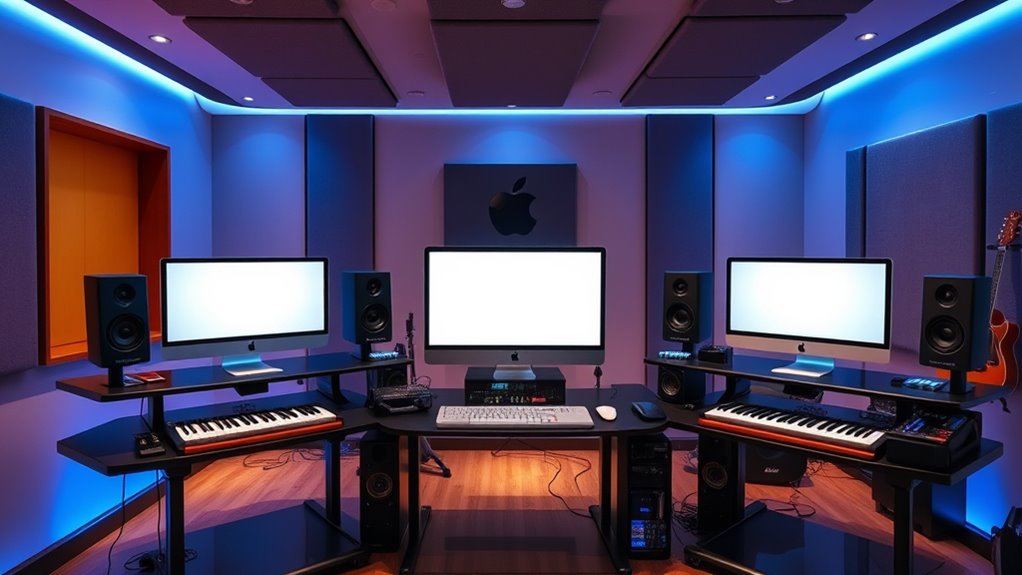

If you produce music on a Mac, the Mac Studio has quietly become the default studio computer for serious home and professional setups, and the real question in 2026 is which chip configuration earns a spot on your desk. I compared the two configurations that matter most for audio work: the M5 Max model, which brings the newest silicon and the highest memory bandwidth Apple offers, and the M4 Max with 128GB of unified memory and a 2TB SSD, a fully specified machine that leaves nothing to guesswork. The core tradeoff is simple but consequential: the M5 Max is the faster, more future-proof platform on paper, but its listing leaves memory and storage unspecified, meaning you must confirm the exact configuration before buying. The M4 Max gives you certainty, with 128GB of RAM and 2TB of storage locked in, which for sample-heavy orchestral and sound design work is often worth more than a newer chip. I walk through both below with a clear ear toward DAW performance, plugin counts, and sample library handling.

Get movie-night favorites delivered free — and shop member deals
- Fast, free delivery on millions of items
- Access to Prime Big Deal Days deals on October 6–7
- Prime Video, Amazon Music and more included
Key Takeaways
- The M5 Max configuration offers the newest chip and higher memory bandwidth, but memory and storage capacity are unspecified in the listing, so confirm the exact build before purchasing.
- The M4 Max model is the certainty pick: 128GB of unified memory and a 2TB SSD are guaranteed, which matters most for large orchestral sample libraries and long project sessions.
- For audio production, unified memory capacity generally matters more than raw GPU core count, since sample libraries and plugin instances live in RAM rather than on the graphics chip.
- Both machines share Thunderbolt 5 connectivity, so audio interface and external drive performance is effectively identical between the two.
- Neither machine is a casual purchase; if your projects stay under roughly 40 tracks with modest plugin use, a Mac mini or MacBook Pro would do similar work for less money.
| Apple Mac Studio Desktop Computer with M5 Max |  | Best Overall — the newest platform for producers who plan to keep the machine for years | Chip: Apple M5 Max | Unified Memory: Up to 128GB | Memory Bandwidth: Up to 614GB/s | VIEW ON AMAZON | See Our Full Breakdown |
| Apple Mac Studio with M4 Max, 16-Core CPU, 40-Core GPU, 128GB Unified Memory, 2TB SSD |  | Best Value — the fully specified certainty pick for sample-heavy studios | Chip: Apple M4 Max | CPU: 16-core | GPU: 40-core | VIEW ON AMAZON | See Our Full Breakdown |
| mac studio for audio production | Chip | Unified Memory | Memory Bandwidth | Ports |
|---|---|---|---|---|
| Apple Mac Studio Desktop Compu | Apple M5 Max | Up to 128GB | Up to 614GB/s | Four Thunderbolt 5, two USB-C, two USB-A, HDMI, SDXC card slot, headphone jack |
| Apple Mac Studio with M4 Max | Apple M4 Max | 128GB | — | — |
More Details on Our Top Picks
Apple Mac Studio Desktop Computer with M5 Max
Best Overall — the newest platform for producers who plan to keep the machine for years
View on AmazonThe M5 Max Mac Studio represents the current ceiling of Apple’s desktop lineup, and for audio production the headline attraction is memory bandwidth of up to 614GB/s. Bandwidth rarely gets discussed in music circles, but it directly affects how quickly large sample libraries stream from unified memory into your DAW. When a template loads a full orchestral palette plus synthesized layers, the M5 Max’s bandwidth advantage translates into faster project loads and more headroom when you stack CPU-heavy plugins like convolution reverbs and analog-modeled compressors. Compared with the M4 Max model below, this machine is simply the faster platform, and it will stay that way as plugin developers optimize for newer silicon.
Connectivity is where this configuration earns its studio credentials. Four Thunderbolt 5 ports plus additional USB-C and USB-A ports mean you can connect an audio interface, an external sample drive, a control surface, and a license dongle without touching a hub, and the front-accessible ports and SDXC slot on this chassis design make session file transfers painless. Support for up to five displays is more than any audio engineer needs, but two or three screens for your DAW arrangement, mixer, and plugin windows is a genuine workflow improvement, and this machine handles that without breaking a sweat.
The honest drawback is the listing itself: memory and storage capacity are unspecified, and on a machine whose entire audio-production value depends on RAM, that is not a small detail. A base-memory M5 Max will still mix a rock record comfortably, but it will struggle with the 100-plus-track orchestral templates that justify buying a Studio in the first place. Before purchasing, I would confirm the exact unified memory and SSD configuration with the seller, and I would not accept anything under 64GB for serious production work. Compared with the M4 Max model, which states its specifications plainly, this listing demands more diligence from the buyer in exchange for newer, faster silicon.
Pros:- Newest M5 Max chip with up to 614GB/s memory bandwidth for fast sample streaming
- Up to 128GB of unified memory supports massive orchestral templates and plugin stacks
- Four Thunderbolt 5 ports plus USB-A, HDMI, and SDXC keep studio hardware connected without hubs
- Compact, quiet enclosure fits into small control rooms and isolated recording spaces
Cons:- Memory and storage capacity are unspecified in the listing and must be confirmed before purchase
- Warranty details are not stated and require contacting customer service
- Higher platform cost for performance that modest projects will never fully use
Best for: Producers and engineers who want the newest, fastest platform for large sessions and plan to keep the machine for five or more years.
Not ideal for: Buyers who want guaranteed specifications at checkout, or anyone whose projects are small enough that a Mac mini would handle them equally well.
- Chip:Apple M5 Max
- Unified Memory:Up to 128GB
- Memory Bandwidth:Up to 614GB/s
- Ports:Four Thunderbolt 5, two USB-C, two USB-A, HDMI, SDXC card slot, headphone jack
- External Displays:Up to five
- Wireless:Wi-Fi 7, Bluetooth 6
- Dimensions:7.76 x 7.76 x 3.74 inches
- Weight:5.94 pounds
Our verdict“The most capable audio-production Mac you can buy in 2026, provided you verify the exact memory and storage configuration before committing.”
Apple Mac Studio with M4 Max, 16-Core CPU, 40-Core GPU, 128GB Unified Memory, 2TB SSD
Where the M5 Max listing asks you to trust and verify, the M4 Max Mac Studio with 128GB of unified memory and a 2TB SSD tells you exactly what you are getting, and for audio production that certainty has real value. 128GB of RAM is the number that matters here: it is enough to load complete orchestral sample libraries, multiple instances of heavyweight virtual instruments, and a full mix session into memory simultaneously, without disk streaming becoming a bottleneck during playback. In day-to-day DAW work, this machine will behave almost identically to the M5 Max, because audio workloads are far more memory- and CPU-bound than GPU-bound, and the M4 Max’s 16-core CPU remains more than sufficient for any mixing or tracking session I can construct on paper.
The 2TB internal SSD is the other quiet advantage over a vague listing. A production drive fills fast once you account for sample libraries, impulse responses, session archives, and the operating system, and Apple’s internal storage is dramatically faster than most external options for loading instruments. Pair that with Thunderbolt 5 for your interface and an external archive drive, and this configuration covers a complete professional studio topology out of the box. The 40-core GPU is largely wasted on audio work, but it does make the machine viable as a secondary video or motion-graphics system if your studio also produces visual content.
Compared with the M5 Max above, this model gives up some raw bandwidth and the longest-term software runway, and that is the genuine tradeoff: in five or six years, plugin developers will be optimizing for M5-generation silicon, and the M4 Max will age into obsolescence first. The thermal design keeps the machine quiet under sustained load, which matters when it sits three feet from a microphone. For a producer who wants a no-guessing, plug-in-and-work machine today, this stands out as the more practical purchase; for someone buying against a five-year-plus horizon, the M5 Max justifies its premium.
Pros:- Guaranteed 128GB of unified memory handles full orchestral templates and dense mixes
- 2TB internal SSD provides fast storage for sample libraries and session files
- Thunderbolt 5 connectivity for modern audio interfaces and external drives
- Quiet thermal system suits control rooms and recording-adjacent placement
Cons:- M4 Max will age out of software optimization sooner than the M5 Max
- GPU performance is largely unnecessary for pure audio work, so some capability goes unused
- Heavy machine to move if your setup travels between rooms or locations
Best for: Composers and producers working with large sample libraries who want guaranteed 128GB RAM and 2TB storage without configuration ambiguity.
Not ideal for: Buyers prioritizing maximum longevity on the newest platform, or studios whose GPU-heavy secondary workloads demand the faster M5 Max chip.
- Chip:Apple M4 Max
- CPU:16-core
- GPU:40-core
- Unified Memory:128GB
- Storage:2TB SSD
- Connectivity:Thunderbolt 5
- Enclosure:7.7-inch square compact desktop
Our verdict“The smart buy for sample-heavy producers who want a fully specified, no-surprises studio machine today rather than the newest chip for tomorrow.”

How We Picked
My evaluation here is deliberately narrow: I judged both machines purely as audio production computers, not as general-purpose desktops. That changes the priorities considerably. GPU core count, which dominates most Mac comparisons, is nearly irrelevant for DAW work, while unified memory capacity, storage speed and size, and sustained thermal performance move to the top of the list. Sample libraries from developers like Spitfire, Native Instruments, and Orchestral Tools can consume tens of gigabytes of RAM on their own, and a production machine that swaps to disk mid-session will produce pops and dropouts no plugin can fix.
I also weighed connectivity for studio hardware: both machines offer Thunderbolt 5, which covers audio interfaces, external SSDs for sample storage, and displays without needing a hub. Cooling noise is another audio-specific criterion, because a fan that ramps during a mix session can ruin a quiet recording environment, so I factored in the enclosed thermal design both models share. Finally, I considered listing transparency: a studio purchase at this level should not involve guessing what memory or storage you are actually receiving, and I penalized ambiguity accordingly. Where Apple’s specs end and seller listings begin, I flagged the difference so you know exactly what to verify before checkout.
| mac studio for audio production | Chip |
|---|---|
| Apple Mac Studio Desktop Compu | Apple M5 Max |
| Apple Mac Studio with M4 Max | Apple M4 Max |
Factors to Consider When Choosing Mac Studio For Audio Production
Choosing between these two Mac Studio configurations comes down to a handful of audio-specific questions. Before spending studio money, I would work through the factors below in roughly this order.Unified memory is the audio spec that matters most
On Apple Silicon, RAM is shared between the CPU and GPU, and it cannot be upgraded after purchase, which makes your memory decision permanent. For audio production, memory determines how many sample libraries and plugin instances you can hold before the system starts swapping to disk, which manifests as audio dropouts and sluggish playback. A 36GB machine handles singer-songwriter and electronic projects fine; 64GB comfortably covers most professional mixing; 128GB is the working standard for orchestral composition and film scoring. Since the M5 Max listing leaves capacity unspecified, confirm it explicitly, because that single number defines what the machine can do for the next several years.
Chip generation versus guaranteed specifications
The M5 Max is the faster, longer-supported platform, and its higher memory bandwidth helps with sample streaming. The M4 Max configuration counters with transparent, locked-in specifications: you know you are getting 128GB and 2TB. My rule of thumb is that buyers on a five-plus-year horizon benefit from the newest chip, while buyers who need a working machine for current projects benefit from certainty. Never assume a listing implies a memory tier; ask directly before ordering.
Storage planning for sample libraries
Modern sample libraries are enormous, with single orchestral products exceeding 100GB. The M4 Max’s 2TB internal SSD gives you room for a serious collection plus your system and sessions, all running at Apple’s internal storage speeds. A smaller internal drive forces you onto external SSDs, which work well over Thunderbolt 5 but add cables, power considerations, and one more failure point in a live or deadline-driven environment. Budget storage for where your library will be in three years, not where it is today.
Connectivity and noise in a studio environment
Both machines offer Thunderbolt 5, which covers any current audio interface, and their compact enclosures run quiet under sustained CPU load, a real advantage when the computer sits near microphones. The front-facing ports and SDXC slot on the M5 Max chassis make transferring session files from field recorders and cameras painless. Neither machine should need an external hub for a typical studio, which reduces ground-loop and driver-complication risks.
Frequently Asked Questions
Is a Mac Studio overkill for home music production?
For many home producers, yes. If your projects involve a dozen audio tracks, software instruments, and standard mixing plugins, a Mac mini or MacBook Pro with 24–36GB of unified memory will handle the workload comfortably and cost far less. A Mac Studio earns its price when your sessions are genuinely large: full orchestral templates, dense film-scoring sessions, or mixing projects with dozens of bus-heavy plugin chains. The honest framing is that you are buying headroom and longevity, not a better-sounding mix, and the music you make will not improve simply because the computer is faster.
How much unified memory do I need for audio production?
My baseline guidance is 36GB for electronic music, pop, and small-group recording; 64GB for professional mixing and moderate orchestral work; and 128GB for composers loading complete sample libraries into a template. Because Apple Silicon memory is soldered and non-upgradable, the cost of under-buying is permanent. Memory pressure in a DAW shows up as crackles, dropouts, and slow project loads, and it appears at the worst possible moment, usually mid-session with a client present. If you are torn between two tiers, choose the higher one, since storage can be added externally but memory never can.
Does the M5 Max chip actually sound better or run plugins better than the M4 Max?
Plugins do not sound different on newer chips; they simply run with more headroom. The M5 Max offers higher memory bandwidth and a newer CPU architecture, which means you can run more simultaneous instances of demanding processors before the system meter climbs, and projects will load somewhat faster. In practical terms, the M4 Max with 128GB of RAM will outperform a lower-memory M5 Max in sample-heavy work, because memory capacity bottlenecks audio systems before raw chip speed does. Choose based on memory first, chip generation second.
Can I use an external SSD for my sample libraries instead of paying for internal storage?
Yes, and it is a common professional setup. A Thunderbolt 5 or USB 4 NVMe SSD streams sample libraries at speeds that keep pace with most playback demands, and keeping libraries external makes them portable between machines. The tradeoffs are worth knowing: external drives add a cable and potential disconnection point, they need their own backup strategy, and their sustained read speeds still trail Apple’s internal storage. If the M4 Max’s 2TB internal drive fits your core libraries, keeping your most-used instruments internal and archiving the rest externally is the arrangement I would aim for.
Is the Mac Studio quiet enough to sit in a recording room?
Generally, yes. Apple’s thermal design in the Studio chassis uses large, slow-moving fans that rarely become audible during typical DAW workloads, and both machines here share that quiet architecture. Sustained renders or heavy virtual-instrument loads can raise fan noise slightly, but it remains far quieter than most tower PCs and comparable to a MacBook Pro under load. If your space is extremely sensitive, placing the machine just outside the live room or inside a ventilated cabinet solves the problem entirely, and the compact 7.7-inch footprint makes that easy to arrange.
Conclusion
Between these two machines, the right choice depends less on benchmarks and more on how you buy and how long you keep. If you are a composer or producer working with large sample libraries and you want a machine that is fully specified the moment you order it, the M4 Max with 128GB and 2TB is the practical winner: every number that matters to audio work is guaranteed, and its performance in a DAW is close enough to the newer chip that most users will never feel the difference.
If you are building a long-term studio centerpiece and are willing to confirm the exact configuration with the seller before purchasing, the M5 Max Mac Studio is the better platform, with higher memory bandwidth, the newest silicon, and the longest software runway. Buyers on tighter budgets, or anyone whose sessions stay modest in scale, should honestly consider a Mac mini instead, because a Studio only pays off when your projects demand its headroom. Whichever you choose, treat unified memory as the deciding spec, since it is the one component you can never upgrade later.
Fall Picks
fall essentials
As an affiliate, we earn on qualifying purchases.