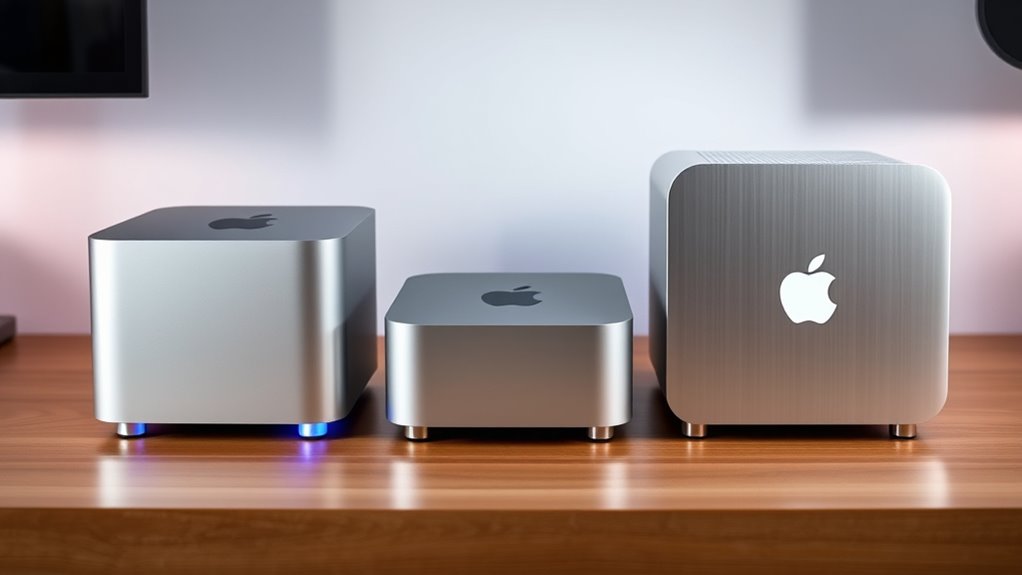

When people search for a mac mini as a media server, what they usually want is a small, quiet, power-sipping box that can sit under the TV or on a shelf and stream media to every screen in the house. The Mac mini is the reference point, but it is not the only way to get there, and in 2026 it is rarely the cheapest. Two configurations of the Beelink Mini S13 cover the same job at a much lower cost, with tradeoffs in software and raw power.

Get movie nights delivered free with Prime
- Fast, free delivery on millions of items
- Prime Video, Amazon Music and more included
- Member-only deals all year
Between the two, the 16GB / 500GB model makes the most sense as my top pick for a media server, because doubled RAM and larger base storage directly affect how many simultaneous streams a Plex or Jellyfin server can handle before it stutters. The 8GB / 256GB model is the value option, better for a single-TV household or for someone who plans to hang most of their library on an external drive or NAS anyway. The main tradeoff in this comparison is not between the machines themselves (same chassis, same chip, same ports), but between configurations: spend less and accept tighter memory headroom, or spend a little more and get a server that will not need upgrading in a year.
One honest caveat before the details: neither of these runs macOS, and neither has Apple Silicon’s effortless 4K transcoding. If your library is built entirely around heavy transcodes, that matters. If you stream mostly direct-play files, it does not. I cover exactly where each machine fits below.
Key Takeaways
- Both picks use the same Intel N150 chip, so the real decision is RAM and storage: 8GB/256GB versus 16GB/500GB.
- The 16GB configuration is the better media server because extra memory gives headroom for Plex metadata, thumbnails, and multiple concurrent streams.
- The 8GB configuration is the value play for single-user, direct-play setups where the library lives on an external USB drive or NAS.
- Both support dual 4K@60Hz output, WiFi 6, Gigabit Ethernet, and expansion to 4TB via dual M.2 slots, so neither boxes you in later.
- Neither machine runs macOS or matches a Mac mini’s transcoding grunt, so Apple-centric buyers or heavy transcoders should skip both.
| Beelink Mini S13 Mini PC, Intel N150, 16GB DDR4, 500GB SSD |  | Best Overall Media Server | Processor: Intel Twin Lake N150, up to 3.6GHz, 4C/4T | Memory: 16GB DDR4 | Storage: 500GB M.2 PCIe 3.0 SSD, expandable to 4TB via dual M.2 | VIEW ON AMAZON | See Our Full Breakdown |
| Beelink Mini S13 Mini PC, Intel Twin Lake-N150, 8GB DDR4, 256GB SSD |  | Best Value Media Server | Processor: Intel Twin Lake N150, up to 3.6GHz, 4C/4T, 6MB cache | Memory: 8GB DDR4 | Storage: 256GB M.2 PCIe 3.0 SSD, expandable to 4TB via dual M.2 | VIEW ON AMAZON | See Our Full Breakdown |
| mac mini as a media server | Processor | Memory | Storage | Graphics |
|---|---|---|---|---|
| Beelink Mini S13 Mini PC | Intel Twin Lake N150, up to 3.6GHz, 4C/4T | 16GB DDR4 | 500GB M.2 PCIe 3.0 SSD, expandable to 4TB via dual M.2 | Intel integrated graphics, up to 1000MHz |
| Beelink Mini S13 Mini PC | Intel Twin Lake N150, up to 3.6GHz, 4C/4T, 6MB cache | 8GB DDR4 | 256GB M.2 PCIe 3.0 SSD, expandable to 4TB via dual M.2 | Intel UHD Graphics, max 1000MHz |
More Details on Our Top Picks
Beelink Mini S13 Mini PC, Intel N150, 16GB DDR4, 500GB SSD
This 16GB configuration of the Mini S13 is the one I would put under a television and forget about for five years. The doubled memory is what separates it from its cheaper sibling: media servers are memory-hungry in ways that are not obvious at setup time. Plex and Jellyfin cache artwork, hold database indexes in RAM, and run scheduled maintenance tasks in the background, and once you add two or three concurrent streams on top, an 8GB machine starts swapping while a 16GB machine does not blink. For anyone serving media to more than one screen at a time, this build has the headroom that matters.
The 500GB SSD also changes how you use the machine. Compared with the 256GB model, there is comfortable room for the OS, server software, and a starter library of compressed media before you ever touch an expansion slot. When the library outgrows that (and it will), the dual M.2 slots supporting up to 4TB plus four USB 3.2 Gen 2 ports give you two clean upgrade paths, and the included SSD cooling shield means added drives are not cooking inside the chassis.
The honest limitation is the N150 itself. Four cores and four threads handle direct-play streams beautifully, and even a couple of software transcodes of lighter content are fine, but it is not an Apple Silicon chip eating 4K transcodes for breakfast. If your household routinely remuxes HDR files to incompatible devices, this will strain where a Mac mini would not. For direct-play-centric libraries and wired Gigabit Ethernet, which is how most well-configured servers run, this tradeoff almost never surfaces in daily use. The 25W power draw also means it costs a fraction of what an always-on tower or Mac mini consumes over a year, which is a real consideration for a box that runs 24/7.
Pros:- 16GB of RAM provides headroom for server software, metadata caches, and multiple concurrent streams
- 500GB base SSD fits the OS, apps, and a starter library before any expansion is needed
- Dual M.2 slots support up to 4TB, and four USB 3.2 Gen 2 ports make external library drives painless
- Around 25W power draw and quiet cooling suit 24/7 always-on operation next to the TV
Cons:- The 4-core N150 is weak for repeated software transcoding of demanding 4K or HDR files
- Costs more than the identical 8GB configuration, which single-user households may not need
- No macOS, so Apple ecosystem integrations and HomeKit-centric setups require workarounds
Best for: Households running Plex or Jellyfin for multiple simultaneous users, especially with libraries stored mostly as direct-play files on external drives or a NAS.
Not ideal for: Heavy transcoders with large HDR or 4K remux libraries destined for incompatible client devices, and anyone who specifically wants macOS as the server OS.
- Processor:Intel Twin Lake N150, up to 3.6GHz, 4C/4T
- Memory:16GB DDR4
- Storage:500GB M.2 PCIe 3.0 SSD, expandable to 4TB via dual M.2
- Graphics:Intel integrated graphics, up to 1000MHz
- Display Support:Two 4K displays at 60Hz
- Network:Gigabit Ethernet, WiFi 6 dual-band, Bluetooth 5.2
- Ports:4x USB 3.2 Gen 2, 2x HDMI, 3.5mm audio
- Power Consumption:Up to 25W
- Warranty:3 years
Our verdict“The configuration I would buy: enough memory and storage to serve a real household without an early upgrade, at media-server-friendly power draw.”
Beelink Mini S13 Mini PC, Intel Twin Lake-N150, 8GB DDR4, 256GB SSD
Saving money on a media server is smart when the expensive parts of the job (storage, network) live elsewhere, and that is exactly the scenario this configuration targets. With 8GB of RAM and a 256GB SSD, this build assumes your library sits on a USB external drive, a DAS, or a NAS, and the mini PC is purely the brains serving files to clients. Handled that way, the N150’s 10-15% uplift over the older N100 is a genuine perk: it transcodes a single stream more comfortably and keeps the server dashboard responsive while streams run.
Where this model diverges from the 16GB pick is in multitasking tolerance. One direct-play stream plus the server app runs happily. Two streams plus background library scans will start eating into memory limits, and adding a Docker container or two (a common move once people discover *arr stack tools) is where 8GB gets tight. If your ambition is a plain, reliable media server for one or two TVs, none of that is a problem, and the money saved can go straight into a 4TB drive, which does more for a media library than RAM ever will.
The physical package is identical to its sibling: same 4.9 x 4.4 x 1.6 inch chassis, same wall-mount bracket for hiding it behind a monitor or TV, same dual HDMI 4K@60Hz output, same WiFi 6 and Gigabit Ethernet. That makes this the pick when the budget consciously favors storage over memory. The 3-year warranty matches the pricier model, so the lower price does not buy you less support or a shorter lifespan, just less headroom.
Pros:- Lowest-cost entry into a capable, always-on 24/7 media server at roughly 25W
- N150 offers a 10-15% performance uplift over the common N100 for smoother single-stream transcoding
- Same expansion ceiling as the pricier build: dual M.2 up to 4TB and four fast USB ports
- Identical chassis, ports, dual 4K output, and 3-year warranty as the higher-spec model
Cons:- 8GB of RAM limits concurrent streams and rules out comfortable Docker or plugin stacks
- 256GB fills quickly if the library lives on the internal drive
- Paying less now may mean an RAM-adjacent upgrade decision sooner than the 16GB model
Best for: Budget-conscious buyers serving one or two TVs, with media stored on an external USB drive or NAS rather than inside the machine.
Not ideal for: Multi-user households, anyone running Docker containers alongside the server, or those planning to keep the entire library on the internal drive.
- Processor:Intel Twin Lake N150, up to 3.6GHz, 4C/4T, 6MB cache
- Memory:8GB DDR4
- Storage:256GB M.2 PCIe 3.0 SSD, expandable to 4TB via dual M.2
- Graphics:Intel UHD Graphics, max 1000MHz
- Display Support:2x HDMI, 4K@60Hz dual display
- Network:WiFi 6 dual-band, RJ45 Gigabit LAN, Bluetooth 5.2
- Ports:4x USB 3.2 Gen2 (10Gbps), 2x HDMI, 3.5mm audio
- Dimensions:4.88 x 4.45 x 1.65 inches, 0.73 kg
- Warranty:3 years
Our verdict“The right choice when your library lives outside the box: spend the savings on storage and let the N150 do the serving.”

How We Picked
Since both candidates share the same chassis and processor, my ranking came down to how each configuration behaves as a dedicated media server rather than as a general desktop. I weighed three factors most heavily. First, memory headroom: media server software grows hungrier over time as libraries accumulate metadata, artwork caches, and background tasks, and 8GB versus 16GB is the single biggest behavioral difference between these two builds. Second, storage strategy: base SSD capacity matters for the operating system and apps, but a media server’s library usually outgrows internal storage fast, so I prioritized expansion flexibility (both offer dual M.2 slots up to 4TB and four USB 3.2 ports for externals) over raw included capacity. Third, living-room suitability: noise, power draw, size, and 4K output quality decide whether a box can sit next to the TV rather than in a closet. Both machines draw around 25W, run a quiet fan, and drive two 4K@60Hz displays, which is why they beat generic tower PCs for this job. Finally, I factored in longevity through the 3-year warranty and the presence of Gigabit Ethernet, because a media server on WiFi is a troubleshooting headache waiting to happen.
| mac mini as a media server | Processor | Graphics | Network |
|---|---|---|---|
| Beelink Mini S13 Mini PC | Intel Twin Lake N150, up to 3.6GHz, 4C/4T | Intel integrated graphics, up to 1000MHz | Gigabit Ethernet, WiFi 6 dual-band, Bluetooth 5.2 |
| Beelink Mini S13 Mini PC | Intel Twin Lake N150, up to 3.6GHz, 4C/4T, 6MB cache | Intel UHD Graphics, max 1000MHz | WiFi 6 dual-band, RJ45 Gigabit LAN, Bluetooth 5.2 |
Factors to Consider When Choosing Mac Mini As A Media Server
Choosing between these two machines comes down to a handful of decisions that apply to any mini PC media server, not just these Beelink builds. Here is how I would think through it.RAM: The Real Dividing Line
Because both picks share the same processor, ports, and chassis, memory is the only meaningful spec difference. Server applications are quiet RAM consumers: metadata databases, image caches, and background scans all accumulate. One direct stream runs fine on 8GB, but add a second concurrent stream, a library refresh, and maybe a monitoring tool, and 8GB systems begin swapping to the SSD. The 16GB build exists precisely to remove that ceiling. My rule of thumb: if more than one person will stream at once, buy 16GB. If it is a single-TV household, 8GB is money saved, not money wasted.
Where Your Library Lives
Internal SSD capacity matters far less for a media server than for a desktop, because video libraries are measured in terabytes and no affordable mini PC ships with enough internal storage for a serious collection. What matters is expansion and connectivity. Both configurations offer dual M.2 slots up to 4TB internally plus four 10Gbps USB ports, so you can either upgrade the internal drives later or attach fast external storage today. The cheaper 256GB model pairs naturally with an external drive from day one; the 500GB model buys you time before that decision.
Transcoding: Know Your Library Before You Buy
This is where a mini PC genuinely differs from a Mac mini. Apple Silicon transcodes video with unusual efficiency; the N150 does not. If your client devices (smart TVs, streaming sticks) can direct-play your file formats, the server barely works and either Beelink is fine. If your library is full of 4K HDR remuxes destined for devices that cannot handle them, every stream becomes a software transcode and the little N150 will buckle under load. Audit your files and your playback devices before choosing, and consider a pricier machine with hardware transcoding muscle if mismatches are common.
Wired Network and Always-On Costs
WiFi 6 is nice for setup, but a media server belongs on Ethernet, and both machines include Gigabit LAN, which comfortably exceeds any 4K bitrate you will encounter. Since a server runs 24/7, power draw is a recurring cost: at roughly 25W, either configuration sips power compared with a repurposed tower or even an idling Mac mini, and the quiet fan means it can live in the living room rather than a closet.
Frequently Asked Questions
Can a Beelink Mini S13 actually replace a Mac mini as a media server?
For the core job of running Plex, Jellyfin, or Emby and serving files to client devices, yes, comfortably. The Mini S13 handles server duties, plays direct 4K content, runs on less power, and includes Gigabit Ethernet and WiFi 6. The areas where it cannot match a Mac mini are software ecosystem and transcode muscle: you get Windows 11 (or a Linux install of your choosing) instead of macOS, and the N150’s four cores will struggle with repeated 4K HDR software transcodes that Apple Silicon shrugs off. If your setup is direct-play focused and you are not tied to Apple’s ecosystem, the swap is easy. If your library demands constant transcoding, the Mac mini keeps a real advantage.
Is 8GB of RAM enough for a Plex or Jellyfin server?
It depends entirely on how many streams run at once and what else the machine does. A single-user, direct-play server on 8GB runs with room to spare, and plenty of households never push past that. The pressure points are concurrency and background work: two simultaneous streams plus a library scan, or adding Docker containers for automation tools, will consume 8GB quickly and force the system to swap to the SSD, which shows up as buffering and sluggish menus. That is why I recommend the 16GB configuration for multi-user households and the 8GB model only for one or two screens with the library stored externally.
How should I store my media library on these machines?
The internal SSD should hold the operating system, the server application, and its databases, while the library itself belongs on bigger, cheaper storage. You have two good paths. The first is internal expansion: both configurations have dual M.2 slots supporting up to 4TB total, and the chassis includes an SSD cooling shield to keep added drives healthy. The second is external: four USB 3.2 Gen 2 ports at 10Gbps handle external SSDs and hard drive enclosures without becoming a bottleneck for multiple streams. Many buyers combine approaches, keeping frequently watched media on fast internal storage and archives on attached drives.
How much power does a Mini S13 media server use running 24/7?
The platform draws up to around 25W under load and considerably less when idle, which is the relevant figure for an always-on server that spends most of its day waiting for a stream request. Over a full year of continuous operation, that amounts to a small fraction of what a repurposed desktop tower consumes, and meaningfully less than a Mac mini under sustained transcode load. The quiet fan and compact chassis also mean the machine can sit on a shelf or behind the TV using the included wall-mount bracket, rather than being exiled to a server closet for noise reasons.
Should I run Windows or Linux as the server operating system?
Both machines ship with Windows 11 Home, which runs Plex, Jellyfin, and Emby perfectly well and is the simplest path if you also want the box to double as a casual desktop or HTPC front end. Linux is the stronger choice if the machine will be a pure headless server: a minimal install uses less RAM (helpful on the 8GB model), updates less intrusively, and runs Jellyfin and Docker-based tooling natively. There is no wrong answer, but if you choose the 8GB configuration and plan to add containerized automation tools later, Linux stretches that limited memory further than Windows does.
Conclusion
Because both picks share a chassis, processor, ports, and warranty, this decision is refreshingly simple. Families and shared households should buy the 16GB / 500GB model: the extra memory absorbs concurrent streams and background server tasks, and the larger SSD delays the storage conversation for a year or two. Single-TV households and budget builders should buy the 8GB / 256GB model and put the savings toward a 4TB drive, letting the little N150 focus on one job it does well. Heavy transcoders and Apple ecosystem devotees should skip both and pay up for a Mac mini or a machine with stronger hardware transcoding, because no configuration of the N150 will rescue a library full of 4K HDR remuxes headed for incompatible clients. Whichever route you take, wire it to Ethernet, keep the OS lean, and let the 25W box do the quiet work a media server is supposed to do.
Fall Picks
fall essentials
As an affiliate, we earn on qualifying purchases.