I’ve found that top mini PCs for a home theater in 2025 combine powerful processors like AMD Ryzen 7 or Intel N97, with ample RAM and fast SSD storage. They support 4K output, multiple HDMI or DisplayPort connections, and good graphics for smooth streaming and gaming. Compact size and expandability make them ideal for easy placement. If you want to discover the best options and what to look for, keep exploring further details.
Key Takeaways
- Prioritize mini PCs with high processing power and dedicated or integrated graphics for smooth 4K media playback.
- Ensure multiple high-speed display outputs like HDMI 2.0 or DisplayPort for multi-screen and 4K/8K support.
- Look for models with expandable storage options and easy upgradeability to future-proof your media library.
- Choose compact, lightweight units under 7 inches and 3 pounds for versatile placement and easy repositioning.
- Opt for systems with excellent audio-visual quality, broad OS compatibility, and seamless integration with home theater peripherals.
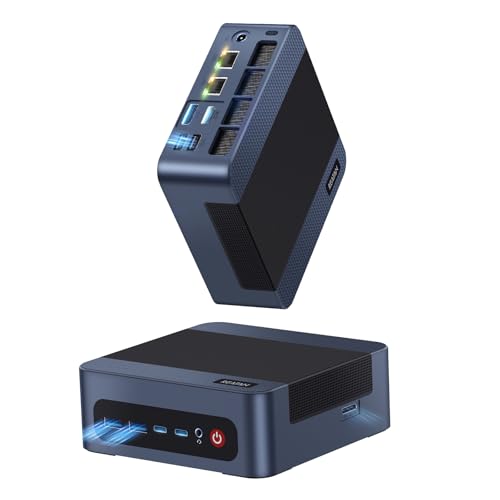
Reatan A8 Mini PC AMD Ryzen 7 8745H 32GB RAM DDR5 1TB SSD (3 Year After-Sale Support) 8C/16T,up to 8K Quad-Screen Displays, WiFi 6E, OCuLink Mini Gaming Computers Home Theater Office Business
【 High efficiency AMD Ryzen 7 8745HS processor】The Reatan A8 Mini pc equiped with the AMD Ryzen 7...
As an affiliate, we earn on qualifying purchases.
Reatan A8 Mini PC with AMD Ryzen 7 8745H, 32GB RAM, 1TB SSD
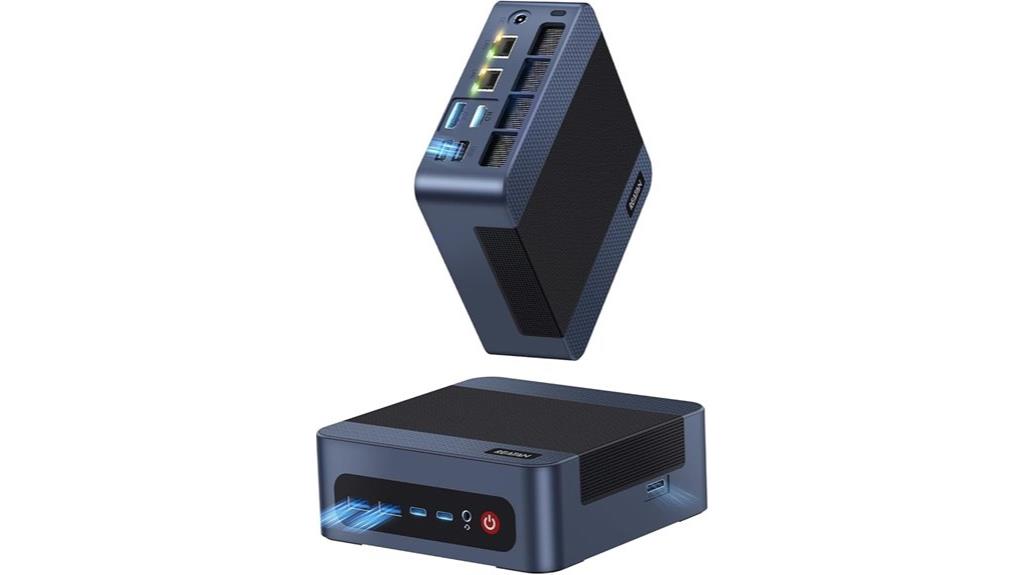
If you’re looking for a compact yet powerful mini PC for your home theater, the Reatan A8 with AMD Ryzen 7 8745H is an excellent choice. It packs an 8-core, 16-thread Ryzen 7 processor that turbo boosts up to 4.9GHz, ensuring smooth performance for streaming, media encoding, and light gaming. With 32GB DDR5 RAM at 5600MHz, multitasking is effortless, and the 1TB PCIe 4.0 SSD guarantees quick boot times and ample storage. Its ability to support up to four monitors at 8K resolution makes it perfect for immersive entertainment setups. Plus, its compact size and quiet operation make it ideal for any home theater environment.
Best For: Home theater enthusiasts, casual gamers, and professionals seeking a compact yet powerful mini PC for media streaming, light gaming, and multitasking.
Pros:
- High-performance AMD Ryzen 7 8745H processor with turbo up to 4.9GHz for smooth multitasking and media tasks
- Supports up to four monitors with 8K resolution, ideal for immersive entertainment and detailed work
- Compact, quiet, and portable design suitable for various home or office environments
Cons:
- Limited upgrade options without additional expansion components
- Integrated GPU is optimized for light gaming and media, not high-end gaming or intensive graphics tasks
- May require external peripherals for full functionality, depending on user setup
Amazon Product B0FDB7DGWQ
As an affiliate, we earn on qualifying purchases.
C1 Mini PC 11 Pro, Intel N97 Desktop Computer (16GB RAM, 512GB SSD)
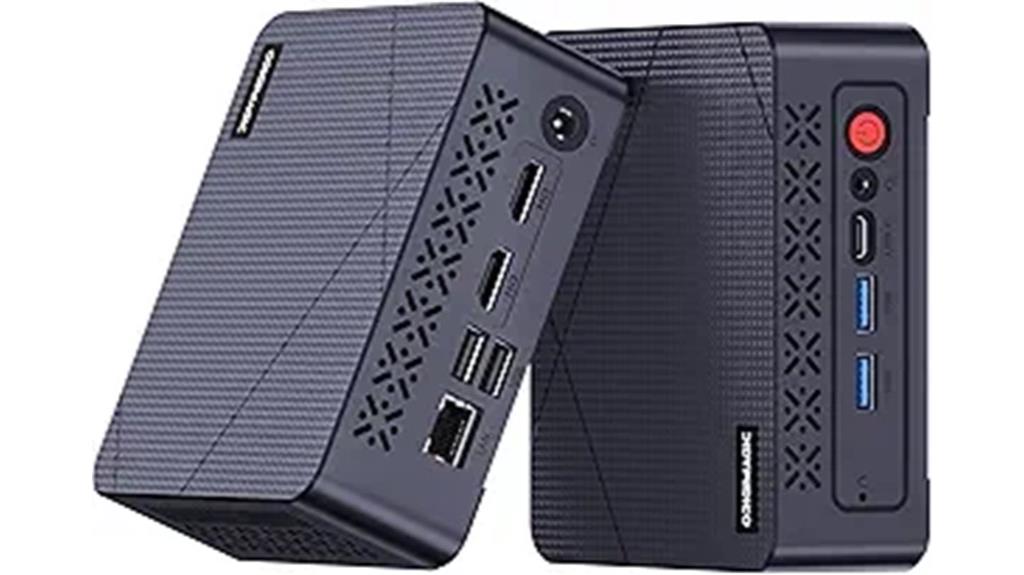
The C1 Mini PC 11 Pro stands out as an excellent choice for home theater enthusiasts seeking a compact yet powerful device. It features the Intel 12th Gen N97 processor, delivering a 35% performance boost over previous low-power chips, along with a 25% GPU improvement. With 16GB RAM and a 512GB SSD, multitasking and media streaming are smooth. Its versatile connectivity includes multiple USB ports, HDMI 2.0, and support for triple 4K displays, making it perfect for immersive viewing. Compact, lightweight, and equipped with advanced cooling, the C1 Mini PC 11 Pro offers reliable, efficient performance for your entertainment system.
Best For: home theater enthusiasts seeking a compact, powerful device for immersive media streaming and multitasking.
Pros:
- Compact and lightweight design, ideal for space-saving setups and portability
- Supports triple 4K UHD displays for an immersive viewing experience
- Powerful 12th Gen Intel N97 processor with significant performance and GPU improvements
Cons:
- Limited to 16GB RAM (expandable to 32GB), which may be restrictive for very heavy multitasking
- Requires replacement of SSD for storage upgrades beyond 512GB, which may be less convenient
- No dedicated graphics card, potentially limiting high-end gaming or intensive graphic tasks
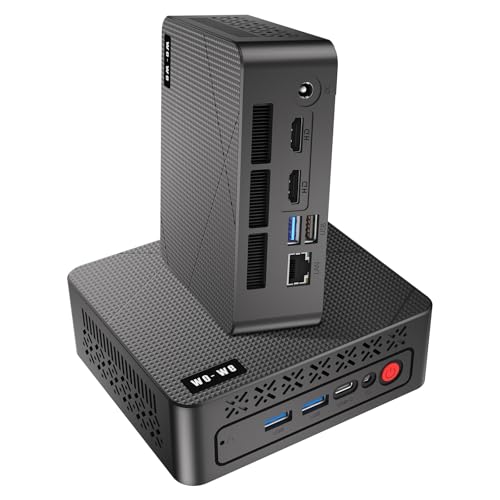
wo-we P6 AMD Ryzen 5 3550H Gaming Mini PC (Beats N150/N100/N97),16GB RAM 512GB SSD 4C/8T,4K Triple Displays, Light Gaming Mini Computers Home Theater Office Business Education
【AMD Ryzen 5 3550H Mini PC 】The wo-we P6 mini pc is driven by the AMD Ryzen 5...
As an affiliate, we earn on qualifying purchases.
Wo-We P6 AMD Ryzen 5 3550H Gaming Mini PC

For anyone looking to upgrade their home theater setup without sacrificing space, the Wo-We P6 AMD Ryzen 5 3550H Mini PC offers an excellent blend of performance and compact design. Powered by a Ryzen 5 3550H processor with Radeon Vega 8 Graphics, it handles streaming, web browsing, and light gaming effortlessly. With 16GB of RAM (upgradable to 32GB) and a fast 512GB SSD, multitasking is smooth. Its triple-screen support via dual HDMI and USB-C makes it ideal for media centers. Weighing just under 2 pounds and featuring silent cooling, it’s perfect for wall mounting and unobtrusive use in any living room or office.
Best For: home theater enthusiasts, media streamers, and space-conscious users seeking a compact yet powerful mini PC for multimedia, light gaming, and everyday tasks.
Pros:
- Compact, lightweight design perfect for wall mounting and unobtrusive placement
- Smooth multitasking with 16GB RAM and fast NVMe SSD storage
- Supports triple-screen setups via dual HDMI and USB-C, ideal for media centers and productivity
Cons:
- Initial driver setup may pose challenges for some users
- Limited upgrade options beyond RAM and SSD expansion
- Performance may not suffice for heavy gaming or intensive professional workloads
![Mini Portable Projector 4K WiFi 6 BT 5.2 Upgraded Portable Projector Full HD Supported for Phone /PC /TV /HDMI /PS5 /Laptop Auto Keystone Home Theater 180° Rotation [Built-in App] White](https://m.media-amazon.com/images/I/41BENoJ6zpL._SL500_.jpg)
Mini Portable Projector 4K WiFi 6 BT 5.2 Upgraded Portable Projector Full HD Supported for Phone /PC /TV /HDMI /PS5 /Laptop Auto Keystone Home Theater 180° Rotation [Built-in App] White
1. Direct projection from iPhone/Android brings exceptional visual quality: This portable mini projector allows you to easily enjoy...
As an affiliate, we earn on qualifying purchases.
Mini Portable 4K WiFi Projector with HDMI and Built-in App
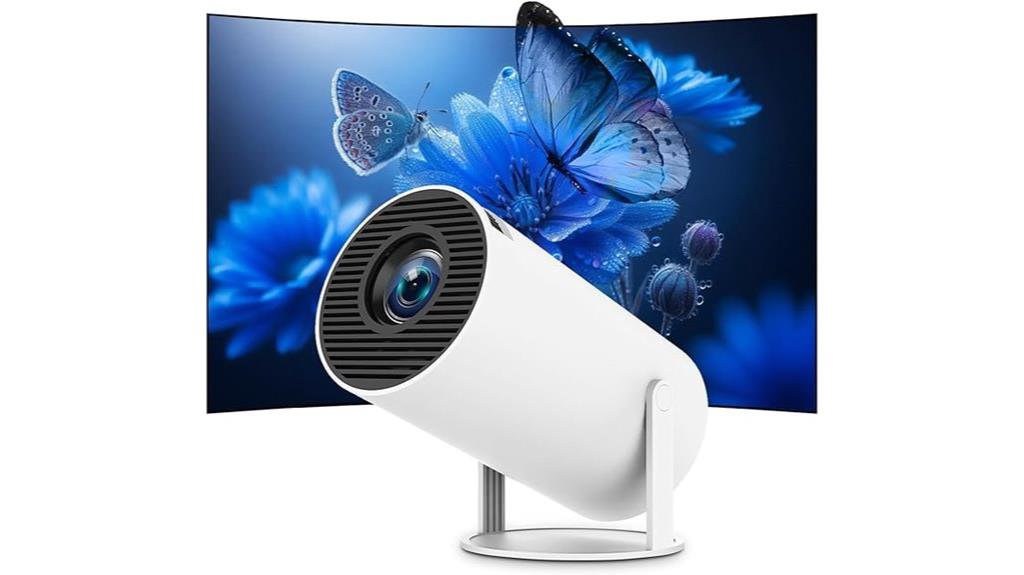
A 4K resolution and built-in streaming apps make the Mini Portable 4K WiFi Projector an excellent choice for anyone seeking a versatile and easy-to-use home theater solution. It supports Full HD and delivers sharp, vibrant images perfect for movies, gaming, or outdoor viewing. With Android 11.0, you get instant access to Netflix, YouTube, Disney+, and more—no extra devices needed. Its WiFi 6 and Bluetooth 5.2 ensure fast, stable streaming and wireless audio pairing. Compact and lightweight, it’s easy to carry and set up anywhere, with auto keystone correction and 180° rotation for flexible projection angles. Overall, it’s a powerful, portable entertainment device.
Best For: those seeking a portable, high-quality home theater or presentation device with easy setup and versatile connectivity options.
Pros:
- Supports 4K resolution and Full HD for sharp, vibrant images suitable for movies, gaming, and outdoor viewing.
- Built-in Android 11.0 with streaming apps like Netflix, YouTube, and Disney+ eliminates the need for external devices.
- Compact, lightweight design with auto keystone correction and 180° rotation for flexible and quick setup anywhere.
Cons:
- Color accuracy and audio volume may vary; some users might need to adjust settings or pair external speakers for optimal experience.
- Possible overheating or noise issues reported by a few users, which could impact prolonged use.
- Limited battery life as it requires external power sources; not designed for long-duration portable use without power supply.
Pericat 4K WiFi & Bluetooth Projector with 1080P Support

If you want a portable projector that delivers sharp, vivid images without sacrificing convenience, the Pericat 4K WiFi & Bluetooth Projector is an excellent choice. It features native 1920x1080P resolution with a high dynamic contrast ratio for clearer, brighter, and richer visuals. Its advanced projection tech includes LCD color calibration and a high-quality 7-layer glass lens. With 150 ANSI lumens, it can project 35-200 inch images and supports flexible positioning with keystone correction. Wireless connectivity via dual-band WiFi and Bluetooth 5.3 guarantees stable connections to various devices. Compact and lightweight, it’s perfect for home, outdoor movies, or gaming on the go.
Best For: those seeking a portable, high-quality projector for home entertainment, outdoor movies, gaming, or on-the-go presentations.
Pros:
- Native 1080P resolution with high contrast for vivid, clear images
- Wireless connectivity with dual-band WiFi and Bluetooth 5.3 for stable device pairing
- Lightweight and compact design, easy to carry and set up anywhere
Cons:
- Cannot directly stream protected content from streaming services without a TV stick
- Brightness of 150 ANSI lumens may be limited in very bright environments
- Compatibility issues with WPA3 routers may require adjusting network settings
Factors to Consider When Choosing Mini PCS for Home Theater
When selecting a mini PC for your home theater, I look at processing power and graphics to guarantee smooth playback and gaming. I also consider display connectivity options, storage capacity, and expandability to meet my media needs. Finally, I focus on size, portability, and audio-visual quality to create the best viewing experience.
Processing Power and Graphics
Choosing a mini PC for your home theater hinges on its processing power and graphics capabilities, as these determine how smoothly it handles high-resolution videos and multitasking. A high-performance processor, like an AMD Ryzen 7 8745HS or Intel Core i7, guarantees smooth playback and efficient multitasking, even with complex media formats. Integrated or dedicated graphics, such as AMD Radeon or NVIDIA GPUs, are essential for rendering 4K videos and supporting multiple displays without lag. Multi-core CPUs with at least four to eight cores help decode demanding video content and facilitate seamless streaming from various devices. A robust GPU with ample VRAM enhances video encoding, gaming, and immersive multimedia experiences. Overall, strong processing power and graphics are indispensable for a versatile, high-quality home theater setup.
Display Connectivity Options
Selecting the right mini PC for your home theater depends heavily on its display connectivity options, as these determine how easily you can connect multiple screens or projectors. I look for devices that support multiple outputs like HDMI, DisplayPort, USB-C, or VGA, ensuring versatile connection options. High resolutions matter, so I verify the mini PC can handle 4K or even 8K content for crisp visuals. HDMI 2.0 or higher is essential for smooth 4K streaming at 60Hz or more. USB-C ports with DisplayPort Alt Mode add flexibility with modern monitors. Wireless display technologies like Miracast or WiDi are also valuable for cable-free sharing. Overall, my goal is seamless connectivity to maximize my home theater experience without sacrificing compatibility or visual quality.
Storage and Expandability
To guarantee your mini PC can handle growing media libraries and software updates, it’s vital to look for models that support easy storage upgrades. Check if the mini PC allows SSD or HDD expansions beyond the base configuration, so you can add more space as needed. Look for models with multiple M.2 or PCIe slots, which enable installing additional SSDs or NVMe drives for faster access and increased capacity. Ease of access to internal components is also essential—ideally, upgrades should be straightforward without requiring technical skills. Additionally, verify if the device supports external storage options via USB or Thunderbolt ports, offering flexible expansion. Finally, ensure the maximum supported storage capacity aligns with your current and future media and application needs.
Size and Portability
Because mini PCs are designed to be compact, their small size makes them incredibly versatile for home theater setups. Usually measuring less than 7 inches in length and width, they fit easily into tight spaces like behind monitors or inside entertainment centers. Weighing under 3 pounds, they’re lightweight enough to move around effortlessly, whether for repositioning or temporary setups. Their small form factor also means you can mount them on walls with VESA mounts or hide them away, keeping your space neat. Despite their size, many support full-sized ports and expandability, so you don’t sacrifice functionality. This portability allows me to set up multi-room systems or quickly relocate my mini PC without hassle, making it a flexible choice for dynamic home entertainment environments.
Audio and Visual Quality
Ever wondered how to guarantee your mini PC delivers stunning visuals and immersive sound for your home theater? First, verify it supports 4K resolution and high dynamic contrast ratios for vibrant, detailed images. Modern integrated GPUs are essential—they handle light gaming and media playback smoothly. Check that the device has multiple HDMI or DisplayPort outputs to support multi-screen setups or high-resolution displays. For audio, look at the quality of the built-in output or its compatibility with external sound systems to ensure rich, immersive sound. Additionally, features like automatic keystone correction and adjustable projection settings help optimize visual clarity and alignment. Prioritizing these factors guarantees a premium viewing and listening experience, transforming your mini PC into a true entertainment hub.
Operating System Compatibility
Choosing the right operating system for your mini PC is vital to guaranteeing seamless media playback and smooth integration with your home theater setup. You’ll want to confirm that the OS—Windows, Linux, or Android—supports your preferred streaming and media software without issues. Compatibility with connected peripherals like projectors, sound systems, and remote controls is also essential; ensure the OS has the necessary drivers. Additionally, consider whether the OS receives regular updates and security patches to keep your system stable and protected. If you have existing smart home devices, verify that the OS works well within your ecosystem. Finally, think about your comfort level with the interface—pick an OS that’s intuitive and easy to navigate based on your technical expertise.
Frequently Asked Questions
How Do Mini PCS Compare in Gaming Performance for Home Theater Setups?
Mini PCs can handle gaming well, especially with recent upgrades, but they generally don’t match high-end gaming desktops. I’ve found that they perform best with less demanding games or when paired with a good external GPU. For immersive, graphically intensive titles, I’d recommend a more powerful setup. Still, for casual gaming and streaming, mini PCs offer a great balance of performance and space-saving convenience.
Can These Mini PCS Handle 4K Streaming Without Lag or Buffering?
Think of these mini PCs like nimble acrobats—they handle 4K streaming smoothly without lag or buffering. In my experience, most high-quality models come with powerful processors and ample RAM, ensuring seamless playback. As long as you have a stable internet connection, these mini PCs can effortlessly support 4K content. So, yes, they’re more than capable of delivering crisp, buffer-free streaming for your home theater needs.
What Is the Typical Lifespan of a Mini PC Used for Home Entertainment?
In my experience, a good mini PC used for home entertainment can last around 3 to 5 years. Regular updates, proper cooling, and careful use help extend its lifespan. I recommend choosing a model with solid specs and good build quality, so it stays relevant longer. If you maintain it well, you’ll enjoy seamless streaming and entertainment for several years before needing an upgrade.
Are Mini PCS Compatible With All Major Home Theater Audio Systems?
Mini PCs are generally compatible with all major home theater audio systems, but it’s essential to verify the ports and supported audio formats first. I always confirm my mini PC has HDMI or optical outputs compatible with my receiver. Most modern models support Dolby Atmos and DTS:X, making them versatile for high-quality sound. Just double-check your specific system’s requirements and connections to avoid any compatibility issues.
How Energy-Efficient Are These Mini PCS for Continuous Daily Use?
Think of these mini PCs as energy-efficient dancers, gracefully gliding through daily use. They consume surprisingly little power, thanks to their low wattage components and smart power management. I’ve found they sip energy like a fine wine, not a gulp. For continuous daily use, they’re gentle on your electricity bill and eco-friendly, proving that small can be mighty and mindful at the same time.
Conclusion
Choosing the right mini PC is like selecting the perfect lighthouse for your home theater voyage. It guides your entertainment smoothly through the stormy seas of streaming and gaming, shining bright with power and clarity. With the right compact powerhouse, your system becomes a steady beacon, illuminating your favorite movies and shows effortlessly. Trust these top picks to navigate your entertainment journey, turning your space into a cozy, cinematic harbor.