
For streaming entertainment, I’d choose the LG 65-Inch OLED AI 4K B6 Series as the best overall fit, pairing a large 4K screen with OLED contrast for films and series. The Roku Select Series 65-Inch 4K QLED is a simpler streaming-first alternative, while the TCL QM64L Mini LED QLED suits viewers who want a brighter, more vivid picture. The main tradeoffs are picture quality versus screen size, and a familiar, straightforward interface versus a more feature-rich TV platform. Smaller Full HD models can work well in bedrooms, but they give up 4K detail and room-filling scale. Read on for how the 15 options compare and which one fits your room and viewing habits.

Get movie nights delivered free with Prime
- Fast, free delivery on millions of items
- Prime Video, Amazon Music and more included
- Member-only deals all year
Key Takeaways
OLED leads for dark-room film watching: The LG B6 and C6 stand apart from the LED and QLED models when contrast and deep blacks matter most.
Roku is the clearest streaming-first choice: Its Select lineup gives buyers several sizes and resolutions with a consistent, approachable smart TV experience.
Mini LED changes the picture priorities: The TCL QM64L is the lineup’s brightness-focused pick, while OLED favors contrast over bright-room punch.
Screen size and resolution are linked to room use: The 32- and 40-inch HD or Full HD choices fit secondary spaces; the larger 4K sets make more sense as main-room TVs.
Platform preference can outweigh extra features: Fire TV, amazon.com/dp/B0FSNM5CT4?tag=samexplo-20&ascsubtag=dc-1096746″ target=”_blank” rel=”nofollow sponsored noopener”>Roku, Google TV, and Samsung’s interface shape how easily viewers find and resume streaming, so the best fit depends on familiar habits.
| Amazon Ember 2-Series 40-Inch Full HD Smart TV with Fire TV |  | Best Compact Fire TV | Screen size: 40 inches | Resolution: 1920 × 1080 (Full HD) | HDR formats: HDR10, HLG | VIEW LATEST PRICE | See Our Full Breakdown |
| LG 65-Inch OLED AI 4K B6 Series Smart TV (2026) |  | Best Premium Streaming Picture | Screen size: 65 inches | Display type: OLED | Resolution: 4K | VIEW LATEST PRICE | See Our Full Breakdown |
| Roku 43-Inch Select Series 4K HDR Smart TV |  | Best Simple 4K Streaming | Screen size: 43 inches | Resolution: 4K | HDR format: HDR10 | VIEW LATEST PRICE | See Our Full Breakdown |
| Hisense 65-Inch E6SR Series Hi-QLED 4K UHD Smart Roku TV (2026 Model) |  | Best Large-Screen Roku | Screen size: 65 inches | Display technology: Hi-QLED | Resolution: 4K UHD | VIEW LATEST PRICE | See Our Full Breakdown |
| Insignia 40-Inch F40 Series Full HD Smart Fire TV | 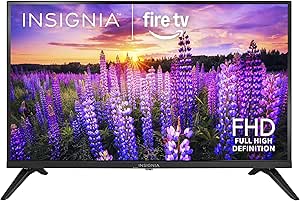 | Best Straightforward Fire TV Value | Screen size: 40 inches | Resolution: 1080p Full HD | Refresh rate: 60 Hz | VIEW LATEST PRICE | See Our Full Breakdown |
| Amazon Ember 43-Inch 4-Series 4K UHD Smart TV with Fire TV |  | Best Overall for Fire TV Streaming | Screen size: 43 inches | Resolution: 4K Ultra HD | HDR: HDR10+ | VIEW LATEST PRICE | See Our Full Breakdown |
| Insignia 43-Inch F50 Series 4K UHD Smart Fire TV with Alexa Voice Remote | 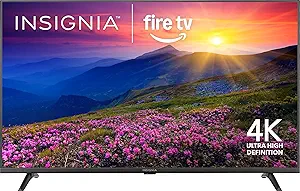 | Best for Flexible Connections | Screen size: 43 inches | Resolution: 4K UHD (2160p) | HDR: HDR10 | VIEW LATEST PRICE | See Our Full Breakdown |
| LG 65-Inch OLED evo AI 4K C6 Series Smart TV |  | Best Premium Streaming Picture | Screen size: 65 inches | Display technology: OLED evo | Resolution: 4K | VIEW LATEST PRICE | See Our Full Breakdown |
| Roku 40-Inch Select Series 1080p Full HD Smart TV |  | Best Compact Streaming TV | Screen size: 40 inches | Resolution: 1080p Full HD | Smart platform: Roku | VIEW LATEST PRICE | See Our Full Breakdown |
| Roku Select Series 65-Inch 4K QLED Smart TV (2026) |  | Best Large-Screen Roku Pick | Screen size: 65 inches | Resolution: 4K (2160p) | Display technology: QLED | VIEW LATEST PRICE | See Our Full Breakdown |
| Insignia 32-Inch F20 Series HD Smart Fire TV with Alexa Voice Remote |  | Best Compact Fire TV | Screen size: 32 inches | Resolution: 720p HD | Smart TV platform: Fire TV | VIEW LATEST PRICE | See Our Full Breakdown |
| Sony BRAVIA 3 65-Inch 4K HDR LED Smart TV (K-65S30) |  | Best for Google TV and Casting | Screen size: 65 inches | Display technology: LED | Resolution: 4K | VIEW LATEST PRICE | See Our Full Breakdown |
| Samsung 40-Inch Class F6000 Full HD Smart TV (2025) | 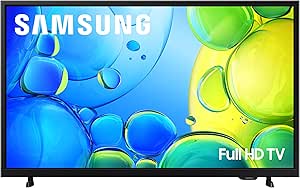 | Best for Free Streaming Channels | Screen size: 40 inches | Resolution: Full HD | Model year: 2025 | VIEW LATEST PRICE | See Our Full Breakdown |
| TCL 55-Inch QM64L Series Mini LED QLED 4K HDR Smart Fire TV (55QM64L, 2026) |  | Best for HDR and Fast Gaming | Screen size: 55 inches | Resolution: 3840 x 2160 (4K UHD) | Display technology: QD-Mini LED QLED | VIEW LATEST PRICE | See Our Full Breakdown |
| Roku Select Series 50-Inch 4K HDR Smart TV |  | Best for Simple 4K Streaming | Screen size: 50 inches | Resolution: 4K | HDR: HDR10 | VIEW LATEST PRICE | See Our Full Breakdown |
| smart TVs for streaming entertainment | Screen size | Resolution | Smart platform |
|---|---|---|---|
| Amazon Ember 2-Series 40-Inch | 40 inches | 1920 × 1080 (Full HD) | Fire OS |
| LG 65-Inch OLED AI 4K B6 Serie | 65 inches | 4K | webOS with Google Gemini |
| Roku 43-Inch Select Series 4K | 43 inches | 4K | Roku |
| Hisense 65-Inch E6SR Series Hi | 65 inches | 4K UHD | Roku TV |
| Insignia 40-Inch F40 Series Fu | 40 inches | 1080p Full HD | Fire TV |
| Amazon Ember 43-Inch 4-Series | 43 inches | 4K Ultra HD | Fire TV |
| Insignia 43-Inch F50 Series 4K | 43 inches | 4K UHD (2160p) | Fire TV |
| LG 65-Inch OLED evo AI 4K C6 S | 65 inches | 4K | webOS 2026 |
| Roku 40-Inch Select Series 108 | 40 inches | 1080p Full HD | Roku |
| Roku Select Series 65-Inch 4K | 65 inches | 4K (2160p) | Roku |
| Insignia 32-Inch F20 Series HD | 32 inches | 720p HD | — |
| Sony BRAVIA 3 65-Inch 4K HDR L | 65 inches | 4K | — |
| Samsung 40-Inch Class F6000 Fu | 40 inches | Full HD | — |
| TCL 55-Inch QM64L Series Mini | 55 inches | 3840 x 2160 (4K UHD) | Fire TV with Alexa+ |
| Roku Select Series 50-Inch 4K | 50 inches | 4K | Roku TV |
More Details on Our Top Picks
Amazon Ember 2-Series 40-Inch Full HD Smart TV with Fire TV
The 40-inch screen and Fire TV make this Ember a straightforward fit for a bedroom or smaller living space where streaming matters more than 4K detail. Wi-Fi 6 and a quad-core processor support responsive app browsing, while Alexa voice control and Omnisense wake features make it easier to find something to watch without navigating menus. Compared with the Insignia F40, it adds Wi-Fi 6, AirPlay, and a listed HDMI 2.1 eARC connection; both stay at Full HD, so neither is the pick for viewers seeking 4K. Its two HDMI ports also leave less room for multiple wired devices than a larger setup may need. I’d choose it for accessible, compact Fire TV streaming, but skip it if a sharper 4K picture or several connected sources matter more.
Pros:- Fire TV, Alexa voice control, and Omnisense features simplify finding and starting streams
- Wi-Fi 6 and a quad-core processor are suited to responsive streaming and app navigation
- AirPlay support makes it easier to share compatible content from Apple devices
- VoiceView and audio descriptions add useful accessibility options
Cons:- Full HD resolution provides less detail than the lineup’s 4K sets
- Two HDMI ports limit room for several connected devices
Best for: Bedroom viewers who want a compact Fire TV with voice control, AirPlay, and accessibility features
Not ideal for: Movie fans prioritizing 4K detail or households that need more than two HDMI connections
- Screen size:40 inches
- Resolution:1920 × 1080 (Full HD)
- HDR formats:HDR10, HLG
- Refresh rate:60 Hz
- Smart platform:Fire OS
- Wireless:Wi-Fi 6
- Audio:Dolby Digital Plus
- HDMI:1 HDMI 2.0, 1 HDMI 2.1 with eARC
Our verdict“Choose the Ember 2-Series for compact Fire TV streaming and useful voice features if Full HD is enough for your room.”
LG 65-Inch OLED AI 4K B6 Series Smart TV (2026)
For viewers who want films and series to look their best, the B6’s OLED panel gives each of its more than 8.3 million pixels independent light control, supporting deep blacks and strong contrast in dark scenes. Dolby Vision and FILMMAKER MODE suit movie watching, while webOS brings streaming apps, Google Gemini, and over 400 free LG Channels together on the TV. Compared with the Hisense E6SR, the LG offers OLED rather than Hi-QLED and adds a listed 120Hz refresh rate with gaming features; the Hisense lists Dolby Vision too and adds DTS Virtual:X. The B6’s 65-inch size needs a generous viewing area, and the supplied details don’t specify speaker power. I’d pick it for a premium streaming and gaming setup, but the smaller Roku Select is easier to place in a modest room.
Pros:- OLED pixel-level lighting supports deep contrast for films and darker scenes
- Dolby Vision and FILMMAKER MODE provide formats and settings aimed at movie viewing
- webOS combines streaming access, Google Gemini, and over 400 free LG Channels
- Up to 120Hz refresh rate, VRR, and 0.1ms response time support gaming
Cons:- The 65-inch screen needs substantial wall or stand space
- Built-in speaker power is not specified in the product details
Best for: Viewers building a spacious living-room setup around cinematic streaming and smooth gaming
Not ideal for: Small-room buyers or shoppers who need clearly specified built-in speaker power before choosing
- Screen size:65 inches
- Display type:OLED
- Resolution:4K
- Processor:A8 AI Processor 4K Gen3
- Refresh rate:Up to 120Hz
- Video and audio formats:Dolby Vision, Dolby Atmos, FILMMAKER MODE
- Smart platform:webOS with Google Gemini
- Free channels:Over 400 LG Channels
Our verdict“Pick the LG B6 if cinematic OLED streaming and gaming features matter more than a compact footprint or fully specified speaker details.”
Roku 43-Inch Select Series 4K HDR Smart TV
The Roku Select is a sensible middle ground for buyers who want 4K resolution and a familiar streaming interface without moving up to a 65-inch set. Roku’s customizable home screen and automatic software updates keep app access organized, while 500+ free TV channels add options for casual viewing without relying only on paid streaming services. Compared with the Amazon Ember 2-Series, this 43-inch Roku steps up to 4K from Full HD, though the Ember lists Wi-Fi 6, Alexa, and AirPlay while the Roku’s supplied connectivity details are limited to Wi-Fi. HDR10 and Roku Smart Picture are included, but the product data doesn’t specify audio features or HDMI connections. That makes it a less certain match for buyers planning a soundbar or several devices. I’d choose it for uncomplicated 4K streaming and free channels, not for a heavily connected entertainment system.
Pros:- 4K resolution offers more detail than the Full HD Ember 2-Series
- Roku home screen can be customized around preferred streaming apps
- Access to over 500 free TV channels adds viewing choices
- Automatic software updates keep the platform current
Cons:- Audio and specific connection details are not provided
- Only Wi-Fi is listed, leaving wired networking and HDMI needs unclear
Best for: Streamers who want a manageable 43-inch 4K set with Roku navigation and a broad free-channel selection
Not ideal for: Buyers who need detailed audio specifications, confirmed HDMI options, or advanced smart-home features
- Screen size:43 inches
- Resolution:4K
- HDR format:HDR10
- Display type:LED
- Smart platform:Roku
- Wireless connectivity:Wi-Fi
- Free channels:500+
Our verdict“Choose the Roku Select for straightforward 4K streaming and free channels if its unspecified audio and connection details fit your setup.”
Hisense 65-Inch E6SR Series Hi-QLED 4K UHD Smart Roku TV (2026 Model)
The E6SR pairs a 65-inch 4K UHD screen with Roku TV, making it a strong fit for a shared living room where easy streaming access and a larger picture are priorities. Its Hi-QLED color, Dolby Vision, HDR10, and HLG give compatible films and shows several ways to present richer color and contrast; AI 4K upscaling can also sharpen lower-resolution material for the big screen. Compared with the Roku 43-Inch Select, this Hisense adds a much larger display, Dolby Vision, and listed DTS Virtual:X audio, but demands more space. It also includes AirPlay and voice-assistant compatibility, plus Game Mode Plus, VRR, and ALLM for gaming. The product details don’t list refresh rate or port counts, so buyers with specific device needs should check those before choosing. It suits a spacious, mixed-use room better than a compact streaming corner.
Pros:- 65-inch 4K UHD screen gives shared viewing a larger picture than the 43-inch Roku Select
- Hi-QLED color and Dolby Vision support vivid compatible streaming content
- AI upscaling can improve the appearance of lower-resolution video on a 4K screen
- Roku TV, AirPlay, and listed voice-assistant compatibility broaden streaming options
Cons:- Large screen requires substantial room and placement space
- Refresh rate and port counts are not specified in the supplied details
Best for: Households wanting a large Roku screen for mixed streaming, live channels, and occasional gaming
Not ideal for: Small-room viewers or buyers who need confirmed refresh-rate and port details before setup
- Screen size:65 inches
- Display technology:Hi-QLED
- Resolution:4K UHD
- Smart platform:Roku TV
- HDR formats:Dolby Vision, HDR10, HLG
- Audio technology:DTS Virtual:X
- Gaming features:Game Mode Plus, VRR, ALLM
- Model year:2026
Our verdict“Choose the Hisense E6SR for big-screen Roku streaming with QLED color if you have room and do not need unlisted port details upfront.”
Insignia 40-Inch F40 Series Full HD Smart Fire TV
The Insignia F40 gives smaller-room viewers the basics for streaming in a 40-inch Full HD format: Fire TV apps, an Alexa Voice Remote, Wi-Fi, Bluetooth, and Ethernet. Its DTS Virtual:X audio and HDMI ARC support also make it easier to connect compatible sound equipment. Compared with the similarly sized Amazon Ember 2-Series, the Insignia lists Ethernet and Bluetooth, while the Ember adds Wi-Fi 6, AirPlay, Omnisense features, and accessibility tools. Both are limited to 1080p and have two HDMI ports, so the choice turns on the connections and smart features that matter in your room rather than resolution. At 60Hz, this is aimed at everyday shows and films, not high-refresh gaming. I’d choose it for a familiar Fire TV setup with wired networking; viewers seeking a sharper picture should look to one of the 4K options.
Pros:- Fire TV and the included Alexa Voice Remote provide voice-led app and content search
- Ethernet offers a wired network option alongside Wi-Fi
- DTS Virtual:X and HDMI ARC support compatible audio setups
- Bluetooth and VESA mounting add flexibility for placement and connections
Cons:- 1080p resolution falls short of the lineup’s 4K streaming choices
- 60Hz refresh rate is not aimed at high-refresh gaming
Best for: Viewers setting up a smaller room who want Fire TV, Alexa voice search, and Ethernet connectivity
Not ideal for: Buyers seeking 4K detail, high-refresh gaming, or advanced accessibility and AirPlay features
- Screen size:40 inches
- Resolution:1080p Full HD
- Refresh rate:60 Hz
- Display technology:LED
- Smart platform:Fire TV
- HDMI ports:2
- USB ports:1
- Connectivity:Wi-Fi, Bluetooth, Ethernet
Our verdict“Choose the Insignia F40 for basic Fire TV streaming with Ethernet and ARC if Full HD and 60Hz suit your viewing.”
Amazon Ember 43-Inch 4-Series 4K UHD Smart TV with Fire TV
A balanced 43-inch 4K set, the Ember 4-Series pairs HDR10+ with Fire TV, so streaming apps, voice search, and compatible smart home controls sit in one interface. Wi-Fi 6 and a quad-core processor are useful for responsive app navigation, while four HDMI inputs leave room for a console, soundbar, and other devices. Compared with the Insignia 43-Inch F50, this model adds Wi-Fi 6, AirPlay, and Omnisense sensors; those extras suit a more connected setup, though the Insignia offers a broad range of legacy connections. Dolby Audio supports clear everyday viewing, but it does not promise the immersive formats listed for the LG OLED. Streaming and cloud gaming subscriptions may still be needed, and Omnisense may be unnecessary if you prefer a TV that stays off until you turn it on.
Pros:- 4K UHD resolution with HDR10+ support
- Fire TV and Alexa+ bring streaming search and smart home controls together
- Wi-Fi 6 and a quad-core processor support responsive app navigation
- Four HDMI inputs and AirPlay support add flexibility for connected devices
Cons:- Some streaming apps and cloud gaming services require separate subscriptions
- Dolby Audio lacks the listed Dolby Atmos support of the LG OLED evo C6
- Omnisense wake features may not suit viewers who prefer manual control
Best for: Viewers who want a mid-size 4K Fire TV with voice controls, AirPlay, and several HDMI connections
Not ideal for: Buyers seeking premium OLED picture and Dolby Vision, or viewers who want cloud gaming without a separate service
- Screen size:43 inches
- Resolution:4K Ultra HD
- HDR:HDR10+
- Smart platform:Fire TV
- Connectivity:Wi-Fi 6
- Audio:Dolby Audio
- HDMI inputs:4
- Voice assistant:Alexa+
Our verdict“Choose the Ember 4-Series for a connected, mid-size Fire TV setup with useful voice and device features.”
Insignia 43-Inch F50 Series 4K UHD Smart Fire TV with Alexa Voice Remote
Connection flexibility is the F50’s clearest distinction: its three HDMI ports sit alongside composite AV, optical audio, USB, a headphone jack, coaxial, and Ethernet. That range can make it easier to keep older equipment in the setup than with the Roku Select Series 65-Inch 4K QLED, whose supplied connectivity details are limited to Wi-Fi and Bluetooth. Fire TV brings streaming apps and ad-supported options together, while HDR10 and upscaling help older or lower-resolution video fit the 4K screen. DTS Virtual:X offers a sound-processing option, though no dedicated external speaker system is specified. The 43-inch size suits a bedroom or smaller living room; viewers wanting Wi-Fi 6, AirPlay, and four HDMI inputs should compare it with the Amazon Ember 4-Series. Subscription requirements and content availability vary by service.
Pros:- 4K UHD resolution with HDR10 and upscaling
- Fire TV includes streaming apps and free ad-supported content
- Three HDMI ports include eARC support
- Broad wired connections include composite AV, optical audio, Ethernet, and a headphone jack
Cons:- HDR support is limited to HDR10 in the supplied specifications
- No AirPlay support is listed, unlike the Amazon Ember 4-Series
- Streaming service access and content availability vary
Best for: Households connecting older AV gear, a cable box, and streaming devices to one mid-size TV
Not ideal for: Viewers who want AirPlay, Wi-Fi 6, or the Ember 4-Series’ fourth HDMI input
- Screen size:43 inches
- Resolution:4K UHD (2160p)
- HDR:HDR10
- Smart platform:Fire TV
- Voice remote:Alexa Voice Remote
- Audio:DTS Virtual:X
- HDMI:3 ports; supports eARC
- VESA mount pattern:200 × 300
Our verdict“Pick the Insignia F50 if your streaming TV also needs to connect a mix of newer and older equipment.”
LG 65-Inch OLED evo AI 4K C6 Series Smart TV
For picture quality first, the LG C6 occupies the premium end of this group. Its OLED evo panel uses more than 8.3 million self-lit pixels, which can give films and shows precise contrast, while Dolby Vision and Filmmaker Mode cater to compatible streaming content and cinema-minded viewing. The 65-inch screen makes that picture better suited to a main living room than the Roku Select Series 40-Inch, which is a simpler Full HD choice for smaller spaces. The Alpha 11 AI processor and Dolby Atmos add processing and audio features, and the 165Hz refresh rate with G-Sync and FreeSync Premium also serves serious gaming. That gaming focus may be more than a streaming-only household needs. webOS 2026 includes LG Channels, but this model’s advanced display comes with a larger footprint than the compact Roku options.
Pros:- OLED evo panel with over 8.3 million self-lit pixels
- Dolby Vision, Dolby Atmos, and Filmmaker Mode support
- 165Hz refresh rate with NVIDIA G-Sync and AMD FreeSync Premium
- webOS 2026 includes access to LG Channels
Cons:- The 65-inch screen and stand require more room than compact options such as the Roku Select 40-Inch
- Its gaming capabilities may go unused in a streaming-only setup
- The supplied specifications do not list Wi-Fi or HDMI details
Best for: Film and series fans building a large-room setup who also want high-refresh-rate gaming support
Not ideal for: Small-room viewers or streaming-first buyers who do not need a 65-inch OLED or advanced gaming features
- Screen size:65 inches
- Display technology:OLED evo
- Resolution:4K
- Processor:Alpha 11 AI Processor Gen 3
- Refresh rate:165Hz
- HDR formats:Dolby Vision, HDR10
- Audio:Dolby Atmos
- Smart platform:webOS 2026
Our verdict“Choose the LG C6 for a spacious viewing setup where premium OLED streaming picture and gaming features both matter.”
Roku 40-Inch Select Series 1080p Full HD Smart TV
The Roku Select 40-inch keeps streaming simple with a Full HD screen, a straightforward home screen, voice control, and free live TV options. That smaller footprint suits a bedroom or secondary room where the 65-inch Roku Select QLED 4K may take up more space than needed. Roku also supports Siri, Alexa, Google Assistant, Apple AirPlay, and Bluetooth headphone mode, giving viewers several ways to control or listen privately. The tradeoff is resolution: at 1080p, it cannot match the 4K detail of the larger Roku or the Amazon Ember 4-Series. That difference matters more on a big screen or at close viewing distance. Picture optimization and dialogue-focused speakers address everyday viewing, but the listed features remain more basic than the premium LG OLED’s picture and audio formats.
Pros:- Roku home screen provides straightforward access to streaming
- Voice control works with Roku Voice, Siri, Alexa, and Google Assistant
- Apple AirPlay supports screen sharing from compatible devices
- Bluetooth Headphone Mode and free live TV options suit flexible viewing
Cons:- 1080p Full HD resolution falls short of the 4K Roku Select QLED and Amazon Ember
- Streaming features depend on a Wi-Fi connection
- The compact screen may feel limited as the main TV in a large room
Best for: Viewers furnishing a bedroom, dorm, or secondary room who value easy Roku navigation over 4K
Not ideal for: Main-room viewers who want 4K detail or a larger screen for films and sports
- Screen size:40 inches
- Resolution:1080p Full HD
- Smart platform:Roku
- Voice control:Roku Voice, Siri, Alexa, and Google Assistant
- Wireless audio:Bluetooth Headphone Mode
- Screen sharing:Apple AirPlay
Our verdict“Pick this Roku for a small room where simple streaming and headphone listening matter more than 4K resolution.”
Roku Select Series 65-Inch 4K QLED Smart TV (2026)
This 65-inch QLED is the large-screen Roku choice for viewers who want 4K streaming with a familiar, streamlined interface. HDR10 and Roku Smart Picture aim to give shows and films more detail and vivid color, while voice search, Apple AirPlay, and Bluetooth headphone mode add practical ways to find or watch content. Its enhanced voice remote includes a lost remote finder, a small convenience that can matter in a busy living room. Compared with the LG 65-Inch OLED evo C6, it offers QLED rather than OLED and lists HDR10 without Dolby Vision; the LG also specifies Dolby Atmos and high-refresh-rate gaming features. Roku’s appeal here is simpler everyday streaming, though the supplied details say little about sound or wired inputs. For buyers who want a large screen without the listed premium formats, the C6’s extra capabilities may be unnecessary.
Pros:- 65-inch 4K QLED display with HDR10
- Roku Smart Picture and built-in streaming support everyday viewing
- Voice control works with Roku Voice, Siri, Alexa, and Google Assistant
- Enhanced remote has voice search, shortcuts, and a lost remote finder
Cons:- The listed HDR format is HDR10, while the LG C6 also supports Dolby Vision
- No speaker power or specific sound system is provided
- Connection details beyond Wi-Fi and Bluetooth are not specified
Best for: Roku users who want a large 4K screen, AirPlay, voice search, and easy remote finding
Not ideal for: Viewers prioritizing Dolby Vision, detailed audio specifications, or extensive wired connection information
- Screen size:65 inches
- Resolution:4K (2160p)
- Display technology:QLED
- HDR format:HDR10
- Smart platform:Roku
- Voice control compatibility:Roku Voice, Siri, Alexa, Google Assistant
- Wireless features:Wi-Fi, Bluetooth Headphone Mode
- Casting support:Apple AirPlay
Our verdict“Choose the Roku Select QLED for a large, easy-to-use 4K streaming screen with convenient voice and remote features.”
Insignia 32-Inch F20 Series HD Smart Fire TV with Alexa Voice Remote
The 32-inch screen and Fire TV interface make this a practical fit for a bedroom, dorm, or secondary room where streaming access matters more than a large, detailed picture. Alexa voice search can help you find shows across supported apps, while the mix of HDMI, USB, composite, optical, and headphone connections accommodates older devices as well as current streamers. Compared with the Roku 40-Inch Select Series 1080p Full HD Smart TV, this Insignia is easier to fit into a tight space and adds Alexa control, but its 720p resolution gives up picture detail even on a smaller screen. I’d choose it for casual viewing at close range, not as the main TV for a shared living room. Some streaming services also require separate subscriptions.
Pros:- Fire TV provides access to supported streaming apps and channels
- Alexa Voice Remote supports voice search and entertainment controls
- HDMI, composite, optical, USB, headphone, and coaxial connections support varied devices
- Parental controls help families manage viewing
Cons:- 720p resolution shows less detail than the Full HD Roku 40-Inch Select Series
- A 32-inch screen is small for group viewing
- Some streaming services require separate subscriptions
Best for: People furnishing a bedroom, dorm, or small secondary space who want Alexa voice search and broad device connections
Not ideal for: Viewers who want Full HD or 4K detail, or a large screen for a shared living room
- Screen size:32 inches
- Resolution:720p HD
- Smart TV platform:Fire TV
- Voice control:Alexa Voice Remote
- Audio:DTS Virtual-X; HDMI ARC support
- Connections:2 HDMI, composite AV, digital optical output, USB, headphone jack, coaxial jack, Wi-Fi
- Parental controls:Yes
- Wall mountable:Yes
Our verdict“Choose this Insignia for a compact room where Alexa control and flexible connections matter more than Full HD detail.”
Sony BRAVIA 3 65-Inch 4K HDR LED Smart TV (K-65S30)
The 65-inch 4K HDR screen gives streaming films and series room to show their detail, while Google TV brings supported apps together and Google Assistant voice search helps find something to watch. AirPlay 2 and Chromecast built in make it especially convenient for households that cast from both Apple and Android devices. Against the TCL 55-Inch QM64L Series Mini LED QLED 4K HDR Smart Fire TV, Sony offers a larger screen and a familiar casting-focused setup, while TCL specifies Mini LED local dimming and a 144Hz refresh rate for brighter HDR and faster gaming. Sony’s 60 Hz refresh rate is a more modest fit for fast action, and its included movie credits and subscription are time-limited. Dolby Vision support strengthens its case for streaming movie libraries that use the format.
Pros:- 65-inch 4K HDR display supports Dolby Vision
- Google TV brings supported streaming apps together
- AirPlay 2 and Chromecast built in support casting from different devices
- Picture processing and Triluminos Pro are designed to enhance detail and color
Cons:- 60 Hz refresh rate is lower than the TCL QM64L’s native 144Hz
- The included movie credits and 12-month subscription are time-limited
- The product description does not specify local dimming zones
Best for: Households that stream films on a large screen and regularly cast from Apple and Android devices
Not ideal for: Fast-action gamers or viewers prioritizing a high refresh rate and Mini LED local dimming
- Screen size:65 inches
- Display technology:LED
- Resolution:4K
- Refresh rate:60 Hz
- HDR formats:Dolby Vision, HDR10, HLG
- Smart TV platform:Google TV
- Connectivity and casting:AirPlay 2, Chromecast built in
- Picture processing:4K HDR Processor X1, 4K X-Reality PRO, Triluminos Pro
- Model:K-65S30
Our verdict“Pick the BRAVIA 3 if you want a large 4K streaming screen with Google TV and built-in casting for both major mobile ecosystems.”
Samsung 40-Inch Class F6000 Full HD Smart TV (2025)
Samsung’s Tizen platform and more than 2,700 free channels make this 40-inch set a straightforward choice for viewers who want a lot to browse without relying only on paid streaming subscriptions. Full HD resolution suits a modest screen and everyday shows, while HDR and PurColor are intended to add color and contrast. Compared with the Roku Select Series 50-Inch 4K HDR Smart TV, the Samsung offers a larger free-channel lineup and phone screen mirroring, but Roku gives you a larger 4K display and Apple AirPlay. The Samsung’s Full HD resolution is the clear ceiling for detail, and Object Tracking Sound Lite should not be mistaken for a dedicated surround system. Q-Symphony can pair it with select Samsung soundbars, which are sold separately.
Pros:- Tizen offers streaming apps and more than 2,700 free channels
- Full HD resolution fits everyday viewing on a 40-inch screen
- HDR, PurColor, and Mega Contrast target more vivid picture
- Phone screen mirroring adds a convenient way to share content
Cons:- Full HD resolution has less detail than the Roku Select Series 50-Inch 4K
- Q-Symphony needs a compatible Samsung soundbar sold separately
- Object Tracking Sound Lite does not replace a separate audio system
Best for: Viewers who want a 40-inch TV with a broad selection of free channels and phone screen mirroring
Not ideal for: Buyers seeking 4K detail, AirPlay, or soundbar features without purchasing compatible equipment separately
- Screen size:40 inches
- Resolution:Full HD
- Model year:2025
- Operating system:Tizen
- HDR:Yes
- Audio:Object Tracking Sound Lite
- Security:Samsung Knox Security
- Free channels:More than 2,700
- Soundbar compatibility:Select Samsung Q-Series, S-Series, B750F, or B650F soundbars
Our verdict“Choose the Samsung if its free channels and screen mirroring matter more to you than 4K resolution or AirPlay.”
TCL 55-Inch QM64L Series Mini LED QLED 4K HDR Smart Fire TV (55QM64L, 2026)
This TCL pairs 4K QD-Mini LED QLED with up to 500 local dimming zones, giving HDR scenes more scope for bright highlights and deeper contrast than a basic LED design. Its native 144Hz refresh rate, VRR, and ALLM also make it the most gaming-ready choice here. Fire TV with Alexa+ keeps streaming and voice search close at hand, while the Onkyo 2.1-channel speakers provide more built-in audio hardware than the Sony BRAVIA 3’s listed specs. Sony, however, offers a larger 65-inch screen and Google TV with AirPlay 2 and Chromecast built in; the TCL’s 55-inch size may suit a smaller viewing space better. TCL lists several major HDR formats, though peak brightness is unspecified, so its actual HDR impact cannot be judged from these details alone.
Pros:- Mini LED QLED display has up to 500 local dimming zones
- Native 144Hz refresh rate, VRR, and ALLM support fast gaming
- Dolby Vision, HDR10+, HDR10, and HLG cover major HDR formats
- Onkyo 2.1-channel audio supports Dolby Atmos and DTS:X passthrough
Cons:- Peak brightness is not specified, making HDR capability harder to compare
- At 55 inches, it is smaller than the Sony BRAVIA 3 65-inch
- Fire TV differs from the Sony’s Google TV and built-in AirPlay 2 and Chromecast
Best for: Streamers who also play fast-action games and want a 55-inch TV with advanced HDR and built-in multi-speaker audio
Not ideal for: Buyers who need a 65-inch screen, prefer Google TV casting features, or want specified peak brightness
- Screen size:55 inches
- Resolution:3840 x 2160 (4K UHD)
- Display technology:QD-Mini LED QLED
- Local dimming zones:Up to 500
- Native refresh rate:144Hz
- Gaming features:VRR, ALLM, Game Accelerator 240
- HDR formats:Dolby Vision, HDR10+, HDR10, HLG
- Smart platform:Fire TV with Alexa+
- Audio:Onkyo 2.1-channel, 2 x 10W + 20W; Dolby Atmos, DTS Virtual:X, DTS:X passthrough
Our verdict“Choose the TCL if you want streaming HDR and high-refresh gaming in one 55-inch TV and can accept unspecified peak brightness.”
Roku Select Series 50-Inch 4K HDR Smart TV
The 50-inch 4K screen and Roku TV interface make this a sensible fit for viewers who want streaming apps and free live TV in a familiar, direct setup. Roku Voice, supported smart assistants, AirPlay, and Bluetooth headphone mode cover useful everyday tasks: search for a show, cast from an Apple device, or listen privately. Compared with the Samsung 40-Inch Class F6000 Full HD Smart TV, Roku gives you a larger 4K display and AirPlay, while Samsung lists more than 2,700 free channels and phone mirroring. Roku’s provided specs name HDR10 but do not list refresh rate or ports, so buyers who need specific gaming or device connections have less information to work with. The frameless design keeps attention on the picture, but it does not establish picture performance beyond the stated resolution and HDR format.
Pros:- 50-inch 4K display with HDR10
- Roku TV includes streaming apps and free live TV
- Voice control works through Roku Voice and supported assistants
- AirPlay and Bluetooth headphone mode support casting and private listening
Cons:- Refresh rate is not specified, limiting comparison for gaming and motion
- Port details are not provided for checking device compatibility
- HDR support is listed as HDR10, while the TCL QM64L supports several additional HDR formats
Best for: Viewers seeking an uncomplicated 50-inch 4K TV with Roku streaming, free live TV, and Apple AirPlay
Not ideal for: Buyers who need a confirmed refresh rate, detailed port list, or advanced HDR formats
- Screen size:50 inches
- Resolution:4K
- HDR:HDR10
- Display type:LED
- Smart platform:Roku TV
- Voice control:Roku Voice, Siri, Alexa, and Google Assistant
- Wireless features:Wi-Fi, Apple AirPlay, Bluetooth headphone mode
- Design:Frameless LED design
Our verdict“Pick this Roku for straightforward 50-inch 4K streaming and AirPlay, provided its unspecified refresh rate and ports meet your needs.”

How We Picked
I ranked these TVs around the needs of streaming viewers: accessible apps, a responsive and understandable interface, picture quality for films and shows, useful screen sizes, and flexibility across viewing spaces. Resolution alone did not determine placement; contrast, brightness, and panel technology can make a more visible difference than a 4K label when viewing at ordinary distances. I also weighed practical fit, since a compact bedroom set and a large living-room screen solve different problems.
The order favors TVs that balance streaming usability with a strong viewing experience, then distinguishes specialists from general-purpose picks. The LG B6 leads for its OLED picture and 4K presentation; the Roku Select models earn consideration for straightforward streaming across multiple sizes; and the TCL Mini LED model serves brighter-room viewers. Smaller HD and Full HD options rank as sensible secondary-screen choices, but their lower resolution and limited scale make them less versatile as a household’s main streaming TV. Product-specific performance can vary by configuration and room conditions.
Factors to Consider When Choosing Smart TVs For Streaming Entertainment
I’d start with the room and the way you watch, then compare streaming interfaces and picture priorities. A streaming TV is part screen and part daily navigation system, so a strong match depends on more than resolution.
Match Screen Size and Resolution to Viewing Distance
Choose a size based on how far the main seats are from the screen, rather than assuming the largest available set is always best. A 32- or 40-inch screen can be comfortable for a bedroom or desk, while a larger living room often benefits from a 55- or 65-inch display. At close range, a large screen can make lower-resolution sources look less refined, especially when streaming older shows. A 4K set gives more detail with compatible content, but it cannot turn an HD stream into native 4K. Check the dimensions of the TV and its stand before buying, since furniture width and placement can narrow your choices. For a secondary screen, Full HD may be a reasonable tradeoff; for a primary screen used for years, 4K offers more room to grow.
Choose a Streaming Interface You Will Enjoy Using
Think about the apps and subscriptions you open most often, then check that the platform supports them in your region. An easy-to-scan home screen can save time every evening, while recommendations and voice search may help if you move between services often. Roku is known for a direct, app-centered approach, while Fire TV can suit households already using Alexa and Amazon services. Other platforms may integrate more closely with a phone, home devices, or a particular content ecosystem. Avoid choosing on the basis of a voice remote alone; consider how the home screen handles ads, recommendations, profiles, and app updates. If you already own a streaming stick you like, interface differences may matter less than picture and sound.
Decide Which Picture Qualities Matter in Your Room
Room lighting changes which display strengths are most useful. OLED’s pixel-level light control can make dark scenes feel more dimensional, which suits evening film viewing, while a bright room may call for a set designed to deliver stronger screen brightness. Mini LED and QLED are terms associated with different display approaches, and the label alone does not predict every part of the picture. Reflections from windows can be distracting even on a capable TV, so consider placement and curtains alongside panel type. HDR support is useful only when the source, app, and screen all handle the format well. If most viewing is casual daytime TV, a balanced LED or QLED model may be a better fit than paying extra for dark-room strengths you rarely use.
Check Streaming Quality Beyond the TV’s Resolution
A 4K screen is only one part of a 4K stream; your subscription tier, chosen title, network connection, and app support also affect what appears on screen. Check whether your home Wi-Fi reaches the TV reliably, especially if the router sits on another floor or behind several walls. A wired network connection can help where available, though many homes stream smoothly over Wi-Fi. Not every movie or episode is offered in 4K or HDR, and older content may remain HD. Before paying more for display features, look at how much of your regular viewing actually uses them. A stable connection and a TV that runs your preferred apps can matter more day to day than a headline resolution.
Budget for Sound, Mounting, and Connections
Built-in TV speakers are convenient, but thin cabinets leave limited room for full-bodied dialogue and bass. If clear speech or cinematic sound is a priority, check soundbar compatibility and the connections it needs before choosing a set. Count the devices you plan to connect, including a console, soundbar, cable box, and streaming hardware, and confirm the TV has suitable ports. A wall mount may require separate hardware and careful attention to the TV’s dimensions and mounting pattern. Also consider where power outlets and cables will sit, since awkward placement can make a clean setup difficult. These costs and constraints are easy to miss when comparing display specifications alone.
Frequently Asked Questions
Is OLED worth choosing for streaming films and series?
OLED is most compelling if you often watch films in a dim room and care about dark scenes, contrast, and picture depth. The LG B6 and C6 are the lineup’s premium OLED choices, while LED and QLED models can make more sense for daytime viewing or households prioritizing screen size and platform simplicity. Consider your room lighting and viewing habits before paying for OLED strengths. Streaming compression and source quality still affect the result, so even a premium panel cannot restore detail missing from a low-quality stream. If you watch mostly casual daytime shows, a less costly display type may cover your needs well.
Should I buy a 4K TV if I mostly stream older shows?
A 4K screen can still be a sensible main TV because it offers more detail with compatible content and suits newer streaming releases. Older shows may remain HD or lower resolution, so they will not suddenly gain native 4K detail on a 4K set. Upscaling can help fit lower-resolution video to the screen, but results depend on the TV and the source. Screen size and viewing distance also affect how visible resolution differences are. If the TV is for a smaller room or mostly background viewing, a Full HD model may be adequate; for a large main-room set, 4K gives you more flexibility.
Is Roku or Fire TV easier for a household that streams across several apps?
Both platforms provide access to many streaming apps, but the more comfortable choice depends on how you like to find content. Roku generally keeps navigation centered on apps, while Fire TV is a natural fit for people who use Alexa or Amazon services. A household with several users should consider how each platform handles profiles, search, recommendations, and the home screen. If possible, try the interface in a store or inspect current screenshots and menus before deciding. You can also keep using a preferred external streaming device if the TV’s built-in platform does not suit your habits.
What should I prioritize for a bright living room?
Start with the room’s windows, reflections, and typical viewing hours. A display built for strong brightness, such as the TCL Mini LED QLED option in this roundup, may suit daytime viewing better than a set selected mainly for dark-room contrast. Placement can matter as much as panel type: moving the TV away from direct reflections or adjusting blinds can improve comfort. Compare screen brightness and reflection handling using model-specific information rather than relying on a QLED or Mini LED label alone. If you mostly watch after dark, OLED’s contrast advantages may carry more weight.
When does a smaller Full HD TV make more sense than a large 4K model?
A smaller Full HD TV can be a good match for a bedroom, kitchen, or compact guest room where viewers sit closer and do not need a cinema-sized image. It can also leave more room in a tight setup and may be easier to place on a narrow stand. A large 4K set makes more sense when the TV is the main screen and several people watch from farther away. Avoid buying a compact set for a large room if subtitles or fine detail need to be visible across the seating area. Match the display to the room’s actual use rather than choosing by resolution or size alone.
Conclusion
For a main-room TV with a strong all-around streaming picture, I’d start with the LG B6 OLED; it is the best overall pick in this lineup. The Roku Select Series is my best value direction for viewers who prioritize simple navigation and want to choose among several screen sizes. For premium contrast and film watching, compare the LG C6 with the B6 based on their model-specific features and your budget. Beginners who want a straightforward app-centered experience should look first at a Roku Select model, while Alexa households may prefer a Fire TV. For a bright room, the TCL QM64L Mini LED QLED is the specific-use pick; for a bedroom or compact space, choose a smaller Roku, Insignia, Samsung, or Amazon model that fits your viewing distance.
Halloween Picks
halloween
As an affiliate, we earn on qualifying purchases.