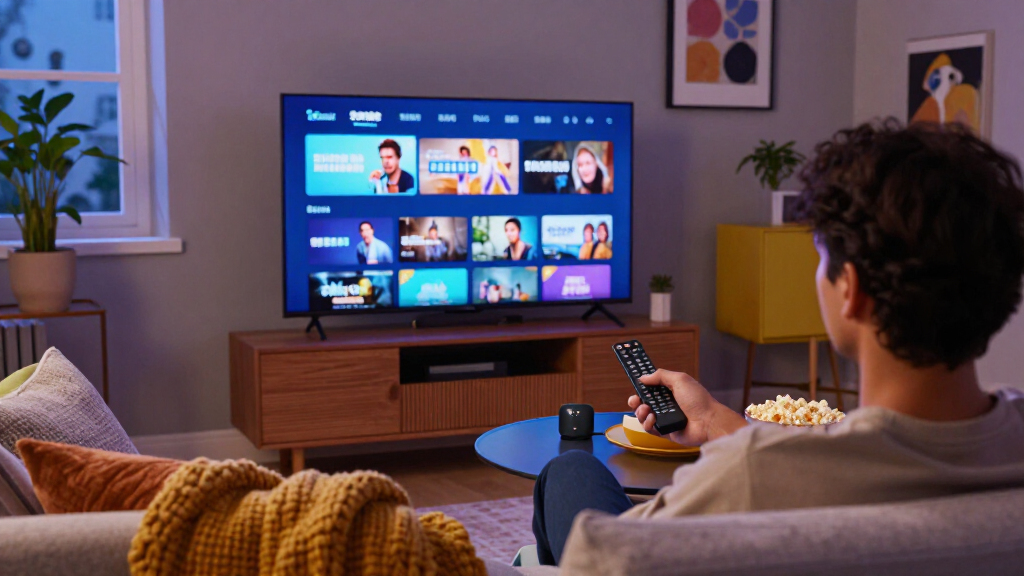
Amazon’s Fire TV lineup spans everything from a basic HD stick to a hands-free streaming hub with built-in Alexa, and the differences matter more than the names suggest. The Fire TV Stick 4K Max (2nd Gen) stands out as the best overall pick thanks to its fast processor, Wi-Fi 7 support, and fluid navigation across apps. If you want a true home-theater command center, the Fire TV Cube (3rd Gen) adds far-field voice control and can run your cable box or soundbar. Budget shoppers get real value from the Fire TV Stick HD, which covers the basics well for older 1080p TVs. The main tradeoffs come down to picture quality support, Wi-Fi standards, and whether hands-free voice control justifies a bigger device. Keep reading for the full breakdown of all eight options.

Get movie nights delivered free — and shop member deals
- Fast, free delivery on millions of items
- Access to Prime Big Deal Days deals on October 6–7
- Prime Video, Amazon Music and more included
Key Takeaways
- The Fire TV Stick 4K Max (2nd Gen) earned the top spot because it is the only stick in this lineup with Wi-Fi 7 and the fastest processor, making it the most future-proof mid-range choice.
- The refurbished Fire TV Stick 4K and Like-New Fire TV Cube are the smartest ways to get flagship hardware at a lower entry point, with identical internals to their new counterparts but shorter warranty coverage.
- The Fire TV Cube (3rd Gen) variants are the only options with far-field microphones and an HDMI-in port, letting them control cable boxes and soundbars by voice — no stick can do this.
- The Fire TV Stick HD is the only 1080p-limited model here; every other device outputs 4K, so it only makes sense for older TVs.
- The Fire TV Stick 4K Plus and Fire TV Stick 4K Select sit close together in capability; the Plus pulls ahead with Wi-Fi 6 and a full Alexa Voice Remote, while the Select trades a few features for a lower entry cost.
| Amazon Fire TV Stick 4K Max (2nd Gen) Streaming Device |  | Best Overall | Resolution: Up to 2160p at 60 fps | Processor: Quad-core 2.0 GHz | Storage: 16 GB | VIEW LATEST PRICE | See Our Full Breakdown |
| Amazon Fire TV Stick 4K (Like-New Refurbished) |  | Best Value Pick | Condition: Refurbished, tested and certified like-new | Resolution: 4K Ultra HD | Wi-Fi: Wi-Fi 6 | VIEW LATEST PRICE | See Our Full Breakdown |
| Amazon Fire TV Cube (3rd Gen) 4K Streaming Media Player with Alexa and Wi-Fi 6E |  | Best Premium / Best for Home Theater | Generation: 3rd Gen | Processor: Octa-core (4 × 2.2 GHz, 4 × 2.0 GHz) | Storage / Memory: 16 GB internal / 2 GB RAM | VIEW LATEST PRICE | See Our Full Breakdown |
| Amazon Fire TV Stick HD with Alexa Voice Remote |  | Best for Beginners and Budget TVs | Resolution: Full HD (1080p) | Wi-Fi: Wi-Fi 6 | Power: USB-C, powered by TV | VIEW LATEST PRICE | See Our Full Breakdown |
| Amazon Fire TV Stick 4K Plus with Wi-Fi 6 and Alexa Voice Remote |  | Best Mid-Range 4K Pick | Resolution: Up to 2160p at 60 fps | Processor: Quad-core 1.7 GHz | Storage: 8 GB | VIEW LATEST PRICE | See Our Full Breakdown |
| Amazon Fire TV Cube (Like-New), 4K Ultra HD Streaming Device with Alexa and Wi-Fi 6E |  | Best Smart Home Hub on a Budget | Condition: Refurbished, tested, and certified to look and work like new | Processor: Octa-core | Wi-Fi: Wi-Fi 6E | VIEW LATEST PRICE | See Our Full Breakdown |
| Amazon Fire TV Cube (3rd Gen) with Alexa Voice Remote Pro |  | Best Premium Pick | Generation: 3rd Gen | Processor: Octa-core, 4 × 2.2 GHz and 4 × 2.0 GHz | Storage / Memory: 16 GB storage, 2 GB memory | VIEW LATEST PRICE | See Our Full Breakdown |
| Amazon Fire TV Stick 4K Select |  | Best Value for Casual Streamers | Processor: Quad-core 1.7 GHz | Storage: 8 GB | Wi-Fi: Dual-band, dual-antenna MIMO; 802.11a/b/g/n/ac | VIEW LATEST PRICE | See Our Full Breakdown |
| Amazon Fire TV streaming device | Wi-Fi | Audio | Processor | Resolution |
|---|---|---|---|---|
| Amazon Fire TV Stick 4K Max | Wi-Fi 6E tri-band (2.4, 5, 6 GHz) | Dolby Atmos, 7.1 surround, HDMI pass-through up to 5.1 | Quad-core 2.0 GHz | Up to 2160p at 60 fps |
| Amazon Fire TV Stick 4K | Wi-Fi 6 | Dolby Atmos | — | 4K Ultra HD |
| Amazon Fire TV Cube | Wi-Fi 6E tri-band | Dolby Atmos, 7.1 surround, pass-through up to 5.1 | Octa-core (4 × 2.2 GHz, 4 × 2.0 GHz) | Up to 2160p at 60 fps with Dolby Vision, HDR10+, HLG |
| Amazon Fire TV Stick HD with A | Wi-Fi 6 | Bluetooth headphone support | — | Full HD (1080p) |
| Amazon Fire TV Stick 4K Plus w | Dual-band Wi-Fi 6 (2.4 GHz and 5 GHz) | Dolby Atmos, 7.1 surround, pass-through up to 5.1 | Quad-core 1.7 GHz | Up to 2160p at 60 fps |
| Amazon Fire TV Cube | Wi-Fi 6E | Dolby Atmos | Octa-core | — |
| Amazon Fire TV Cube | Wi-Fi 6E tri-band | — | Octa-core, 4 × 2.2 GHz and 4 × 2.0 GHz | — |
| Amazon Fire TV Stick 4K Select | Dual-band, dual-antenna MIMO; 802.11a/b/g/n/ac | HDMI pass-through for Dolby-encoded audio | Quad-core 1.7 GHz | — |
More Details on Our Top Picks
Amazon Fire TV Stick 4K Max (2nd Gen) Streaming Device
This option stands out as the most complete streaming stick in Amazon’s lineup, pairing Wi-Fi 6E with a quad-core 2.0 GHz processor — the fastest stick combination available. Compared with the Fire TV Stick 4K Plus, it offers faster navigation, double the storage at 16 GB, and access to the less congested 6 GHz band, which matters most in households packed with competing wireless devices. Full Dolby Vision, HDR10+, and Dolby Atmos support covers the formats major services actually use, and the Alexa Voice Remote Enhanced adds convenient shortcuts. The tradeoffs are real: Wi-Fi 6E only pays off with a compatible router, and cloud gaming requires a separate subscription and controller. For buyers who want a stick that stays fast for years rather than merely adequate today, this pick makes the most sense.
Pros:- Wi-Fi 6E tri-band connectivity handles busy home networks better than standard Wi-Fi 6 sticks
- Fastest stick processor and 16 GB of storage keep navigation and app switching quick
- Full HDR support with Dolby Vision, HDR10+, and Dolby Atmos
- Alexa Voice Remote Enhanced can control TV power, volume, and playback
Cons:- Wi-Fi 6E benefits require a compatible router and WPA3 network
- Cloud gaming needs a separate subscription and compatible controller
- Priced above sticks that deliver similar picture quality for basic 4K streaming
Best for: Streamers with Wi-Fi 6E routers and 4K Dolby Vision TVs who want the fastest, most future-proof stick
Not ideal for: Buyers with older routers or 1080p TVs — the premium hardware goes largely unused, making the cheaper Stick HD or 4K Plus smarter choices
- Resolution:Up to 2160p at 60 fps
- Processor:Quad-core 2.0 GHz
- Storage:16 GB
- Wi-Fi:Wi-Fi 6E tri-band (2.4, 5, 6 GHz)
- HDR formats:Dolby Vision, HDR10, HDR10+, HLG
- Audio:Dolby Atmos, 7.1 surround, HDMI pass-through up to 5.1
- Bluetooth:Bluetooth 5.2 + BLE
- Remote:Alexa Voice Remote Enhanced
Our verdict“Buy this if you want the fastest, most capable Fire TV stick and have the router and TV to take advantage of it; skip it if your network or screen can’t keep up.”
Amazon Fire TV Stick 4K (Like-New Refurbished)
For budget-conscious buyers, this refurbished model delivers nearly everything the newer Fire TV Stick 4K Plus does — 4K Dolby Vision, HDR10+, Dolby Atmos, and Wi-Fi 6 — at a lower cost of entry, and it’s certified to look and work like new with the same limited warranty as a fresh unit. Compared with the 4K Max, you give up Wi-Fi 6E, the faster processor, and half the storage, but none of those losses matter if your TV is 4K and your router is Wi-Fi 6. Cloud gaming through Xbox Game Pass is a nice bonus for casual gamers. The honest tradeoffs: it may arrive in generic Amazon-branded packaging rather than retail boxing, and there’s no guarantee of which remote generation ships with it. This model is better suited to value hunters than spec chasers.
Pros:- Certified refurbished with the same limited warranty as a new device
- Full 4K support with Dolby Vision, HDR10+, and Dolby Atmos
- Wi-Fi 6 holds streaming steady when other devices share the network
- Includes Xbox cloud gaming access and a large free content library
Cons:- May arrive in generic Amazon-branded packaging
- Lacks Wi-Fi 6E and the faster processor of the 4K Max
- Refurbished stock availability can be inconsistent
Best for: First-time cord-cutters and secondary-room TVs where 4K quality matters more than cutting-edge specs
Not ideal for: Buyers who want retail packaging, maximum storage, or Wi-Fi 6E speeds — the 4K Max is the stronger long-term pick
- Condition:Refurbished, tested and certified like-new
- Resolution:4K Ultra HD
- Wi-Fi:Wi-Fi 6
- HDR formats:Dolby Vision, HDR10+
- Audio:Dolby Atmos
- Cloud gaming:Xbox Game Pass
- Voice assistant:Alexa
- Warranty:Same limited warranty as new device
Our verdict“A smart buy if you want genuine 4K streaming quality while spending as little as possible, as long as generic packaging doesn’t bother you.”
Amazon Fire TV Cube (3rd Gen) 4K Streaming Media Player with Alexa and Wi-Fi 6E
The Cube plays a different role than every stick in this lineup: it’s a set-top box with hands-free Alexa, meaning you can start a show, dim lights, or change inputs without touching a remote at all. Its octa-core processor outpaces even the Fire TV Stick 4K Max, and unlike any stick here it includes an HDMI input, USB-A port, and wired Ethernet — features that matter for home theater setups where a stable wired connection beats Wi-Fi. The HDMI input also lets it sit between a cable box and TV, unifying your sources. The tradeoffs are size and placement: at over a pound, it occupies shelf space instead of hiding behind a TV, and its Wi-Fi 6E capability demands a compatible router. This pick makes the most sense for living rooms rather than bedroom setups.
Pros:- Hands-free Alexa with built-in microphone and speaker — no remote needed
- Ethernet port and HDMI input for wired reliability and unified source control
- Octa-core processor delivers the fastest interface experience in the lineup
- Controls compatible TVs, soundbars, receivers, and smart home devices
Cons:- Bulky set-top design requires visible shelf space near the TV
- Wi-Fi 6E requires a compatible router on the 6 GHz band with WPA3
- Costs considerably more than sticks offering the same picture formats
Best for: Home theater owners and Alexa-centric smart homes that want hands-free voice control and wired Ethernet
Not ideal for: Travelers or wall-mounted-TV owners who need something hidden — a stick like the 4K Max is far less obtrusive
- Generation:3rd Gen
- Processor:Octa-core (4 × 2.2 GHz, 4 × 2.0 GHz)
- Storage / Memory:16 GB internal / 2 GB RAM
- Wi-Fi:Wi-Fi 6E tri-band
- Resolution:Up to 2160p at 60 fps with Dolby Vision, HDR10+, HLG
- Audio:Dolby Atmos, 7.1 surround, pass-through up to 5.1
- Ports:HDMI 2.1 in/out, USB-A 2.0, Ethernet, IR extender
- Voice control:Hands-free Alexa plus Alexa Voice Remote
- Dimensions:86 × 86 × 77 mm, 513 g
Our verdict“Choose this if hands-free Alexa and wired connectivity justify the premium; otherwise the 4K Max covers the same streaming basics for less.”
Amazon Fire TV Stick HD with Alexa Voice Remote
Not everyone needs 4K, and this model is the clearest proof in the lineup. For owners of older 1080p televisions, paying extra for the Fire TV Stick 4K Plus or 4K Max buys picture formats the screen physically cannot display. What you still get here is meaningful: Wi-Fi 6 for dependable streaming, an Alexa remote that handles TV power and volume, and Bluetooth headphone support for private listening — a genuinely useful feature for late-night viewing that basic smart TVs often lack. Setup is as simple as plugging into HDMI and drawing power via USB-C, ideally from the TV itself. The main caveat is that USB-C power from the TV depends on the TV delivering enough output, so some sets will need a wall adapter. It’s the right entry point, not a compromise dressed up as one.
Pros:- Excellent fit for Full HD TVs without paying for unused 4K capability
- Wi-Fi 6 keeps streaming smooth even on shared networks
- Bluetooth headphone support enables private listening
- Alexa remote controls TV power, volume, and soundbars
Cons:- Capped at Full HD — no 4K or HDR support at all
- USB-C power depends on the TV’s port output; a wall adapter may be needed
- Slower hardware than the 4K models when navigating heavy apps
Best for: Owners of 1080p or 720p TVs, spare bedrooms, and first-time streamers who want simple setup
Not ideal for: Anyone with a 4K HDR TV — the extra spend on the 4K Plus or 4K Max delivers visible picture improvements
- Resolution:Full HD (1080p)
- Wi-Fi:Wi-Fi 6
- Power:USB-C, powered by TV
- Connection:HDMI
- Remote:Alexa Voice Remote with power and volume controls
- Audio:Bluetooth headphone support
- Smart home:Alexa-compatible device control
Our verdict“The sensible choice for non-4K televisions and casual viewers; anyone with an HDR screen should step up to a 4K model.”
Amazon Fire TV Stick 4K Plus with Wi-Fi 6 and Alexa Voice Remote
This model occupies the sensible middle ground of the stick lineup. It delivers the full 4K experience — Dolby Vision, HDR10+, and Dolby Atmos — that the Stick HD can’t touch, while costing less than the 4K Max by trimming specs most buyers won’t miss: a slightly slower 1.7 GHz processor, 8 GB of storage instead of 16 GB, and standard Wi-Fi 6 rather than 6E. Compared with the refurbished Fire TV Stick 4K, it offers newer hardware, dual-band Wi-Fi 6, and retail packaging, which makes it the better pick if buying used feels risky. Free ad-supported content and Xbox cloud gaming support add value for casual users. The drawbacks are predictable: apps and downloads fill 8 GB faster, and realizing 4K requires both a compatible TV and router. For most living rooms, this is the balanced choice.
Pros:- Full 4K HDR support with Dolby Vision, HDR10+, and Dolby Atmos
- Wi-Fi 6 holds up well on busy dual-band home networks
- New retail hardware with the current Alexa Voice Remote
- Includes free ad-supported content and Xbox cloud gaming support
Cons:- Only 8 GB of storage fills quickly with apps and downloads
- Slower processor than the 4K Max shows in heavy navigation
- 4K output and Wi-Fi 6 speeds require compatible TV and router
Best for: Buyers with 4K HDR TVs and standard Wi-Fi 6 routers who want premium picture formats without paying Max-level prices
Not ideal for: Power users who install many apps or own Wi-Fi 6E routers — the 4K Max’s extra storage and speed will serve them better
- Resolution:Up to 2160p at 60 fps
- Processor:Quad-core 1.7 GHz
- Storage:8 GB
- Wi-Fi:Dual-band Wi-Fi 6 (2.4 GHz and 5 GHz)
- HDR formats:Dolby Vision, HDR10, HDR10+, HLG
- Audio:Dolby Atmos, 7.1 surround, pass-through up to 5.1
- Bluetooth:Bluetooth 5.2 + BLE
- Remote:Alexa Voice Remote
Our verdict“The best balance of price and 4K performance for typical households; step down to the Stick HD for older TVs or up to the 4K Max for cutting-edge specs.”
Amazon Fire TV Cube (Like-New), 4K Ultra HD Streaming Device with Alexa and Wi-Fi 6E
For buyers who want the Fire TV Cube’s hub-style capabilities without paying new-unit money, this certified refurbished option delivers the same octa-core speed, hands-free Alexa, and Wi-Fi 6E as its retail sibling — the Fire TV Cube (3rd Gen) covered elsewhere in this roundup — with the same limited warranty backing it. The pitch here is value, not compromise: app launches feel equally quick, and the built-in speaker and microphone let the Cube control soundbars, cable boxes, and smart home gear by voice alone. The tradeoffs are mostly cosmetic and practical. It arrives in generic Amazon-branded packaging, which matters if this is a gift, and unlike the Cube bundle with the Alexa Voice Remote Pro, the standard remote lacks backlighting and a locator. Subscription fees for streaming services still apply regardless of condition.
Pros:- Same octa-core processor and Wi-Fi 6E as the new Cube at a lower entry point
- Hands-free Alexa with built-in microphone and speakers for whole-room voice control
- Full 4K Dolby Vision, HDR, and Dolby Atmos support
- Backed by the same limited warranty as a new device
Cons:- Refurbished units arrive in generic Amazon-branded packaging
- Standard remote lacks the backlit buttons and locator of the Voice Remote Pro
- Streaming services still require their own subscription fees
Best for: Smart home enthusiasts who want a voice-first entertainment hub and don’t care about retail packaging
Not ideal for: Gift buyers and anyone who insists on factory-sealed hardware, since like-new units ship in generic packaging
- Condition:Refurbished, tested, and certified to look and work like new
- Processor:Octa-core
- Wi-Fi:Wi-Fi 6E
- Video:4K Ultra HD, Dolby Vision, HDR
- Audio:Dolby Atmos
- Connectivity:Works with compatible TV, soundbar, receiver, cable box, game console, and webcam
- Privacy:Microphone off button electronically disconnects microphones
- Warranty:Same limited warranty as a new device
Our verdict“This pick makes the most sense for buyers who want Cube-level smart home control and 4K speed while spending less and accepting plain packaging.”
Amazon Fire TV Cube (3rd Gen) with Alexa Voice Remote Pro
This is the most complete Fire TV package in the lineup: the 3rd Gen Cube plus the Alexa Voice Remote Pro. Compared with the Fire TV Stick 4K Select, the difference is headroom — an octa-core processor split across 2.2 GHz and 2.0 GHz cores, 16 GB of storage, and a full HDMI 2.1 input that lets the Cube sit between a cable box or console and your TV. The remote itself is a genuine upgrade over every stick bundled remote here, with motion-activated backlit buttons, two customizable shortcuts, and a locator chime for couch-cushion emergencies. The realistic drawbacks: Wi-Fi 6E only pays off if your router supports the 6 GHz band with WPA3, and 4K HDR playback still depends on your TV and service. Buyers without modern networking hardware are paying for bandwidth they can’t use.
Pros:- Fastest configuration here with an octa-core processor and 16 GB of storage
- HDMI 2.1 input lets it integrate cable boxes and consoles into one interface
- Voice Remote Pro adds backlit buttons, customizable shortcuts, and a remote locator
- Full format support including Dolby Vision, HDR10+, and Dolby Atmos
Cons:- Wi-Fi 6E requires a compatible router, 6 GHz connection, and WPA3
- 4K and HDR availability still depends on your TV and streaming services
Best for: Home theater owners who want the fastest Fire TV hardware, HDMI input flexibility, and a premium backlit remote
Not ideal for: Households with older Wi-Fi 5 routers, who would pay for 6E capability they cannot access
- Generation:3rd Gen
- Processor:Octa-core, 4 × 2.2 GHz and 4 × 2.0 GHz
- Storage / Memory:16 GB storage, 2 GB memory
- Wi-Fi:Wi-Fi 6E tri-band
- Video support:4K Ultra HD, Dolby Vision, HDR10, HDR10+, HLG
- Audio support:Dolby Atmos, 7.1 surround sound, 2-channel stereo
- Ports:HDMI 2.1 input and output, USB-A 2.0, Ethernet, IR extender, power
- Remote features:Backlit motion-activated buttons, two customizable buttons, remote locator
Our verdict“This option stands out for buyers who want the top-tier Fire TV experience and a remote that justifies the premium over both sticks and the standard Cube.”
Amazon Fire TV Stick 4K Select
The Fire TV Stick 4K Select is the value play of this roundup: genuine 4K Ultra HD with HDR10+ in a 1.5-ounce stick that hides behind your TV. Compared with the Cube (3rd Gen) with Alexa Voice Remote Pro, you give up hands-free Alexa, the HDMI input, Ethernet, and roughly half the processing muscle — but for straightforward streaming, the quad-core 1.7 GHz chip handles apps and navigation without noticeable lag. The surprise extra is Xbox cloud gaming support through Game Pass, something no cheap stick traditionally offered, though it needs a separate subscription and controller. Tradeoffs are real: storage is 8 GB, the remote has no backlighting, power comes via a dangling micro-USB cable, and 4K only materializes on a compatible TV with supporting services. Compared with the Fire TV Stick HD, though, the HDR support alone justifies stepping up.
Pros:- Genuine 4K Ultra HD output with HDR10+ and HDR10 support at a budget-friendly tier
- Includes Alexa Voice Remote with compatible TV and soundbar controls
- Supports Xbox cloud gaming with a compatible controller
- Compact dongle design stays hidden behind the TV
Cons:- 8 GB of storage fills up quickly with many apps installed
- 4K playback requires a compatible TV and supporting services
- Xbox cloud gaming requires a separate Game Pass subscription and controller
Best for: Budget-minded streamers who want 4K HDR picture quality and occasional cloud gaming without a hub device
Not ideal for: Power users who want hands-free Alexa, Ethernet, or expandable storage — the Cube lineup covers those needs
- Processor:Quad-core 1.7 GHz
- Storage:8 GB
- Wi-Fi:Dual-band, dual-antenna MIMO; 802.11a/b/g/n/ac
- Video formats:HDR10, HDR10+, HLG, H.265, H.264, VP9, AV1
- Output resolution:Up to 2160p at 60 fps
- Audio:HDMI pass-through for Dolby-encoded audio
- Dimensions:3.9 × 1.2 × 0.6 in (99 × 30 × 14 mm)
- Warranty:90-day limited warranty
Our verdict“This model is better suited to casual viewers who want big-format picture quality on a small budget than to buyers chasing hub-level control.”

How We Picked
I ranked these eight devices around four buyer-relevant factors: streaming performance (processor speed, app load times, and how smoothly the interface navigates), picture and audio support (4K resolution, HDR formats like Dolby Vision, and Dolby Atmos), connectivity (Wi-Fi 6, 6E, or 7, plus Ethernet options), and voice and control features (standard remote versus Alexa Voice Remote Pro, and whether the device offers hands-free operation). Because all eight run the same Fire OS software, hardware differences — not app selection — are what separate them.
The ranking logic follows a simple principle: match capability to realistic use. Devices that support the latest Wi-Fi standards and HDR formats rank higher because they hold up longer as TVs and routers improve. Refurbished units are ranked just below their new equivalents since the hardware is identical but the warranty is shorter. The Fire TV Stick HD lands last among these picks not because it performs poorly, but because its 1080p ceiling limits it to older televisions.
| Amazon Fire TV streaming device | Processor | Wi-Fi | Audio |
|---|---|---|---|
| Amazon Fire TV Stick 4K Max | Quad-core 2.0 GHz | Wi-Fi 6E tri-band (2.4, 5, 6 GHz) | Dolby Atmos, 7.1 surround, HDMI pass-through up to 5.1 |
| Amazon Fire TV Stick 4K | — | Wi-Fi 6 | Dolby Atmos |
| Amazon Fire TV Cube | Octa-core (4 × 2.2 GHz, 4 × 2.0 GHz) | Wi-Fi 6E tri-band | Dolby Atmos, 7.1 surround, pass-through up to 5.1 |
| Amazon Fire TV Stick HD with A | — | Wi-Fi 6 | Bluetooth headphone support |
| Amazon Fire TV Stick 4K Plus w | Quad-core 1.7 GHz | Dual-band Wi-Fi 6 (2.4 GHz and 5 GHz) | Dolby Atmos, 7.1 surround, pass-through up to 5.1 |
| Amazon Fire TV Cube | Octa-core | Wi-Fi 6E | Dolby Atmos |
| Amazon Fire TV Cube | Octa-core, 4 × 2.2 GHz and 4 × 2.0 GHz | Wi-Fi 6E tri-band | — |
| Amazon Fire TV Stick 4K Select | Quad-core 1.7 GHz | Dual-band, dual-antenna MIMO; 802.11a/b/g/n/ac | HDMI pass-through for Dolby-encoded audio |
Factors to Consider When Choosing Amazon Fire TV Streaming Devices
Before picking a specific model, it helps to understand what actually separates these devices and where buyers commonly overspend or underspend.Match the Device to Your TV First
The most common mistake is buying a 4K streaming device for a 1080p television. The extra resolution goes unused, and while HDR support can still improve colors on some HD sets, the benefit rarely justifies the price gap. Conversely, pairing a Fire TV Stick HD with a modern 4K TV wastes the panel’s capability — everything you watch will be upscaled rather than native 4K. Check your TV’s resolution and HDR compatibility before choosing. If your television supports Dolby Vision, you’ll want a model from the 4K tier or above to actually use it. Buyers who skip this step often end up replacing their streaming device when they upgrade their TV, which costs more than buying the right stick once.
Wi-Fi Standards Matter More Than You Think
Fire TV devices range from basic dual-band Wi-Fi 5 to Wi-Fi 6, 6E, and even Wi-Fi 7, and the difference shows up in real-world use rather than on a spec sheet. Older Wi-Fi sticks struggle in apartments or crowded network environments where many devices compete for the same channels. Wi-Fi 6 and 6E devices hold a steadier 4K stream, which means fewer mid-movie resolution drops and less buffering during peak evening hours. Wi-Fi 7, found on the Stick 4K Max (2nd Gen), is overkill for most homes today but adds headroom for future routers and multi-room setups. If your router is more than five years old, a premium streaming device won’t fix a weak network — that money may be better spent on the router first. Also note that the Fire TV Cube models support wired Ethernet through an adapter, which is the most reliable option of all for home-theater installations.
Remote Quality Shapes Daily Use
The remote is the part of the device you touch every single day, and Amazon ships several tiers of them. The basic Alexa Voice Remote handles voice search and power, but lacks backlit buttons and TV-volume shortcuts on some configurations. The Alexa Voice Remote Pro, included with one Cube bundle here, adds backlit keys, a remote finder, and customizable shortcuts — small conveniences that matter in a dark living room. If you frequently lose the remote or watch in low light, the Pro remote alone can justify a bundle choice. Third-party replacements exist, but checking which remote ships with your chosen model avoids an extra purchase later. Buyers who rely heavily on voice commands should also consider whether they want a remote-based mic or the always-listening far-field microphones built into the Cube.
Hands-Free Alexa: Genuinely Useful or Unwanted Listening?
Only the Fire TV Cube offers far-field voice control, meaning you can speak to Alexa across the room without touching a remote. This is transformative for some households — turning on the TV, launching apps, or controlling smart lights mid-cooking without stopping what you’re doing. For others, an always-listening microphone in the living room is a privacy line they won’t cross, and a remote-based mic feels more comfortable. The Cube also functions as a full Echo speaker, which duplicates hardware if you already own Echo devices. Think honestly about how you interact with voice assistants today. If you never talk to Alexa on your phone, the Cube’s premium will go unused. If you do, the Cube replaces both a streaming device and an Echo Dot in one box.
New Versus Like-New Refurbished
Amazon’s renewed devices occupy an interesting middle ground: identical hardware, professionally inspected, but with a shorter return window and a replaced-or-repaired history. For a category like streaming sticks — devices with no moving parts and modest thermal loads — refurbishment risk is low, and the savings can be substantial. The tradeoff is mostly psychological and contractual: less warranty protection and the knowledge that someone else owned it first. I’d lean refurbished for sticks, which are cheap to replace if something fails, and think harder about it for the Cube, where the higher price makes warranty coverage more valuable. Buyers who keep devices for five or more years may prefer the peace of mind of new. Either way, buy renewed directly from Amazon rather than third-party sellers to get the actual certified process.
Storage, Ads, and the Fire OS Reality
All eight devices run the same Fire OS, which means the same interface, the same app store, and the same ad-supported home screen. No model in this lineup removes the promotional content, so don’t pay more expecting a cleaner experience — the premium models buy speed and connectivity, not software. Storage differences matter mainly for heavy sideloaders or people who install many large games; casual streamers will never fill even the smaller capacity. If ad-free menus are a priority, Fire TV may not be the right ecosystem at any price point, and that’s worth knowing before you buy. What does improve with price is responsiveness: cheaper sticks show lag when scrolling dense menus or launching apps, while the Cube and 4K Max feel instant. Set expectations on software, then choose based on hardware.
Frequently Asked Questions
Is the Fire TV Cube worth it over the Fire TV Stick 4K Max?
The Cube makes sense if you specifically want hands-free Alexa, an HDMI-in port for controlling a cable box, or built-in smart-speaker functionality. Its processor is also faster, so navigation and app launches feel snappier than on any stick. However, streaming quality itself — 4K resolution, Dolby Vision, Dolby Atmos — is effectively identical between the two. If you always use the remote anyway and don’t have external gear to control, the Stick 4K Max delivers the same viewing experience for less. Households that already own several Echo speakers may find the Cube’s microphone redundant. Choose the Cube for the hub experience, not for better picture quality.
Are refurbished Fire TV devices reliable?
Amazon’s Like-New program inspects, cleans, and repackages devices to functional standards, and streaming sticks have no moving parts, which makes them low-risk refurbished purchases. The hardware inside a renewed Fire TV Stick 4K is the same silicon as the new version. The real differences are the shorter warranty window and the possibility of minor cosmetic wear on the remote or casing. For inexpensive sticks, that tradeoff is easy to accept; for a pricier Cube, the reduced coverage matters more relative to the investment. My rule of thumb: buy renewed for sticks, and weigh it more carefully for the Cube, especially if you plan to keep the device for many years.
Can a Fire TV Stick improve picture quality on an older TV?
A Fire TV device can improve the source quality your older TV receives, but it cannot add resolution the panel doesn’t have. On a 1080p television, a 4K-capable stick will still deliver a sharp picture because streaming apps often send better bitrates to 4K-class devices, and the TV downscales the signal. HDR support, however, is wasted unless the TV can display it. If your television is 720p or 1080p without HDR, the Fire TV Stick HD is the honest match — paying for 4K hardware buys capability you’ll never see. The exception is buyers who expect to upgrade their TV within a year or two; buying the 4K Max now means not rebuying later.
What’s the difference between the Alexa Voice Remote and the Alexa Voice Remote Pro?
The standard Alexa Voice Remote covers voice search, power, and navigation — everything most people need. The Pro version adds three features that matter to specific users: backlit buttons for dark-room viewing, a find-my-remote function triggered by voice, and two customizable app shortcut buttons. None of these change streaming quality; they change convenience. If you watch in a dim home theater or have a habit of losing the remote in couch cushions, the Pro justifies its bundle premium. If you’re a lights-on viewer who keeps the remote on a side table, the standard remote is functionally equivalent. In this lineup, the Pro ships with one of the Cube bundles, so remote preference can legitimately tip a buying decision between otherwise similar packages.
Do I need Wi-Fi 6, 6E, or Wi-Fi 7 on a streaming device?
You only benefit from these standards if your router also supports them, so check that first. Where they genuinely help is in congested network environments — apartments, large households with dozens of connected devices, or homes where multiple people stream simultaneously. Wi-Fi 6 and 6E reduce buffering and mid-stream quality drops by handling network traffic more efficiently. Wi-Fi 7 on the Stick 4K Max (2nd Gen) is largely future-proofing; almost no home network fully uses it today, but it means the device won’t be the bottleneck when you upgrade your router in a few years. On an older Wi-Fi 5 router, all these devices perform similarly, so don’t pay extra for a wireless standard your network can’t deliver.
Conclusion
The right choice depends less on specs and more on how you watch. For best overall, the Fire TV Stick 4K Max (2nd Gen) hits the sweet spot: flagship speed, Wi-Fi 7, and full HDR support without paying for features most people skip. The best value pick is the refurbished Fire TV Stick 4K, which delivers genuine 4K streaming at the lowest entry point in this lineup. For best premium, the Fire TV Cube (3rd Gen) — especially the bundle with the Alexa Voice Remote Pro — turns your TV setup into a hands-free hub that controls everything around it. Beginners and owners of older TVs should start with the Fire TV Stick HD: it’s simple, capable, and avoids paying for resolution you can’t display. And for specific needs, the Cube with Like-New certification suits home-theater builders on a budget, while the Stick 4K Plus fits small TVs in busy Wi-Fi households where Wi-Fi 6 stability matters. Whatever you choose, buy the hardware that matches your television and network today — the software experience is identical across all eight.
Fall Picks
fall essentials
As an affiliate, we earn on qualifying purchases.