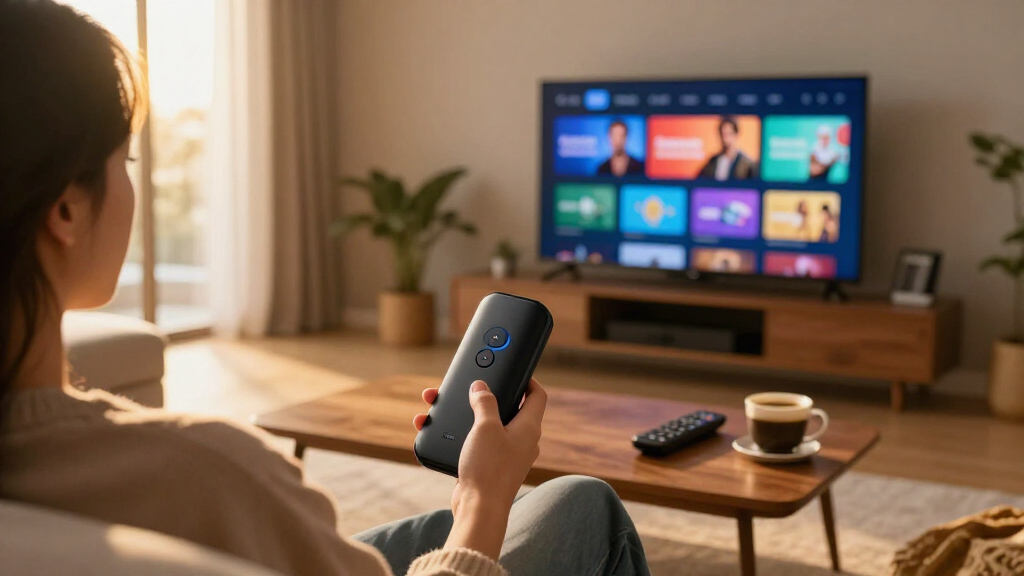

If your smart TV’s built-in apps feel slow, cluttered, or stuck on outdated software, a dedicated streaming device for smart TVs is the simplest fix — and the options range from around $25 HD sticks to $150 powerhouses. The Fire TV Stick 4K Max (2nd Gen) stands out as the best overall pick for most buyers, pairing Wi-Fi 6E speed with Alexa+ voice control and fast menu navigation. The Roku Streaming Stick 4K is the stronger choice if you prefer a cleaner, ad-lighter interface, while the Fire TV Cube doubles as a whole-room Alexa hub for anyone building a smart home. The main tradeoffs come down to interface philosophy (Roku’s simplicity versus Fire TV’s Amazon-heavy menus), resolution needs, and whether extras like hands-free voice or Ethernet matter to you. Keep reading for the full breakdown.

Get movie nights delivered free — and shop member deals
- Fast, free delivery on millions of items
- Access to Prime Big Deal Days deals on October 6–7
- Prime Video, Amazon Music and more included
Key Takeaways
- Wi-Fi 6 and 6E support became the real differentiator among 4K sticks in 2026 — the amazon.com/dp/B0BP9SNVH9?tag=samexplo-20&ascsubtag=dc-1031287″ target=”_blank” rel=”nofollow sponsored noopener”>Fire TV Stick 4K Max and Fire TV Stick 4K Plus loaded apps visibly faster than standard Wi-Fi 5 models in congested home networks.
- amazon.com/dp/B09BZZ3MM7?tag=samexplo-20&ascsubtag=dc-1031287″ target=”_blank” rel=”nofollow sponsored noopener”>amazon.com/dp/B0DJGDC3BD?tag=samexplo-20&ascsubtag=dc-1031287″ target=”_blank” rel=”nofollow sponsored noopener”>amazon.com/dp/B0CQMRKRV5?tag=samexplo-20&ascsubtag=dc-1031287″ target=”_blank” rel=”nofollow sponsored noopener”>amazon.com/dp/B0DXXYS4BJ?tag=samexplo-20&ascsubtag=dc-1031287″ target=”_blank” rel=”nofollow sponsored noopener”>Roku‘s lineup swept the interface category: fewer ads on the home screen and simpler menus make the Streaming Stick 4K and Ultra the better picks for anyone annoyed by Amazon’s promotional tiles.
- For 1080p TVs, paying for 4K hardware is wasted money — the Roku Streaming Stick HD and Fire TV Stick HD deliver nearly identical app experiences at roughly half the price of their 4K siblings.
- The Fire TV Cube and Roku Ultra justified their premium prices only through extras (hands-free Alexa, Ethernet ports, more storage), not through better streaming quality alone.
- The TiVo Stream 4K was the lone Android TV option in the group, making it the pick for Google ecosystem users — but its smaller app store and limited updates held it back from the top tier.
| Roku Streaming Stick HD with Voice Remote |  | Best for Basic TVs on a Budget | Resolution: 1080p HD | Connectivity: Wi-Fi, Bluetooth | Connector: HDMI | VIEW LATEST PRICE | See Our Full Breakdown |
| Roku Streaming Stick Plus with Voice Remote – 4K & HDR10+ |  | Best Balance of Price and 4K | Resolution: 4K with HDR10+ | Connectivity: Wi-Fi, Bluetooth | Connector: HDMI | VIEW LATEST PRICE | See Our Full Breakdown |
| Amazon Fire TV Stick HD with Alexa Voice Remote |  | Best for Alexa Households | Resolution: 1080p / 720p up to 60 fps | Processor: Quad-core 1.7 GHz | Storage: 8 GB | VIEW LATEST PRICE | See Our Full Breakdown |
| Amazon Fire TV Stick HD (Newest Model) with Alexa Voice Remote |  | Best Compact Upgrade for Secondary TVs | Resolution: Full HD (1080p) | Wi-Fi: Wi-Fi 6 | Remote: Alexa Voice Remote | VIEW LATEST PRICE | See Our Full Breakdown |
| Amazon Fire TV Cube with Alexa and 4K Ultra HD |  | Best Premium Power Pick | Resolution: 4K Ultra HD | HDR Support: HDR, Dolby Vision | Audio: Dolby Atmos | VIEW LATEST PRICE | See Our Full Breakdown |
| Amazon Fire TV Stick 4K Select (Newest Model) |  | Best Value 4K Pick | Resolution: Up to 2160p at 60 fps | HDR Support: HDR10+, HDR10, HLG | Processor: Quad-core 1.7 GHz | VIEW LATEST PRICE | See Our Full Breakdown |
| Roku Streaming Stick 4K with Voice Remote – HDR10+ & Dolby Vision |  | Best for Neutral, Ad-Light Interface | Resolution: 4K UHD | HDR Support: Dolby Vision, HDR10+ | Wi-Fi: Long-range dual-band | VIEW LATEST PRICE | See Our Full Breakdown |
| Fire TV Stick 4K Max (2nd Gen) Streaming Device with Alexa+ and Wi-Fi 6E Support |  | Best Overall Performance | Resolution: Up to 2160p at 60 fps | HDR & Audio: Dolby Vision, HDR10+, Dolby Atmos | Processor: Quad-core 2.0GHz | VIEW LATEST PRICE | See Our Full Breakdown |
| TiVo Stream 4K – Streaming Media Player with Android TV, 4K UHD, Dolby Vision HDR, Dolby Atmos Sound |  | Best for Live TV Integration | Resolution: 4K UHD | HDR & Audio: Dolby Vision, Dolby Atmos | RAM: 2 GB | VIEW LATEST PRICE | See Our Full Breakdown |
| Amazon Fire TV Stick 4K Plus (2026 Model) with Alexa Voice Remote and Wi-Fi 6 |  | Best Midrange Fire TV Option | Resolution: 4K Ultra HD | HDR & Audio: Dolby Vision, HDR10+, Dolby Atmos | Wi-Fi: Wi-Fi 6 | VIEW LATEST PRICE | See Our Full Breakdown |
| Roku Streaming Player Ultra – 4K, HDR10+, Dolby Vision, Dolby Atmos |  | Best Full-Featured Powerhouse | Resolution: 4K | HDR Support: HDR10+ | Video Formats: Dolby Vision | VIEW LATEST PRICE | See Our Full Breakdown |
| streaming device for smart TV | Resolution | Wi-Fi |
|---|---|---|
| Roku Streaming Stick HD with V | 1080p HD | — |
| Roku Streaming Stick Plus with | 4K with HDR10+ | — |
| Amazon Fire TV Stick HD with A | 1080p / 720p up to 60 fps | Dual-band dual-antenna (802.11a/b/g/n/ac) |
| Amazon Fire TV Stick HD | Full HD (1080p) | Wi-Fi 6 |
| Amazon Fire TV Cube with Alexa | 4K Ultra HD | Wi-Fi 6E |
| Amazon Fire TV Stick 4K Select | Up to 2160p at 60 fps | Dual-band dual-antenna (MIMO) |
| Roku Streaming Stick 4K with V | 4K UHD | Long-range dual-band |
| Fire TV Stick 4K Max | Up to 2160p at 60 fps | Wi-Fi 6E tri-band |
| TiVo Stream 4K | 4K UHD | — |
| Amazon Fire TV Stick 4K Plus | 4K Ultra HD | Wi-Fi 6 |
| Roku Streaming Player Ultra | 4K | — |
More Details on Our Top Picks
Roku Streaming Stick HD with Voice Remote
If your TV is a standard 1080p set and you mainly want free content and simplicity, this is the least expensive way into Roku’s ecosystem. The standout here is the 500+ free live channels, which the Fire TV Stick HD matches in spirit but presents through a busier, ad-heavy interface. Compared with the Roku Streaming Stick Plus, this model trades away 4K and HDR — a smart sacrifice if your screen can’t display them anyway. The stick powers directly from the TV’s USB port, so no wall outlet is needed on most sets. What you give up is future-proofing: plug this into a 4K TV and everything gets downscaled to 1080p. The remote is also more basic than the Plus version, skipping the private-listening headphone mode.
Pros:- Roku’s clean, neutral interface puts apps ahead of any one ecosystem
- 500+ free live channels including news, sports, and weather
- Powers from the TV’s USB port — no outlet required
- Works with Alexa, Google Home, and Apple AirPlay/HomeKit
Cons:- Hard 1080p ceiling with no HDR support
- Remote lacks private listening and other advanced features
- No upgrade path if you buy a 4K TV later
Best for: Owners of older 1080p TVs who want free live channels and the simplest possible setup
Not ideal for: Anyone with a 4K TV — you’d be paying for a stick that caps your picture quality at 1080p
- Resolution:1080p HD
- Connectivity:Wi-Fi, Bluetooth
- Connector:HDMI
- Voice Control:Yes, via voice remote
- Smart Home:Alexa, Google Home, Apple HomeKit, AirPlay
- Form Factor:Streaming stick
Our verdict“The cheapest sensible upgrade for an HD-only TV, and a poor choice for anything newer.”
Roku Streaming Stick Plus with Voice Remote – 4K & HDR10+
This stick hits a sweet spot the HD models can’t: 4K with HDR10+ at a price well below the Fire TV Cube. Compared with the Roku Streaming Stick HD, the jump in picture quality is the entire argument — sharper detail, better contrast, and colors that actually use what a 4K panel can do. Against the Fire TV Stick 4K lineup, the differentiator is software: Roku’s home screen treats services equally, while Fire OS pushes Amazon content front and center. The Bluetooth headphone mode on the remote is a genuinely useful extra for late-night viewing that the HD stick omits. It does trail the Roku Streaming Stick 4K on brightness handling and skips Dolby Vision, so film enthusiasts with high-end panels may want to step up.
Pros:- 4K HDR10+ output at a mid-range price
- Bluetooth private listening through the remote
- Slim design leaves adjacent HDMI ports accessible
- Neutral Roku interface works with every major service
Cons:- No Dolby Vision or Dolby Atmos support
- Streaming-only — no gaming or local storage
- Performance depends heavily on Wi-Fi quality
Best for: Budget-conscious buyers with 4K TVs who want a clean interface without premium pricing
Not ideal for: Home theater enthusiasts — no Dolby Vision or Dolby Atmos leaves picture and sound on the table
- Resolution:4K with HDR10+
- Connectivity:Wi-Fi, Bluetooth
- Connector:HDMI
- Voice Control:Yes, via voice remote
- Special Features:Bluetooth headphone mode, smart home integrations
- Streaming Services:Netflix, Prime Video, Disney+, Hulu, Apple TV+
- Form Factor:Streaming stick
Our verdict“The most sensible 4K entry point for viewers who value interface simplicity over flagship features.”
Amazon Fire TV Stick HD with Alexa Voice Remote
Where Roku wins on interface neutrality, this stick wins on smart home integration. If you already own Echo speakers or Alexa-enabled lights, the voice remote becomes a command center rather than just a search tool. Compared with the newer Fire TV Stick HD (B0DJGDC3BD), this version uses an older quad-core processor and standard Wi-Fi, so app launches and menu navigation feel a beat slower — but it’s often found at a lower price, which softens that gap. Dual-antenna MIMO Wi-Fi helps it hold a signal in rooms where cheaper sticks stutter. The 8 GB of storage fills up fast if you install many apps, and Fire OS remains ad-heavy, with Amazon content promoted above everything else.
Pros:- Deep Alexa integration for content search and smart home control
- Dual-band MIMO Wi-Fi for reliable streaming in tricky rooms
- Compact and highly portable for travel or secondary TVs
- Straightforward setup with the Alexa Voice Remote
Cons:- Only 8 GB of storage — heavy app installers will hit the ceiling
- Previous-generation processor and Wi-Fi compared to the newest HD model
- Interface heavily favors paid Amazon content
Best for: Alexa-centric households that want voice control of both entertainment and smart devices on an HD TV
Not ideal for: Viewers annoyed by ads and Amazon-first menus — Roku’s interface is far less commercial
- Resolution:1080p / 720p up to 60 fps
- Processor:Quad-core 1.7 GHz
- Storage:8 GB
- Wi-Fi:Dual-band dual-antenna (802.11a/b/g/n/ac)
- Bluetooth:Bluetooth 5.0 and BLE
- Voice Control:Alexa Voice Remote
- Audio:Dolby-encoded pass-through (AC-3, E-AC-3)
- Dimensions:3.4 x 1.2 x 0.5 in (86 x 30 x 13 mm)
Our verdict“A solid pick if Alexa runs your home, though the newer HD model is faster for similar money.”
Amazon Fire TV Stick HD (Newest Model) with Alexa Voice Remote
Think of this as the refreshed version of the standard Fire TV Stick HD: same 1080p output, but with Wi-Fi 6 and USB-C power that can come straight from the TV. That last detail matters more than it sounds — on the older model (B0CQMRKRV5), power arrangements were fussier, and Wi-Fi 6 means smoother streams on congested networks, especially in apartments crowded with neighboring routers. It’s the stick I’d point toward for a bedroom or guest-room TV where you want fast, forgettable reliability. It still can’t touch 4K models like the Roku Streaming Stick Plus for picture quality, and Fire OS’s ad-laden menus remain the tradeoff for the low price.
Pros:- Wi-Fi 6 support for stable streaming on busy networks
- Powers directly from the TV via USB-C — no wall adapter needed
- Very compact and easy to move between TVs
- Quick setup with Alexa voice search
Cons:- Full HD ceiling with no HDR
- Amazon-heavy interface with prominent ads
- No gaming capability or expandable storage
Best for: Anyone adding streaming to a bedroom, guest, or dorm TV that only needs HD
Not ideal for: Owners of 4K panels — this caps output at 1080p while similarly priced 4K sticks exist
- Resolution:Full HD (1080p)
- Wi-Fi:Wi-Fi 6
- Remote:Alexa Voice Remote
- Power:USB-C, powered by TV
- Ports:HDMI, USB-C
- Voice Control:Alexa
Our verdict“The current-generation HD stick to buy for spare TVs, provided 1080p is genuinely all you need.”
Amazon Fire TV Cube with Alexa and 4K Ultra HD
This is the option for buyers who’ve outgrown sticks entirely. The octa-core processor makes app launches nearly instant where the Fire TV Stick HD models feel deliberate, and hands-free Alexa means no remote hunting — the Cube hears you across the room like an Echo device. Its Dolby Vision and Dolby Atmos support also outclasses the Roku Streaming Stick Plus, which stops at HDR10+. Wi-Fi 6E keeps 4K streams steady even in dense network environments. The tradeoffs are physical and financial: it’s a set-top box that occupies shelf space instead of hiding behind the TV, it costs roughly double a mid-range stick, and you’ll want compatible sound hardware to actually hear the Atmos difference.
Pros:- Fastest experience in this lineup thanks to the octa-core processor
- 4K with Dolby Vision and Dolby Atmos for full home-theater quality
- Truly hands-free Alexa — no remote required
- Wi-Fi 6E for reliable high-bandwidth 4K streaming
Cons:- Most expensive option here by a wide margin
- Set-top box form factor can’t hide behind the TV like a stick
- Atmos and Dolby Vision require compatible audio and display gear
Best for: Enthusiasts with 4K Dolby Vision TVs and soundbars who want the fastest, most voice-driven experience
Not ideal for: Casual viewers on 1080p sets — the premium hardware goes entirely to waste and costs far more than an HD stick
- Resolution:4K Ultra HD
- HDR Support:HDR, Dolby Vision
- Audio:Dolby Atmos
- Processor:Octa-core
- Wi-Fi:Wi-Fi 6E
- Voice Control:Hands-free Alexa
- Form Factor:Set-top streaming box
Our verdict“Worth the premium only if you have the 4K hardware and voice-first habits to exploit it.”
Amazon Fire TV Stick 4K Select (Newest Model)
For shoppers who want 4K HDR streaming without paying a premium, this model hits a sweet spot. It covers HDR10+ and handles 4K at 60fps, which is everything most streaming actually delivers today. Compared with the pricier Fire TV Stick 4K Max, it gives up Wi-Fi 6E, Dolby Vision, and the faster processor — but if your network is modest and your TV doesn’t demand Dolby Vision, those omissions barely register at the screen. Alexa voice search and cloud gaming support come standard, so it doesn’t feel stripped down next to Roku’s Streaming Stick 4K either; it just leans Amazon-first in its interface. The tradeoff is a heavier emphasis on Amazon content and ads on the home screen, which bargain hunters will accept in exchange for the price.
Pros:- 4K Ultra HD with HDR10+ at a budget price
- Alexa Voice Remote included for search and smart home control
- Compact stick hides behind the TV
- Access to every major streaming app plus Xbox cloud gaming
Cons:- No Dolby Vision or Wi-Fi 6 support unlike the 4K Max
- Amazon-heavy interface with sponsored content on the home screen
Best for: Budget-conscious buyers upgrading an older 4K TV who want HDR picture quality and voice search for the lowest possible cost
Not ideal for: Home theater enthusiasts with Dolby Vision TVs or busy Wi-Fi networks — the standard Fire TV Stick 4K Max covers both better
- Resolution:Up to 2160p at 60 fps
- HDR Support:HDR10+, HDR10, HLG
- Processor:Quad-core 1.7 GHz
- Storage:8 GB
- Wi-Fi:Dual-band dual-antenna (MIMO)
- Bluetooth:5.0
- Remote:Alexa Voice Remote
Our verdict“The smart choice for anyone who wants capable 4K HDR streaming and doesn’t need the Max model’s faster networking or Dolby Vision.”
Roku Streaming Stick 4K with Voice Remote – HDR10+ & Dolby Vision
Roku’s strength has never been raw specs — it’s the clean, platform-agnostic interface that treats Netflix, Prime Video, and Hulu as equals instead of funneling you toward one ecosystem. This stick adds both Dolby Vision and HDR10+, matching the Fire TV Stick 4K Max’s HDR coverage for less money, and its long-range Wi-Fi outperforms standard sticks in homes where the router sits far from the TV. Against the TiVo Stream 4K, the Roku wins on simplicity: fewer setup headaches, more free live channels, and a remote anyone can figure out. The compromises are real, though — no hands-free voice, a slower interface than the 4K Max, and a remote without TV volume presets on higher-end rivals.
Pros:- Dolby Vision and HDR10+ support at a midrange price
- Neutral interface that doesn’t favor one streaming service
- Long-range Wi-Fi performs well in larger homes
- Over 500 free channels including live news and sports
Cons:- Remote lacks premium features like hands-free voice or programmable buttons
- No app for gaming or smart home control beyond basics
Best for: Households that split subscriptions across many services and want a neutral menu system plus free live TV
Not ideal for: Smart home tinkerers — there’s no Alexa-style ecosystem control, and the voice remote is basic compared with Amazon’s offerings
- Resolution:4K UHD
- HDR Support:Dolby Vision, HDR10+
- Wi-Fi:Long-range dual-band
- RAM:1 GB
- Free Channels:500+
- Remote:Voice remote with TV control
Our verdict“The pick for multi-service households who value a fast, neutral interface and Dolby Vision over ecosystem extras.”
Fire TV Stick 4K Max (2nd Gen) Streaming Device with Alexa+ and Wi-Fi 6E Support
This is the stick I’d point most serious streamers toward. The 2.0GHz quad-core processor and 16GB of storage make it the fastest device in this batch — apps open quickly, navigation doesn’t stutter, and there’s room for more installations than the 8GB sticks allow. Its Wi-Fi 6E tri-band support matters if your household runs multiple 4K streams simultaneously, something the Fire TV Stick 4K Select with its older Wi-Fi can’t match. It’s also the only stick here with full Dolby Vision plus Dolby Atmos and HDMI 2.1 output, closing the gap with the pricier Roku Ultra while staying hidden behind the TV. The catch: you’re paying a premium over the Select for features only noticeable on a Dolby Vision TV with a modern router — otherwise the cheaper model does 90% of the work.
Pros:- Fastest processor and most storage (16GB) of any stick here
- Wi-Fi 6E handles congested networks and simultaneous 4K streams
- Full Dolby Vision, HDR10+, and Dolby Atmos support
- HDMI 2.1 output and enhanced Alexa remote
Cons:- Highest stick price in the lineup
- Benefits require a compatible TV, router, and sound system to be felt
Best for: Enthusiasts with Dolby Vision TVs, Atmos soundbars, and Wi-Fi 6E routers who want the fastest, most future-proof stick
Not ideal for: Owners of basic 1080p or HDR10-only TVs — the extra cost buys features their setup can’t display
- Resolution:Up to 2160p at 60 fps
- HDR & Audio:Dolby Vision, HDR10+, Dolby Atmos
- Processor:Quad-core 2.0GHz
- Storage:16 GB
- Wi-Fi:Wi-Fi 6E tri-band
- Bluetooth:5.2 + BLE
- HDMI:HDMI 2.1 with ARC
Our verdict“Worth the premium only if your TV, audio, and network can actually use Dolby Vision, Atmos, and Wi-Fi 6E — otherwise step down to the 4K Select.”
TiVo Stream 4K – Streaming Media Player with Android TV, 4K UHD, Dolby Vision HDR, Dolby Atmos Sound
TiVo’s angle is aggregation: one searchable guide that blends Netflix, Sling, HBO Max, and live channels into a single experience, rather than making you hop app to app. Built on Android TV/Google TV, it also offers something neither Roku Streaming Stick 4K nor the Fire TV sticks provide — the full Google Play store, so niche apps and sideloaded services are fair game. With 2GB of RAM it multitasks reasonably well, and Google Assistant voice search is genuinely useful. But compared with the Fire TV Stick 4K Max, it feels less polished: setup trips up some users, the interface occasionally lags, and 8GB of storage fills fast once you install a dozen apps. It’s the right tool for a specific job, not the all-rounder Amazon’s flagship is.
Pros:- Unified guide merges live TV and all major streaming apps
- Full Google Play store access via Android TV
- Dolby Vision HDR and Dolby Atmos support
- 2GB RAM handles multitasking better than cheaper sticks
Cons:- Setup and interface can frustrate less technical users
- 8GB storage limits how many apps you can keep installed
Best for: Cord-cutters who want live TV, Sling, and on-demand apps merged into one guide with Google Assistant voice search
Not ideal for: Buyers who want a plug-and-play experience — setup is fussier than Roku or Fire TV, and storage fills quickly
- Resolution:4K UHD
- HDR & Audio:Dolby Vision, Dolby Atmos
- RAM:2 GB
- Storage:8 GB
- Platform:Android TV with Google Assistant
- Services:Netflix, Disney+, Sling, Prime Video, HBO Max, Peacock, and more
Our verdict“Choose it for the consolidated live-TV-plus-streaming guide and Google ecosystem; skip it if you want the simplest setup.”
Amazon Fire TV Stick 4K Plus (2026 Model) with Alexa Voice Remote and Wi-Fi 6
Sitting neatly between the 4K Select and the 4K Max, this model delivers the two upgrades most buyers actually notice — Dolby Vision and Wi-Fi 6 — without paying for the Max’s 6E band and top-tier processor. That positioning makes it a stronger value than the Max for most living rooms: Dolby Vision looks identical on screen, and Wi-Fi 6 is plenty unless you own a 6E router. Against the Roku Streaming Stick 4K, it counters Roku’s cleaner interface with deeper Alexa integration, preset app buttons on the remote, and Xbox Cloud Gaming. The tradeoffs are familiar Amazon ones — a home screen built around promoted content, subscription costs stacking up, and cloud gaming that lives or dies by your internet speed.
Pros:- Dolby Vision, HDR10+, and Dolby Atmos at a midrange price
- Wi-Fi 6 keeps streams smooth on busy networks
- Remote includes preset app buttons for one-touch launch
- Xbox Cloud Gaming and smart home control built in
Cons:- Ad-heavy Amazon home screen favors promoted content
- Gaming quality depends heavily on internet connection
Best for: Alexa households with Dolby Vision TVs and Wi-Fi 6 routers who want premium features below flagship pricing
Not ideal for: Minimalists who dislike ad-heavy menus — the Roku Streaming Stick 4K offers a cleaner home screen for similar money
- Resolution:4K Ultra HD
- HDR & Audio:Dolby Vision, HDR10+, Dolby Atmos
- Wi-Fi:Wi-Fi 6
- Remote:Alexa Voice Remote with preset buttons
- Gaming:Xbox Cloud Gaming compatible
- Content:Free and subscription streaming apps
Our verdict“The balanced Fire TV choice — nearly flagship picture and networking for noticeably less than the 4K Max.”
Roku Streaming Player Ultra – 4K, HDR10+, Dolby Vision, Dolby Atmos
For buyers who want a streaming device that leaves nothing on the table, the Roku Ultra is the most complete package in this lineup. Where the Roku Streaming Stick 4K matches it on picture quality at a lower price, the Ultra pulls ahead with wired Ethernet, Wi-Fi 6, and a built-in speaker-free design that prioritizes raw performance over portability. The included Voice Remote Pro is the real differentiator against the Fire TV Stick 4K Max: backlit buttons, hands-free voice commands, a rechargeable battery, and Bluetooth headphone mode for private listening. Compared with stick-style options, the set-top form factor takes up shelf space near your TV, and losing that remote means an expensive replacement. This model makes the most sense for a main living-room TV where speed, reliability, and remote convenience matter more than a bargain price.
Pros:- Supports both HDR10+ and Dolby Vision alongside Dolby Atmos for top-tier picture and sound
- Rechargeable Voice Remote Pro with backlit buttons and hands-free control
- Ethernet port plus Wi-Fi 6 for stable, lag-free streaming on busy home networks
- Bluetooth headphone mode enables private late-night viewing
Cons:- Set-top box design requires shelf space and an HDMI run to the TV, unlike compact stick models
- Replacing the premium remote is costly if it’s lost or damaged
- Needs Wi-Fi 6 or a wired connection to hit its full performance potential, which may require a router upgrade
Best for: Home theater owners with a primary living-room TV who want wired Ethernet, fast navigation, and a premium rechargeable remote with private listening
Not ideal for: Budget shoppers or anyone with a wall-mounted TV behind furniture — the Fire TV Stick 4K Plus delivers similar 4K picture quality for less money and no box on the shelf
- Resolution:4K
- HDR Support:HDR10+
- Video Formats:Dolby Vision
- Audio:Dolby Atmos
- Remote:Rechargeable Voice Remote Pro with backlit buttons and hands-free voice control
- Connectivity:Wi-Fi 6, Ethernet
- Bluetooth:Headphone Mode for private listening
Our verdict“Buyers outfitting a primary home-theater TV who value speed, wired reliability, and a backlit rechargeable remote should choose the Ultra; casual viewers can save money with a 4K stick instead.”
How We Picked
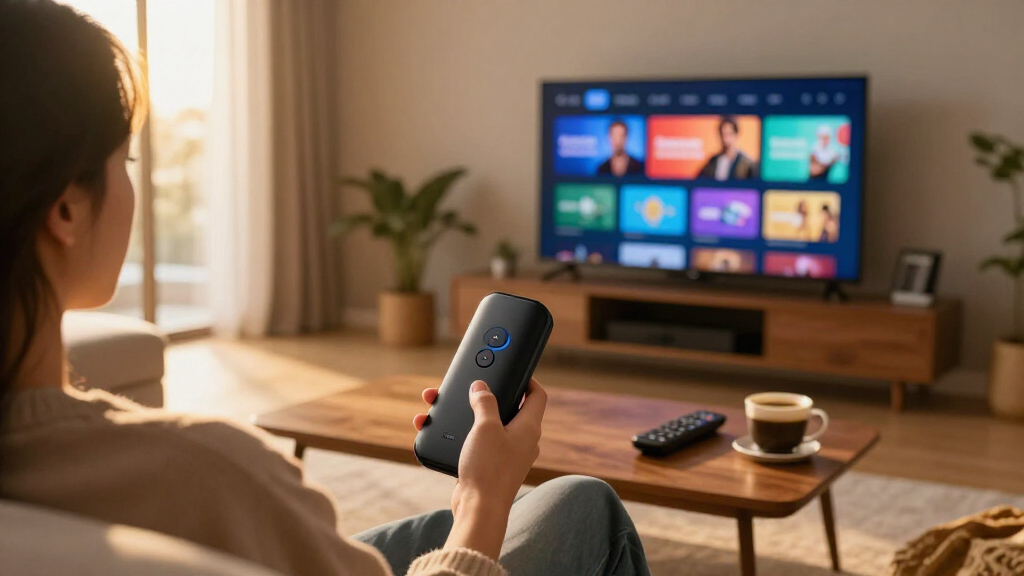
My ranking logic starts with a question most roundups skip: does this device actually improve on a smart TV’s built-in apps? That meant prioritizing interface speed, home screen clutter, and long-term software support over raw spec sheets. A device with a slightly slower processor but a cleaner, faster-feeling menu often beats a paper-fast model buried in promotional tiles. I also weighted streaming quality matching — whether a device supports the HDR formats (HDR10+, Dolby Vision) and audio formats (Dolby Atmos) that modern TVs and soundbars actually use.
From there, the lineup sorted itself into clear tiers. Value-per-dollar separated the HD sticks from the 4K sticks, since anything above $40 needs to justify itself with resolution support and Wi-Fi standards. Ecosystem fit then broke the ties: Amazon devices favor Prime and Alexa households, Roku devices favor interface minimalists, and the TiVo serves Google/Android loyalists. Finally, I penalized devices whose premium pricing buys features most streamers won’t use — a hands-free voice hub is great, but not if you only want Netflix to load faster.
| streaming device for smart TV | Wi-Fi |
|---|---|
| Roku Streaming Stick HD with V | — |
| Roku Streaming Stick Plus with | — |
| Amazon Fire TV Stick HD with A | Dual-band dual-antenna (802.11a/b/g/n/ac) |
| Amazon Fire TV Stick HD | Wi-Fi 6 |
| Amazon Fire TV Cube with Alexa | Wi-Fi 6E |
| Amazon Fire TV Stick 4K Select | Dual-band dual-antenna (MIMO) |
| Roku Streaming Stick 4K with V | Long-range dual-band |
| Fire TV Stick 4K Max | Wi-Fi 6E tri-band |
| TiVo Stream 4K | — |
| Amazon Fire TV Stick 4K Plus | Wi-Fi 6 |
| Roku Streaming Player Ultra | — |
Factors to Consider When Choosing Streaming Device For Smart TVs
Before picking a specific model, it helps to understand what actually separates a satisfying streaming stick from a disappointing one. These are the factors that drove the biggest performance gaps in this lineup.Match the Device to Your TV’s Resolution
The most common mistake I see is buyers overspending on 4K hardware for 1080p televisions. A 4K stick connected to an HD TV will work fine, but you’re paying for processing power and HDR support your screen physically cannot display. Conversely, pairing a cheap HD stick with a new 4K panel means losing detail, HDR, and often Dolby Atmos audio — the upgrade your TV was built for gets negated by a $25 dongle. Check your TV’s maximum resolution before shopping, and if you plan to upgrade your television within a year or two, buying the 4K device now saves a repurchase later. This single decision cuts the field roughly in half before you compare anything else.
Wi-Fi Standards Matter More Than Processors
Marketing emphasizes chip speed, but in practice, network performance causes most streaming frustration. Devices with Wi-Fi 6 or 6E — like the Fire TV Stick 4K Max and 4K Plus — hold connections more reliably in homes crowded with phones, laptops, and smart home gadgets all competing for bandwidth. If your router is older than three or four years, though, a Wi-Fi 6E device gains you nothing until you upgrade that too, so don’t pay a premium for bandwidth you can’t access. Households with multiple simultaneous 4K streams benefit most. Anyone in an apartment building surrounded by competing networks will notice the difference within the first week.
Interface Philosophy: Roku Versus Fire TV
Once performance thresholds are met, the home screen experience determines daily satisfaction more than any spec. Roku keeps menus simple and app-focused, with relatively restrained advertising, which suits viewers who just want to open Netflix or YouTube in two clicks. Fire TV interfaces interleave Amazon content, sponsored rows, and promotional tiles throughout — convenient if you live in the Prime ecosystem, fatiguing if you don’t. Neither approach is wrong, but they reward different temperaments, and switching platforms later means relearning menus and reinstalling apps. I’d suggest thinking about who uses the TV most: tech-comfortable adults adapt to either, while older relatives or kids generally navigate Roku’s layout with less confusion.
HDR Format Support and the Small Print
4K is only half the quality equation — HDR format support decides whether movies actually look richer on a capable TV. Roku leans toward HDR10+ (Samsung’s preferred format), while Amazon’s 4K devices support both HDR10+ and Dolby Vision (favored by LG, Sony, and most content studios). If your TV supports Dolby Vision, a device without it silently downgrades those streams to standard HDR. The same logic applies to Dolby Atmos: anyone with a soundbar or receiver capable of Atmos should confirm the device passes it through, since several budget HD sticks do not. These format details rarely appear on packaging prominently, yet they explain most of the ‘why does this look worse than my friend’s setup’ complaints.
When to Pay Premium Prices
The jump from a mid-range 4K stick to the $100-plus tier — the Fire TV Cube and Roku Ultra — only makes sense for specific needs. The Cube’s value is its hands-free Alexa integration, effectively adding a smart speaker to your entertainment center and allowing far-field voice commands without touching a remote. The Roku Ultra’s value is its wired Ethernet port, extra storage for apps, and a remote finder — genuinely useful for people with unstable Wi-Fi or large app libraries. If none of those scenarios apply, the streaming quality itself is nearly indistinguishable from a $60 stick. Premium here buys convenience and reliability features, not a better picture.
Remote Quality and Voice Assistant Lock-In
Remotes are the part of a streaming device you touch every single day, yet they’re often an afterthought in buying decisions. Check whether the remote includes TV power and volume buttons — without them, you’re juggling two controllers forever. Voice assistants also embed you deeper into an ecosystem: Alexa remotes work well for Prime members and smart home users, while Roku’s voice search is more neutral and platform-agnostic. Some remotes now support finding a lost controller by sound, a small feature that households with couch cushions will genuinely appreciate. Since remotes rarely work across brands, this choice quietly commits you to a platform for years.
Frequently Asked Questions
Do I even need a streaming device if my TV is already smart?
Often yes, and the reason is usually speed rather than app availability. Smart TV processors age quickly, and a five-year-old television that takes twenty seconds to open Netflix will feel like new with a current-generation stick handling the apps. Built-in software also stops receiving updates sooner than dedicated streaming hardware, which eventually leaves you with abandoned apps or missing services. A $30–$60 device effectively extends your TV’s useful life by several years and gives you a consistent interface across every television in the house. The exception is a recent premium TV with fast built-in apps — in that case, a stick mainly adds convenience rather than performance.
Is Roku or Fire TV better for someone who hates ads and clutter?
Roku wins this comparison clearly. Fire TV home screens mix your apps with Amazon promotional rows, sponsored content, and content suggestions that often prioritize Prime Video over services you actually subscribe to. Roku’s interface still carries some advertising, but it’s confined to clearly designated slots, and the app grid stays the focus of the experience. Roku also lets you rearrange and remove channels freely, so your most-used apps stay within one click. If you’re deep in the Amazon ecosystem and don’t mind the clutter, Fire TV’s integration has its own appeal — but for interface minimalists, Roku is the calmer daily experience.
Will a 4K streaming stick work on my 1080p TV, and is it worth buying anyway?
Yes, every 4K device in this lineup works perfectly on a 1080p television — it simply downscales the output. Whether it’s worth buying anyway depends on your upgrade plans. If a 4K TV is in your future within a year or two, buying the 4K stick now means the device moves to the new television without a repurchase, and 4K sticks also tend to have faster processors and better Wi-Fi that improve 1080p performance today. If your current TV is your long-term set, save the money — the picture quality difference between HD and 4K devices on a 1080p screen is zero. The one thing to verify is HDMI port compatibility, which is universal on these models.
What does the Fire TV Cube do that a regular Fire TV Stick can’t?
The Cube’s defining feature is far-field hands-free Alexa, meaning you can speak commands from across the room without touching a remote, just like an Echo speaker. It also includes an HDMI input and infrared blasters that let it control cable boxes, soundbars, and TVs as a central hub, plus a wired Ethernet adapter support that sticks lack. Its processor is faster, which shows up as quicker app launches and smoother navigation in dense menus. But the actual streaming quality is essentially identical to the Fire TV Stick 4K Max — same formats, same apps, same picture. The Cube is a smart home command center that streams, not a fundamentally better streamer.
Why would anyone choose the TiVo Stream 4K over Roku or Fire TV?
The TiVo Stream 4K runs Android TV (now Google TV), which makes it the natural fit for households invested in the Google ecosystem — Chromecast built-in, Google Assistant, and tight integration with YouTube TV, which TiVo’s interface is specifically built around. Android TV also supports a wider range of sideloaded apps and games than either Roku or Fire TV officially allow. The tradeoffs are real, though: the remote is less polished, software updates arrive less predictably, and the app experience isn’t as consistently smooth as the category leaders. Google loyalists and YouTube TV subscribers get genuine value here; everyone else is better served by the more refined Roku and Amazon options.
Conclusion
After comparing all eleven devices, the right choice comes down to matching hardware to your television and your tolerance for interface clutter. For best overall, the Fire TV Stick 4K Max (2nd Gen) delivers the best balance of speed, Wi-Fi 6E future-proofing, and format support — with the Roku Streaming Stick 4K as the equal-quality alternative for anyone who prefers a cleaner home screen. The best value pick is the Roku Streaming Stick HD (or the Fire TV Stick HD for Alexa households), which delivers 90% of the experience at half the price for 1080p TVs. For best premium, choose the Fire TV Cube if you want a hands-free smart home hub, or the Roku Ultra if you want wired Ethernet and rock-solid reliability instead. Beginners and gift-givers are best served by the standard Roku Streaming Stick Plus, whose simple remote and uncluttered menus work for every age group. And for the specific need of Google ecosystem users, the TiVo Stream 4K remains the only Android TV option worth shortlisting. Whatever you pick, any of these devices will outlast and outperform the apps built into most smart TVs — the upgrade pays for itself in daily frustration saved.
Fall Picks
fall essentials
As an affiliate, we earn on qualifying purchases.